
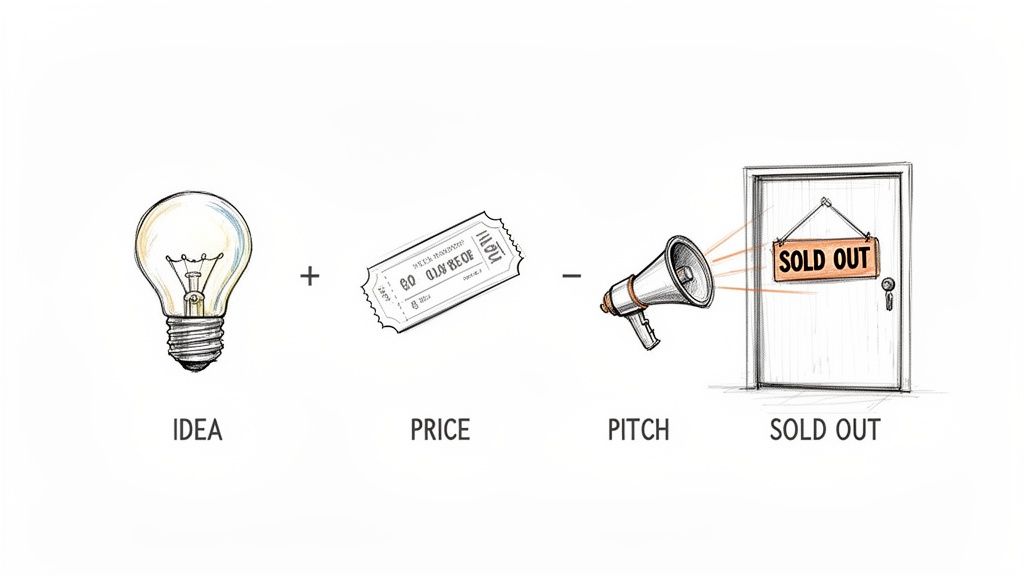
Selling tickets for your event comes down to three things: your platform, your price, and your pitch. Nail those, and you've got a clear path from a cool idea to a sold-out event. This isn't about becoming a ticketing giant. It’s about getting people in the door without the usual pain.
Selling Tickets Should Be Simple
You’re not trying to build a corporate empire. You're a pop-up chef, a workshop host, or a community organizer who wants to share something you love. The goal is simple: get people to show up without losing your mind in a mess of spreadsheets and clunky payment links.
Let's cut through the noise. This guide is for small creators. No corporate jargon. No complicated software that needs a manual. Just a straightforward plan to get you from an idea to a room full of happy attendees.
We're going to focus on the only three things that really matter.
- Your Platform: The tool you use to sell tickets. It should be invisible to your customers and effortless for you.
- Your Price: The number that reflects your value and covers your costs.
- Your Pitch: The story you tell that makes people say, "I have to be there."
By the end, you'll have a solid plan for selling event tickets and feel confident instead of overwhelmed.
Ditching the Old Way
For too long, small event hosts have taped together solutions that just create more work. Managing RSVPs in a spreadsheet, chasing Venmo payments, and manually sending confirmation emails is a recipe for burnout. It’s messy, unprofessional, and eats up time you should be spending on the event itself.
Your time is your most valuable asset. Wasting it on manual tasks that can be automated is like paying a tax for inefficiency. A good ticketing setup should give you hours back, not take them away.
The market for online ticketing is massive, and it's not just for stadium concerts. The global online event ticketing market recently hit $39.8 billion and is still growing. More importantly, mobile sales now account for nearly 59% of all online tickets.
What does this mean for you? Your attendees expect a smooth, secure checkout on their phones. Clunky, outdated methods just don’t work anymore. Find out more about the growth of online ticketing.
Choosing the right approach isn’t just about convenience. It’s about professionalism and profit. A simple, modern system ensures you get paid instantly, gives your attendees confidence, and lets you focus on creating an unforgettable experience.
Choose Your Platform and Price Your Tickets
Picking a ticketing platform can feel like a huge commitment. The endless feature comparisons are enough to make your head spin. But for a small-scale organizer, it’s simpler than you think. You can ignore most of the noise.
You only need a tool that nails three things. It should get you set up in minutes, not days, without touching any code. It needs to let you add your own branding so it looks and feels like your event. And it shouldn't punish you for success by skimming a percentage off every single sale.
The Big Fee Misconception
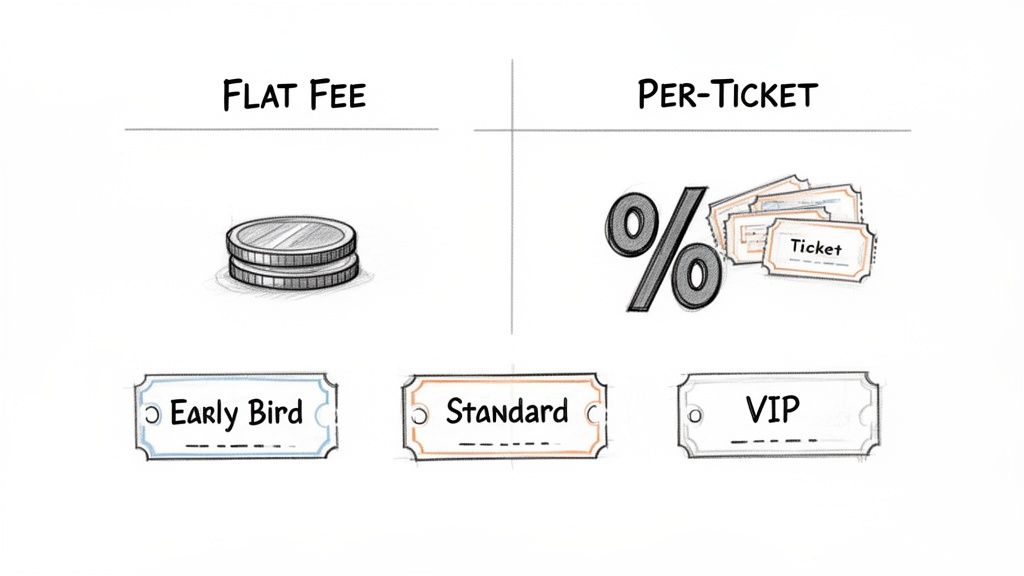
Most ticketing platforms make money by taking a cut of your revenue. It might seem small, something like 5% + $0.99 per ticket, but that adds up fast. Sell a $50 ticket to your pop-up dinner, and you could lose $3.50 right off the top before the payment processor even takes their slice.
Sell 100 of those tickets, and you’ve just handed over $350. For what, exactly?
A flat-fee model is a different game. You pay one simple, predictable price for the service. That's it. All the ticket revenue flows directly to you. This approach puts you in control and makes budgeting less stressful. You can predict your income without doing weird math for every sale.
Ticketing Platform Fee Models Compared
Here's a quick look at how different pricing models affect your money for a small event.
| Fee Model | How It Works | Best For | Watch Out For |
|---|---|---|---|
| Percentage Per Ticket | The platform takes a percentage (e.g., 2.5% - 7%) of each ticket, plus a fixed amount (e.g., $0.99). | Very small, low-priced events where a subscription feels like too much of a commitment. | Fees eat into your profit, especially with higher-priced tickets. The costs are unpredictable. |
| Flat Fee Per Ticket | You pay a fixed fee for every ticket sold (e.g., $1.00), no matter the ticket price. | Events with a wide range of ticket prices, as the fee is predictable. | Can be less cost-effective for very cheap tickets compared to a percentage model. |
| Flat Monthly/Annual Fee | You pay a recurring subscription fee, and all ticket revenue is yours (minus payment processor fees). | Frequent event hosts or anyone wanting maximum revenue and predictable expenses. | Requires an upfront investment, so it might not be ideal for a one-off event. |
A model that keeps your costs predictable and lets you keep more of your hard-earned money is the way to go.
For a deeper dive, we broke down how to find the best ticketing platform for events without getting lost in the weeds. The main takeaway is to prioritize simplicity and fair pricing.
Pricing Your Tickets With Confidence
Now for the fun part: setting your price. This isn’t just about covering costs. It’s about signaling the value of your event and drumming up some excitement. Let’s look at a few strategies that genuinely work.
Your price is a message. Too low, and people might assume your event is low-quality. Too high, and you risk scaring off your ideal crowd. The sweet spot is where value and accessibility meet.
Think of your ticket as more than an entry pass. It’s the first tangible piece of your event experience. Pricing it thoughtfully shows you respect your own work and your attendees' investment.
Start by figuring out your break-even point. Add up all your costs: the venue, supplies, speaker fees, snacks, you name it. Divide that total by the number of tickets you realistically expect to sell. That number is the absolute minimum you have to charge just to not lose money.
From there, we can start thinking about profit.
Simple Pricing Strategies That Actually Work
You don’t need an economics degree to price your event effectively. A few proven tactics can dramatically boost sales.
- Early Bird Pricing: This is the easiest win. Offer a discount, say 15% off, to the first 20 people who sign up or just for the first week of sales. It rewards your biggest fans and creates instant momentum. That initial burst of sales is all the social proof you need.
- Tiered Tickets: Give people options. A few different levels of access lets you cater to different budgets. Instead of one ticket, why not two? A yoga workshop could have a "Standard Pass" and a "Flow & Glow Pass" that includes a branded water bottle and a guaranteed spot in the front row.
- Group Discounts: Encourage people to bring their friends. A small discount for groups of three or more is perfect for workshops and classes. It turns one attendee into an advocate who helps sell tickets for you.
Let’s put this into a real-world scenario. Imagine you're hosting a two-hour sourdough baking workshop.
Your costs are $300 for the space and $200 for ingredients, totaling $500. You can host 20 people. Your break-even price is $25 per person. To make a healthy profit and show the value you're providing, you decide to price the standard ticket at $65.
Here’s how you could structure it:
- Early Bird Ticket: $55 (Available for the first seven days)
- Standard Ticket: $65
- Baker’s Bundle (for two): $120 (A $10 savings)
This structure builds urgency with the early bird special, provides a clear standard value, and encourages people to sign up with a friend. It’s a simple but powerful way to maximize revenue, whether you're teaching a class or hosting a five-course meal.
Create an Event Page That Sells
Think of your event page as your digital storefront. A confusing one sends people away. A great one makes them grab their wallet.
The good news? You don't need a design degree or a team of coders to build something that works. It all comes down to clear communication that turns a casual visitor into a ticket holder. You can get a professional-looking page up in minutes with no code needed, letting you focus on telling people why your event is unmissable.
Nail the Non-Negotiables
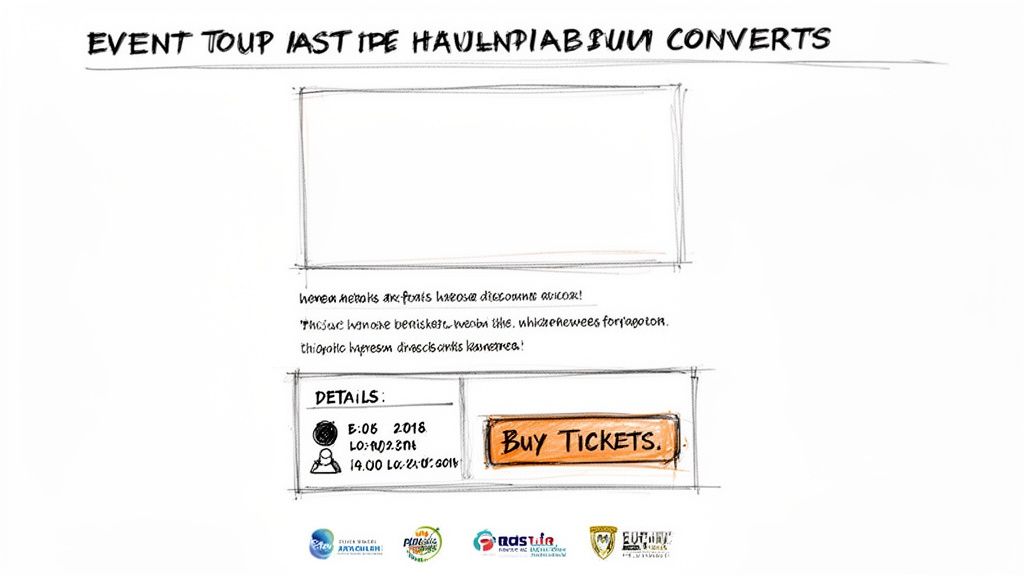
Every great event page, whether for a five-person workshop or a five-hundred-person conference, gets a few key things right. These are the absolute basics. Get them in place, and you’re already ahead.
- A Killer Headline: Be clear, not clever. "Sourdough Basics Workshop" is a thousand times better than "Unleash Your Inner Artisan." Tell people exactly what they're getting.
- A Short, Punchy Description: This is your hook. One or two sentences that capture the feeling of the event. Why should they care? What problem will you solve or what joy will you bring them?
- The Crystal-Clear Details: Don't make people hunt for information. The who, what, when, where, and why should be impossible to miss.
- A Clear Call to Action: Your "Buy Ticket" button should be bright and obvious. Don't bury it at the bottom of the page.
If you’re just starting, that’s all you really need. Clarity always wins.
Write Copy That Doesn't Suck
You don't need to be a professional copywriter. You just need to sound like a human talking to another human. Ditch the corporate fluff and just write like you speak.
Think about the transformation. People don't buy a ticket to a "culinary experience." They buy a ticket to learn how to make pasta that will impress their friends. They don't sign up for a "networking session." They sign up to meet three people who could help their career.
Your job isn't to list features. It's to sell an outcome. Focus on what your attendees will walk away with—a new skill, a great memory, a new connection—and the words will come much more easily.
Here's a simple before-and-after for a pottery workshop:
- Before (Boring): "Join our introductory pottery workshop. This two-hour session covers fundamental techniques of wheel-throwing. All materials are provided."
- After (Better): "Always wanted to try the pottery wheel? Spend a Saturday afternoon with us and turn a lump of clay into a bowl you can actually eat from. No experience needed, just a willingness to get your hands dirty."
See the difference? The first one is a description. The second one is an invitation.
Make It Look Like You
Your event page shouldn't feel like some generic website. When someone clicks a link from your Instagram, the experience should feel seamless. This is where custom branding comes in, and it's simpler than it sounds.
A good ticketing platform lets you easily add your logo, colors, and fonts. This small touch builds a huge amount of trust. It tells attendees they're in the right place and that your event is legit.
Even on a tight budget, a clean layout and a great photo go a long way. But if you want to really stand out, there are top reasons to use a professional graphic designer to give your page that extra polish.
Visuals Tell the Story
A picture is worth a thousand words, especially when you're selling an experience. You don't need a pro photoshoot, but you do need good images.
- Show, Don't Tell: Use photos from past events. Show people laughing, learning, and connecting. If it's your first event, use high-quality photos that evoke the right mood. A pop-up dinner needs delicious-looking food shots. A yoga workshop needs serene, inspiring images.
- People Connect with People: Photos with faces in them consistently perform better. Show the host, the instructor, or happy attendees. It makes the event feel more real.
- Keep It Simple: One great photo is better than ten mediocre ones. Your main banner image is the most important piece of visual real estate on the page. Make it count.
Your event page is the final step where interest becomes action. For a detailed guide on the ticket itself, we have a complete walkthrough on how to create event tickets that look professional. By keeping your page clear, human, and visually appealing, you make it easy for people to say "yes."
Market Your Event Without a Marketing Degree
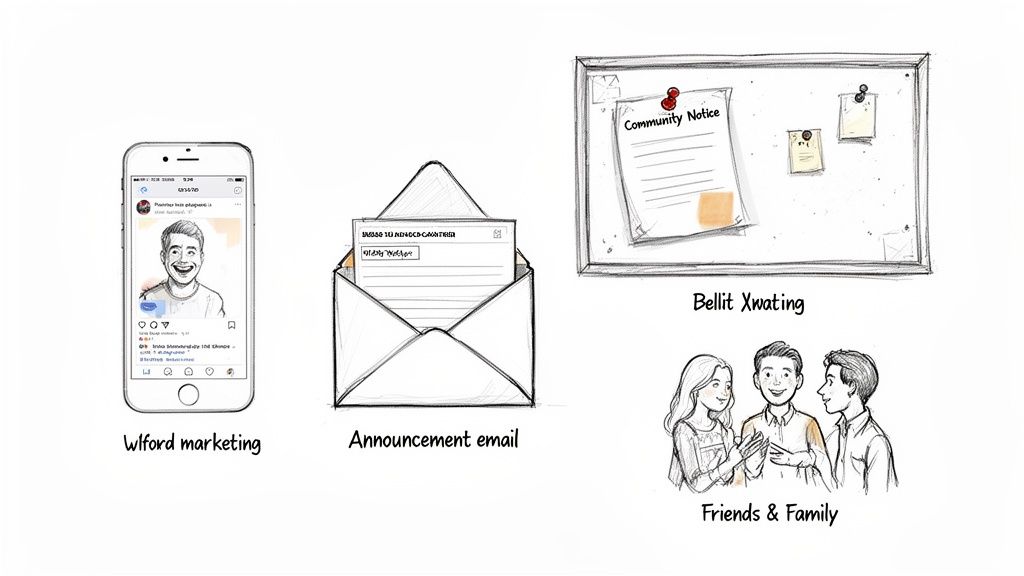
Alright, your event page is live and the tickets are ready. Now what? People won't just magically show up. But you don't need a marketing degree or a fat budget to get the word out.
This is about steady, authentic promotion. No spammy tactics. Just genuine outreach to get your event in front of the right people. The goal is to build momentum, not annoy your friends.
The timing couldn't be better. Event attendance is roaring back, with 53.1% of organizers reporting growth, a huge jump from 43.8% the previous year. For pop-up chefs and workshop hosts, this means you can sell out faster than ever by starting your marketing early.
Start With a Soft Launch
Before you shout about your event from the digital rooftops, start with a whisper. A "soft launch" just means telling your closest friends, family, and past attendees first.
Send them a personal email or message with the link to the ticket page. This does two critical things. It rewards your most loyal supporters with first dibs. And it helps you catch any typos or broken links before the whole world sees them.
An event with zero tickets sold feels empty. An event with five tickets sold feels like it has momentum. Your soft launch is the easiest way to get those crucial first sales on the board.
This initial burst of activity is powerful social proof. When new visitors land on your page and see that tickets are already selling, it tells them your event is worth attending.
Your Simple Pre-Launch Checklist
Don't hit "publish" on your social media posts just yet. Run through this quick checklist to make sure you’re ready to go live. It’ll save you from a lot of "oops" moments later.
- Proofread everything. Twice. Check your event page, your confirmation email, and your ticket details for any typos or errors.
- Test the checkout process. Do a real transaction. Buy a ticket yourself to make sure the payment goes through and the confirmation email looks perfect.
- Confirm your links work. Click every single link you plan to share. Your social media bio, your email signature, everywhere.
Getting these little details right from the start makes you look professional and ensures a smooth buying experience.
Your First Wave of Promotion
Once your soft launch is done and you've double-checked everything, it's time for the first real push. Again, we're keeping it simple and effective. You don’t need to be on every platform. Just focus on where your people already are.
- Email Your List: This is your most powerful tool. Write a simple, direct email to your subscribers announcing the event. No fancy graphics needed. Just tell them what it is, why they'll love it, and include a big, clear link to buy tickets.
- Craft a Few Social Posts: Create three to five posts you can share over the next week. Use your best photos, share a key detail, and always include the link to your ticket page. Don't just post and ghost. Engage with comments and answer questions.
- Tap Into Local Communities: Are you part of local Facebook groups, Slack channels, or neighborhood forums? Share your event there (if the rules allow). A post in a community group for home cooks will sell more tickets for your pasta-making class than a generic ad ever could.
These foundational steps are often all you need for small to medium-sized events. Consistent, genuine communication beats a huge ad budget almost every time.
How to Write an Announcement That Sells
When you're writing your emails and social posts, avoid sounding like a corporate robot. Write like you're talking to a friend who you know would love this event.
Keep your sentences short. Focus on the benefits, not just the features. People don't care that your workshop is "three hours long." They care that they'll "walk away with a handmade ceramic bowl."
Here’s a quick example for a social media post:
Bad: “Registration is now open for our Q3 Urban Gardening Workshop. This comprehensive session will cover soil composition and pest management. Secure your spot today.”
Good: “Tired of your balcony plants giving up on you? 😅 My Urban Gardening workshop is back! Join me on Saturday, Oct 26th, to learn how to keep your green friends happy. Grab your ticket and let's get our hands dirty!”
The second one is human. It's relatable. It connects. That’s all you need to do. Beyond creating a compelling event page, you can explore other proven strategies to increase event attendance and ensure a full house.
Manage Sales and Event Day Operations
The tickets are selling. High five. Now comes the part that often gets overlooked: actually managing everything so you can stay sane. This is the practical side of operations, from the first sale notification to the final guest walking through the door.
Let's dig into tracking sales without living in a spreadsheet, handling the inevitable refund request, and making sure event day is smooth. A calm, organized check-in process sets the tone for the entire experience.
Keeping an Eye on Sales (Without Obsessing)
Once tickets go live, you need a simple way to see what’s happening. Who’s buying? Which ticket tier is most popular? A solid ticketing platform gives you a clean dashboard with all this info in one spot.
Forget cross-referencing payment notifications with a manually updated Google Sheet. You should be able to see your sales in real-time, know exactly how much you've made, and get fast, secure payouts straight to your bank account.
This isn’t about vanity metrics. It’s about making smart decisions on the fly. If your VIP tickets sell out in an hour, you know you priced them right. If sales are slow, you know it’s time to send another promotional email.
Handling Changes and Updates Gracefully
Life happens. An attendee's plans change and they need a refund. You have to move the venue because of a plumbing disaster. How you handle these bumps is what separates the pros from the amateurs.
- Refunds and Transfers: Make your refund policy crystal clear on the event page from day one. When a request comes in, a good system lets you process it with a couple of clicks, no awkward back-and-forth emails.
- Attendee Communication: Need to send an important update? Don’t just throw a post on social media and hope people see it. Use your ticketing platform to email every registered attendee at once. This ensures everyone gets the memo about the new location or a change in the start time.
A quick, clear email saying, "Hey, we had to move the workshop one block over—here's the new address!" is a sign of a competent organizer. Radio silence is a sign of chaos.
Having a central hub to manage your attendees makes these tasks trivial. You can find an order, issue a partial refund, or resend a confirmation email in seconds. This frees you up to focus on the million other things you need to do.
Nailing the Event Day Check-In
Your event day check-in is the first real-life interaction your guests have with your event. A clunky, slow-moving line is a terrible first impression. The goal is a smooth, welcoming experience that gets people inside and excited.
You don’t need fancy scanners or a team of ten people. All you really need is a phone or a laptop.
Modern ticketing systems turn your own device into a powerful check-in tool. Guests can pull up a QR code on their phone, you scan it, and you get a friendly green checkmark. Done. It's a huge leap from printing out a list and highlighting names with a marker.
It’s faster, more accurate, and lets you see exactly who has arrived and who is still on their way. If you want to see how it works, we've explained exactly how a simple QR code for tickets can make your check-in process incredibly efficient.
A Quick Note on Fraud Prevention
For most small events, like a yoga class or a pop-up dinner, ticket fraud isn't a huge concern. The stakes are relatively low. But if you're selling higher-priced tickets for a multi-day workshop or a special concert, it’s worth taking one simple precaution.
Just ask to see an ID that matches the name on the ticket. It takes an extra five seconds per person and is a simple deterrent. The digital check-in list on your phone or laptop makes this easy, as the attendee's name pops up right after you scan their ticket.
A smooth operational plan means you’re not scrambling on event day. You're calm, you're in control, and you can actually enjoy the amazing experience you worked so hard to create.
Common Questions About Selling Tickets
We get it. You're pouring all your energy into crafting an incredible event, and the nitty-gritty of ticket sales can feel like a distraction. Here are some of the most common questions we hear, along with some straight-up answers.
How Far in Advance Should I Start Selling Tickets?
There’s no single magic number, but for most small to medium-sized events, the sweet spot is four to six weeks out. This gives you enough time to build some buzz without your marketing feeling like it's dragging on forever.
If you're planning something bigger, like a local festival, you might want to push that out to two or three months. The key is to go live once your core details are locked in (date, venue) and your event page is sharp. Pro tip: Launch with an early-bird discount for the first week. It’s a great way to create an initial sales bump.
What's the Best Way to Handle Cancellations and Refunds?
Clarity is your best friend. Be direct and put your refund policy right on your event page where everyone can see it. Something simple like, "Full refunds available up to seven days before the event" saves a lot of headaches.
Most modern ticketing platforms make processing refunds a breeze, usually just a few clicks. What about last-minute cancellations outside your policy? Consider offering to transfer their ticket to a future event. It’s a great gesture that costs you nothing but can keep a customer happy.
Should I Absorb the Fees or Pass Them to the Buyer?
This one comes down to your pricing strategy and your audience.
Absorbing the fees means your ticket price is a clean, round number (like $50), which can feel more honest to your buyers. No one likes surprise charges at checkout.
But if your platform takes a big percentage, absorbing those fees can seriously gut your profit margin. Passing the fee on is pretty standard, but you have to make sure the platform shows it clearly before the final checkout step. Sticker shock is a real conversion killer.
A simple, flat fee makes this whole dilemma much easier. Absorbing a small, predictable cost is a manageable touch that creates a better experience for your buyer without costing you a fortune.
When you choose a platform with fair, flat-fee pricing, this decision becomes much less stressful. You aren't stuck passing on a huge percentage just to protect your bottom line.
Do I Really Need a Custom Branded Page?
Need it? Maybe not. But should you have one? Absolutely. A branded page that showcases your own logo, colors, and fonts instantly makes your event feel more professional and trustworthy.
Think about the user experience. When someone clicks a link from your beautiful website and lands on a generic, third-party ticketing page, it feels disjointed. A branded page keeps the focus on your event and your identity. It's a small detail that shows you care, and it's how you start building a loyal following that comes back for more.
Ready to sell tickets without all the chaos? Ticketsmith helps you set up a beautiful, branded event page in just a few minutes. No code, no percentage fees, just simple, flat-rate ticketing built for creators like you. Get started at Ticketsmith.co.