
An embedded checkout for event tickets means your customer never leaves your website to buy.
Instead of getting booted to another site to pay, they finish the whole thing right on your event page. It’s a simple change that feels smooth, builds trust, and sells more tickets.
Why Your Event Page Is Losing Sales
You poured your heart into planning an amazing workshop, pop-up dinner, or local festival. You can feel the buzz. People land on your page, click 'buy tickets', and then… poof. They're gone.
So, what happened? The checkout process is the silent killer of your sales.
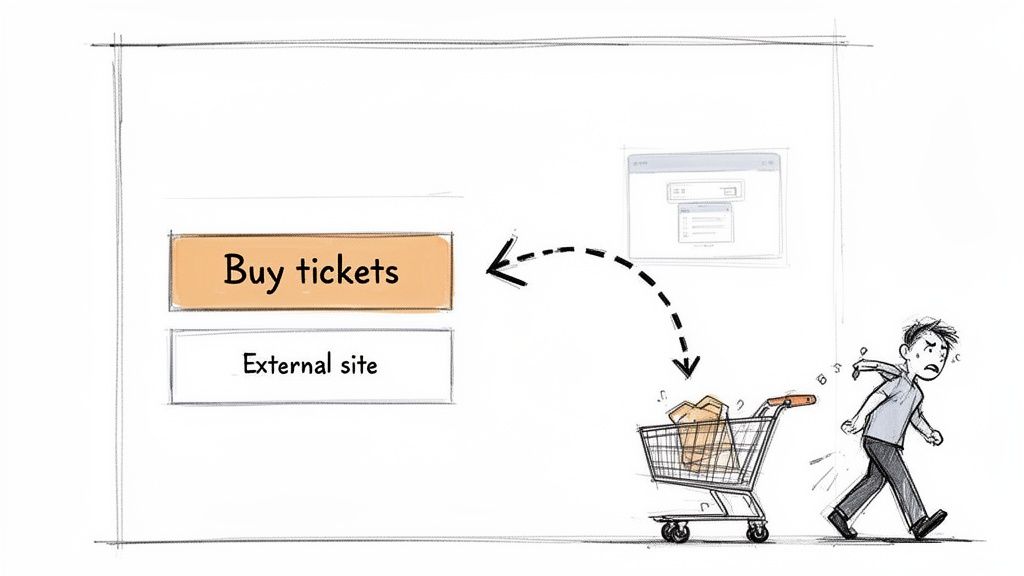
Learning how to create a landing page that actually converts is a great start. But the single biggest mistake I see is sending attendees to a totally different website just to pay.
This redirect kills the momentum you built. It feels clunky. It looks untrustworthy. It adds just enough friction for someone to bail.
The Problem with Redirects
Imagine finding something you love in a cool boutique. But to pay, you have to go to a separate building down the street. Weird, right?
For small creators—workshop hosts, local organizers, pop-up chefs—this broken model is especially painful.
- It breaks trust. Suddenly, your customer is on a different URL with weird branding. It can feel jarring and, frankly, a little sketchy.
- It adds distraction. The new page might be covered in ads, listings for other events, or just a confusing layout. All of it pulls their attention away from buying your ticket.
- It hurts your brand. Instead of reinforcing your event's identity, you’re basically giving free advertising to a ticketing platform. Ouch.
This is where an embedded checkout for event tickets changes everything.
It’s a simple fix that keeps buyers on your website from start to finish. You stay in control, your brand stays front and center, and you sell more tickets. If you're looking to make the switch, check out some of the top alternatives to Eventbrite that get this right.
It’s about making the buying process as great as the event itself.
What Is an Embedded Checkout Anyway?
So, what is this thing, really? It sounds technical, but it’s dead simple.
An embedded checkout is just a payment form that lives directly on your website. Instead of a 'Buy Tickets' button sending your customer to another company’s site, the entire purchase happens right there.
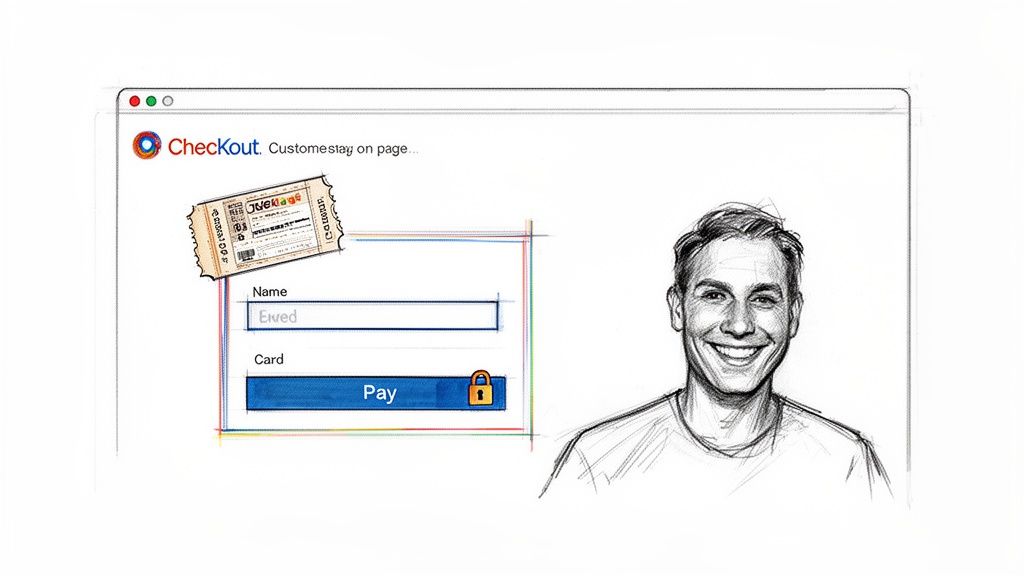
It looks and feels like a natural part of your site. Because it is. The experience is totally seamless.
Keeping Your Customers Close
Think of it like having a secure card reader at your farmers' market stall. Customers pay you on the spot. Making them walk down the block to an ATM is clunky, and you might just lose the sale. An embedded checkout gets rid of that digital walk of shame.
Your customer never has to leave your space. This one detail has a huge impact on their confidence and your sales.
Keeping the checkout on one page cuts down on abandonment. The goal is to remove every obstacle between "I want this" and "It's mine."
And the best part? Modern tools make this incredibly easy. You don't need to be a coder. It's often as simple as copying a small bit of code and pasting it where you want the form to appear. Most organizers get it done in minutes.
How It Works (Without the Jargon)
Under the hood, that embedded form is a secure window (an iframe or a widget) that connects to the payment processor.
Here’s what that means for you:
- You control the look. You can customize it with your own branding, colors, and logo. This reinforces your identity. If you want to go deeper, see our guide on the benefits of white-label event ticketing.
- Security is handled for you. Your website never touches or stores any credit card data. The ticketing platform handles all the heavy PCI compliance work.
- It’s flexible. It works for an intimate five-person workshop or a festival for five thousand. The tech scales without you doing anything.
An embedded checkout isn't some complicated beast. It’s a tool designed to look professional, build trust, and help you sell more tickets for the awesome events you're pouring your heart into.
The Real Wins: More Money, Less Hassle
So, why should a busy workshop host or pop-up chef care about this tech talk?
Because an embedded checkout isn't just a fancy feature. It’s a tool that directly affects your event’s success and your bank account.
The biggest win is the simplest: you'll sell more tickets.
Every time you send someone to another website to pay, you give them a perfect chance to get distracted or lose trust. Keeping them on your page makes buying a ticket fast and smooth. It dramatically cuts down on how many people bail.
Higher Conversions and More Revenue
When the path to buying is shorter, more people finish it. It really is that simple.
Today’s ticket buyers, especially the 66% of consumers buying on their phones, have no patience for clunky sites. A clean, embedded system can boost your conversions by as much as 40% just by getting rid of the redirect.
That boost means more money. And while we’re talking money, a good platform uses simple, flat-fee pricing. No sneaky percentage fees skimming off every ticket you sell. You keep more of your cash.
Plus, you get your money fast. Payouts should be quick and secure, landing straight in your bank account without long delays.
Stronger Branding and Customer Trust
Your event is your brand. So why send your customers to a checkout page with someone else’s logo?
An embedded checkout lets you keep your own colors, fonts, and branding front and center. This makes you look way more professional. But it’s not just about looks. It’s about building confidence. When the payment process feels like a natural part of your site, customers trust it more.
You can learn more about how custom branding on your ticketing platform makes a huge difference.
When a customer feels secure, they’re not just more likely to buy. They're more likely to tell their friends about your event. Trust is your best marketing tool.
Tracking metrics like the cost per checkout initiated can show you exactly where you’re losing buyers. A smoother process can plug those leaks and boost your revenue.
It all comes back to a better experience. A seamless checkout makes people feel great about their purchase and gets them even more excited for your event.
Let's break down the real difference. Here’s a quick comparison.
Redirect Checkout vs. Embedded Checkout
| Feature | Redirect Checkout (The Old Way) | Embedded Checkout (The Better Way) |
|---|---|---|
| User Experience | Disruptive. Sends customers to a third-party site. | Seamless. Customers never leave your website. |
| Conversion Rate | Lower. High cart abandonment from friction. | Higher. Up to 40% increase by removing steps. |
| Branding | Your brand is replaced by the processor's. | Your branding stays consistent and professional. |
| Customer Trust | Can feel sketchy and cause hesitation. | Builds confidence and security. |
| Mobile Experience | Often clunky and not optimized for redirects. | Smooth and designed for the 66% of mobile buyers. |
The choice is pretty clear. Redirects create hurdles. An embedded experience makes buying a ticket feel effortless.
How to Add Embedded Checkout to Your Site
Okay, let's get into the "how." Adding an embedded checkout sounds technical, but I promise it’s often easier than setting up a new email account.
The goal isn't to turn you into a programmer. It’s to get tickets on sale in minutes so you can get back to planning your actual event. For most people, that means a simple copy-and-paste widget.
This decision comes down to a simple choice. Do you want to boost sales by keeping people on your site, or risk losing them with a clunky redirect?
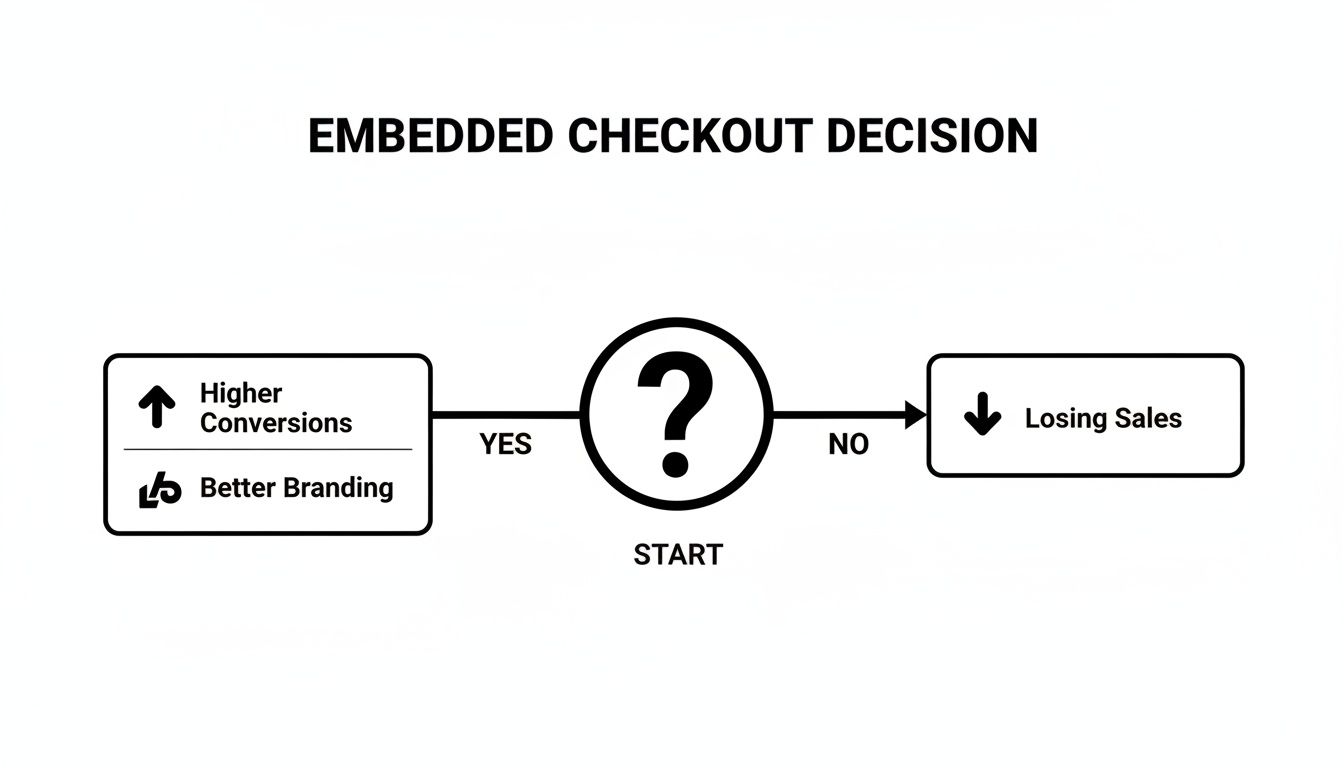
Keeping everything on your own turf is the clear path to better branding and more ticket sales.
The Magic of the Copy-Paste Widget
For anyone who doesn't live and breathe code, the widget is your best friend. Platforms like Ticketsmith are built for this. Once you create your event, we give you a small snippet of code. That's it.
You just copy that code and paste it into your website editor. It works great with all the popular site builders:
- Squarespace: Add a "Code Block" and paste it in.
- WordPress: Use the "Custom HTML" block in the editor.
- Webflow: Drop in an "Embed" element where you want the form.
The second you paste the code, your ticket form pops up. You can tweak the branding to match your site, and it’s instantly ready to sell. No developers, no headaches. It’s a system that works just as smoothly for your first five attendees as it does for five thousand.
This approach avoids the massive sales drop-offs that plague old ticketing platforms. For pop-up chefs and workshop hosts, a seamless checkout can boost conversions by 30-50%. That’s more money in your account, without painful service fees.
A Quick Word on APIs
For those who have a developer (or just like to tinker), there's also the API option. An API (Application Programming Interface) is for people who want total control and deep customization.
It lets your developer build a completely unique checkout from scratch that still talks to the ticketing platform to process payments.
This is the advanced route. It's powerful, but for 99% of small event organizers, the copy-paste widget is the right tool for the job. You can find more details in our guide to online ticketing for events. The main point is that you have options, but the easiest path is very easy.
Keeping Payments Secure and Simple
Handling your attendees' money sounds intimidating. Most of us didn't get into hosting events because we love payment security protocols. The good news: you don’t have to.
When you use a trusted embedded checkout, the provider handles all the scary parts for you. Your website never touches or stores sensitive credit card data. Not even for a second.
It’s like the secure tube at a bank drive-through. Your customer puts their payment info into the widget, and that data goes straight to the secure processor’s vault. You get the sale, and they handle the Fort Knox-level security.
You Don't Need to Be a Security Expert
This all hangs on two ideas: PCI compliance and tokenization. That might sound like jargon, but the concepts are simple.
PCI Compliance: Think of this as security rules for handling credit cards. A good ticketing partner is already compliant, which means you are too, just by using their tool. It’s like hiring a certified security guard instead of guarding the building yourself.
Tokenization: This is a fancy word for swapping sensitive data (like a credit card number) with a unique, non-sensitive "token." The real data stays locked away, and only the useless token is used on your site.
The most important thing to know is this: a secure embedded checkout means your site's only job is to display the event. The heavy lifting of security is completely off your plate.
This lets you focus on creating an amazing event, not on becoming a cybersecurity whiz.
Building Trust with Clear Pricing
Security isn't just about data. It's also about being transparent. Nobody likes getting to the final step only to be hit with surprise fees. It feels dishonest and kills trust.
A good embedded checkout shows all costs upfront. The ticket price, any taxes, and the simple, flat fee are all laid out clearly. This honesty isn’t just good practice—it’s becoming law. New regulations demand transparent pricing, and a good checkout makes compliance easy. You can see why this matters in recent event industry statistics.
It’s simple. When people feel secure and respected, they’re far more likely to buy and come back for your next event.
Your Simple Pre-Launch Checklist
Alright, let's turn this into action. This is about getting your event live and selling tickets today. Here’s a no-fluff checklist to get your embedded checkout running.
Think of this as your final walkthrough before you open the doors. Nailing these steps makes sure your ticket-buying experience is as smooth as your event.
The Five-Minute Final Check
This part should be fast. If it feels like a chore, you might be using the wrong tool. A solid partner makes this a breeze.
Pick the Right Partner Go with a platform built for creators, not giant corporations. Look for one with simple, flat-fee pricing. You don't want sneaky percentage fees eating your revenue. Find a partner who is easy to work with and leaves more money in your pocket.
Brand Your Widget This is your show, so it should look like it. Take two minutes to add your brand colors and logo to the checkout widget. This small touch makes your embedded checkout for event tickets feel legit and builds trust.
Clarify Your Tickets Don't make people guess. Use simple names for your tickets, like "Early Bird Admission," "VIP Entry + Drink," or "Weekend Pass." The clearer you are, the faster someone can click "buy."
Your checkout is the last hurdle before a sale. Making it simple, branded, and trustworthy is the easiest way to make sure people cross the finish line.
Test the Full Experience This is non-negotiable. Open your event page on a computer and on your phone. Go through the whole motion of buying a ticket. Is it smooth? Does it feel quick? Catching a tiny snag now saves you from customer headaches later.
Confirm the Confirmation Last step. Double-check the confirmation email. Make sure the automated email that goes to buyers is set up, looks good, and has all the key details. This is your first touchpoint after the sale. Make it a good one.
Got Questions About Embedded Checkouts?
We get the same questions from event creators all the time. Let's tackle them.
Is an Embedded Checkout Actually Safe for My Customers?
Yes, absolutely. When you use a modern ticketing provider, that embedded form is a hyper-secure window that talks directly with the payment processor.
Your website never sees, touches, or stores any credit card data. All the heavy security stuff, like PCI compliance, is handled by the platform you use. This frees you up to focus on your event, not cybersecurity.
Do I Need to Be a Programmer to Get This on My Website?
Not a chance. The best platforms are built for event organizers, not developers.
Usually, it’s as simple as copying one line of code and pasting it where you want it. This works perfectly whether you're using a Squarespace block, a page in WordPress, or an embed element in Webflow. If you can copy and paste, you have all the skills you need. It’s a no-code setup that takes minutes.
Will This Thing Work on a Phone?
Any embedded checkout for event tickets worth using is designed to be fully responsive.
That means it automatically adjusts to look and work perfectly on any screen, from a huge monitor to a small smartphone. Since so many ticket sales happen on the go, this isn't a nice-to-have. It's a core feature that’s already built in.
Your attendees expect a seamless mobile experience. A clunky checkout on a phone is one of the fastest ways to lose a sale.
What if I Have Different Ticket Types for the Same Event?
That’s how most events work. Any solid embedded tool handles this easily.
You can set up all your ticket tiers—"General Admission," "Early Bird," "VIP Package"—in your ticketing dashboard. All of these options will show up neatly inside the checkout widget on your site, letting customers pick what they want. It just works.
Ready to stop losing sales to clunky, off-site checkouts? Ticketsmith gives you a simple, powerful embedded checkout you can set up in minutes. Keep your branding, keep your customers on your site, and keep more of your money with our flat-fee pricing.
Get started with Ticketsmith today and see how easy selling tickets should be.