
A good seating chart isn't about being rigid. It's your secret weapon for a great event. You're strategically placing people to spark conversations, make everyone feel comfortable, and sidestep potential awkwardness.
Think of it as designing the social architecture of your gathering.
Why Bother With a Seating Chart Anyway?
Let's be real. The words "seating chart" can make your stomach drop. It feels like a high-stakes puzzle where everyone’s feelings are on the line. But I promise, it doesn't have to be a nightmare.
A good chart is less about telling people where to sit and more about engineering a better experience. It prevents your cousin from getting stuck next to his ex. It ensures your keynote speaker isn't seated by the noisy kitchen door. It helps your catering team work without a hitch.
The Real Goals of a Good Seating Chart
First things first: forget perfection. The goal isn't to create the perfect table. It’s to avoid the terrible one.
A thoughtful seating plan just does a few simple things:
Reduces Guest Anxiety: Nobody wants to wander aimlessly, scanning a room for a friendly face. A chart removes that stress instantly.
Encourages Connections: You can place people with shared interests together, turning a simple dinner into a real networking opportunity.
Manages Tricky Dynamics: Every group has them. A chart lets you quietly steer clear of drama before it starts.
Improves Event Flow: Service is faster, speeches start on time, and you avoid that chaotic scramble for seats.
Of course, getting people to the event is the first hurdle. If you're looking to fill those seats, we've got practical advice on how to increase event attendance on our blog.
Spreadsheets vs. Fancy Apps
So, what tool should you use? Go with the simplest thing that works.
For a workshop with 30 people, a Google Sheet is your best friend. It's free, collaborative, and you can pull it up anywhere. I once tried a "free trial" of a fancy seating app for a 50-person pop-up dinner. It cost me $49 because I forgot to cancel. A spreadsheet would have taken 15 minutes and saved me the cash.
When does an app make sense? If you're managing a 200-guest wedding with specific meal choices and complex family trees, then yes, a dedicated tool can be a lifesaver. These platforms often let you drag-and-drop names onto a digital floor plan, which helps a lot at that scale.
Your job is to create a great experience, not to master complex software. If a pen and sticky notes on a poster board feel right, do that. The final chart is what matters, not how you got there.
The best tool gets the job done without adding stress. That's our philosophy. While Ticketsmith doesn't handle seated ticketing (yet!), we make selling the actual tickets dead simple with flat-fee pricing.
Gathering Your Tools and Information
Before you start dragging names around, get your raw materials in order. It's your pre-flight checklist. Getting this right makes the actual puzzle-solving surprisingly simple. Winging it is how you end up with a mess.
First, lock down your guest list. I mean final. It’s often the hardest part, but a firm list of who is coming is non-negotiable.
Selling tickets is the best way to get a firm headcount. It turns a vague "I'll be there" into a real commitment. If you're looking for a straightforward way to do this, check our guide to free event ticketing software on ticketsmith.co.

Get a To-Scale Floor Plan
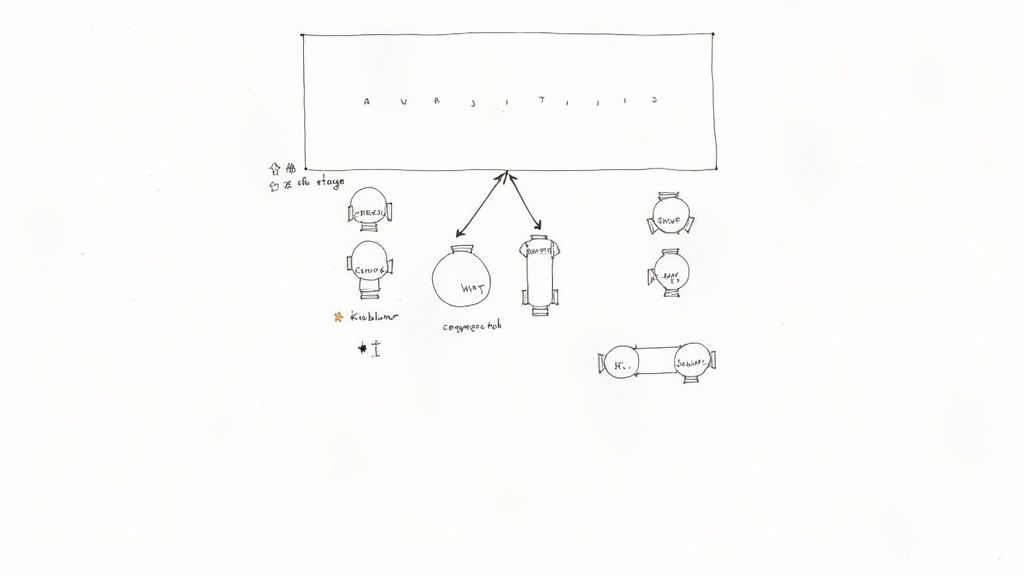
Next, get an accurate floor plan from your venue. Don't just eyeball it. You need a to-scale diagram showing table sizes, columns, fire exits, and the bar or stage. An accurate map keeps you from squeezing a ten-person table into a corner built for six.
I once tried to map out a 40-person workshop on a napkin. The goal: four round tables of ten. The reality? The venue’s “round tables” were ovals, and a support beam I didn't know about cut the room in half. The morning of was a frantic scramble that ended with two long, awkward tables. I refunded two tickets—a $98 loss—to attendees who felt crammed into a corner. Just ask for the PDF. It saves you money and embarrassment.
Collect the Social Data
Now for the important stuff. The human element. A guest list is just names. A great seating chart requires understanding the relationships between those names. This isn't being nosy; it's being a good host.
You’ll want a simple system to track this social data. A spreadsheet is perfect.
Create columns for:
Guest Name: The easy part.
Relationship Group: (e.g., "College Friends," "Client A's Team").
Must Sit With: Note pairs or small groups that should stick together.
Keep Apart: The crucial column. List any known friction points.
Notes: A catch-all for "Needs to be near an exit," or "Loves talking about sci-fi movies."
This simple system is your command center. It turns a chaotic list of people into actionable groups.
You’re not just arranging chairs. You're engineering conversations. A little data collection upfront prevents a lot of awkward silence later.
Choosing Your Software (or Lack Thereof)
With your guest list, floor plan, and social data ready, you can pick a tool. Digital seating chart creation is big business. The global market hit a valuation of USD 1.42 billion, according to Growth Market Reports.
But you probably don't need to contribute to that number. For most events under 100 people, fancy software is overkill. A spreadsheet or sticky notes on a printed floor plan works just fine. The goal is a functional chart, not a software subscription you’ll use once. Don't let the tool become more complicated than the task.
Now that you've gathered your intel, you’re ready to build the thing.
How to Group and Place Your Guests
This is where the puzzle-solving begins. Your guest list is locked and you have a floor plan. It's time to move from gathering data to making decisions. Let’s talk strategy for creating a seating chart that actually works.
Don't just throw people at tables. The goal is to be a thoughtful matchmaker. Create little pockets of conversation that make the whole room buzz.
Start with Strategic Groups
Before you assign a single seat, sort your guests into logical clusters. This makes the task way less intimidating. Instead of placing 80 individuals, you're suddenly arranging eight or ten groups.
Here are a few ways to slice it:
By Relationship: The most common approach. Group family with family, coworkers with coworkers. It's a safe bet.
By Shared Interest: Now you can get creative. I saw a pop-up chef seat all the local food bloggers at one table. A genius move that generated tons of buzz for her brand.
Create 'Connector' Tables: Got a few super-outgoing guests who know everyone? Build a table around them. Mix people from different circles who you think would hit it off. Your "connectors" will get the conversation started.
You're not just seating guests. You're setting the stage for connections. A well-placed group can turn a standard event into a memorable one.
One of my biggest learning moments came from a small tech meetup with 30 attendees. My first mistake? I grouped everyone by company. The result was zero cross-pollination. The folks from Acme Corp only talked to each other.
The next time, I mixed them up by job role—all the engineers at one table, the marketing folks at another. The energy was completely different. That simple pivot was a huge lesson. You can find more practical tips like this in our guide to core event management skills on ticketsmith.co.
The Art of Placement
Once your groups are sorted, place them on the floor plan. This isn't just about filling space. It's about considering the physical experience of each guest.
Think about these factors:
Sightlines: Who needs a good view of the stage? Your key stakeholders, family, or honored guests should get prime positions.
Accessibility: Place older guests or anyone with mobility needs near the entrance, exits, or restrooms. Don't seat them in a tight corner.
Noise Levels: The tables next to the kitchen or the bar will be loud. This is a great spot for your younger, energetic crowd. A terrible spot for your grandparents.
And don't forget your own needs as the host! I always keep a table near the front for my team so we can communicate easily.
Table Shapes Change Everything
The shape of your tables has a massive impact on the social dynamic. It’s not just an aesthetic choice. It dictates how people interact.
A great seating chart considers table shape from the start. Here's a quick comparison.
Table Shape Pros and Cons
| Table Shape | Best For | Potential Downside |
|---|---|---|
| Round | Fostering conversation. Everyone can see each other. Great for networking. | Takes up more floor space per person compared to rectangular tables. |
| Rectangular | Creating a dramatic, stately look. Maximizes seating in a narrow room. | Limits conversation to people directly next to or across from them. |
| Square | Intimate gatherings. A square table for eight feels more connected than a rectangular one. | Not space-efficient for large events. Can feel awkward if too big. |
For a recent 60-person creative workshop, I switched from six round tables of ten to three long rectangular tables of twenty. My goal was a more communal, collaborative vibe.
It worked perfectly. The long tables made it feel like one big dinner party. The energy was fantastic.
Designing a Chart People Can Actually Read
You did the hard part. The social puzzle is solved. Now, create a physical chart that doesn't cause a traffic jam at your entrance. A confusing display is a classic bottleneck that can kill the vibe.
This is all about practical design. The goal: get people to their tables quickly and without squinting.
Prioritize Readability Above All Else
Sure, your chart can be decor. But first, it's a wayfinding tool. If your guests can’t read it, it has failed its only job.
Think about legibility from a distance and in low light. That swirly, cursive font might look beautiful on screen, but it’s a nightmare to decipher in a dimly lit room.
A few simple rules I follow:
Choose a Clean Font: Stick with a clear, sans-serif font like Helvetica or Arial for names and table numbers.
Use High Contrast: Black text on a white or light background is a classic for a reason. Dark blue on navy blue is not your friend.
Go Big: Aim for a font size that’s readable from a few feet away. A 24-point font is a good minimum.
A beautiful, unreadable chart is just expensive art. A simple, clear chart is a successful tool. Don't sacrifice function for form.
Alphabetical Order Is Your Best Friend
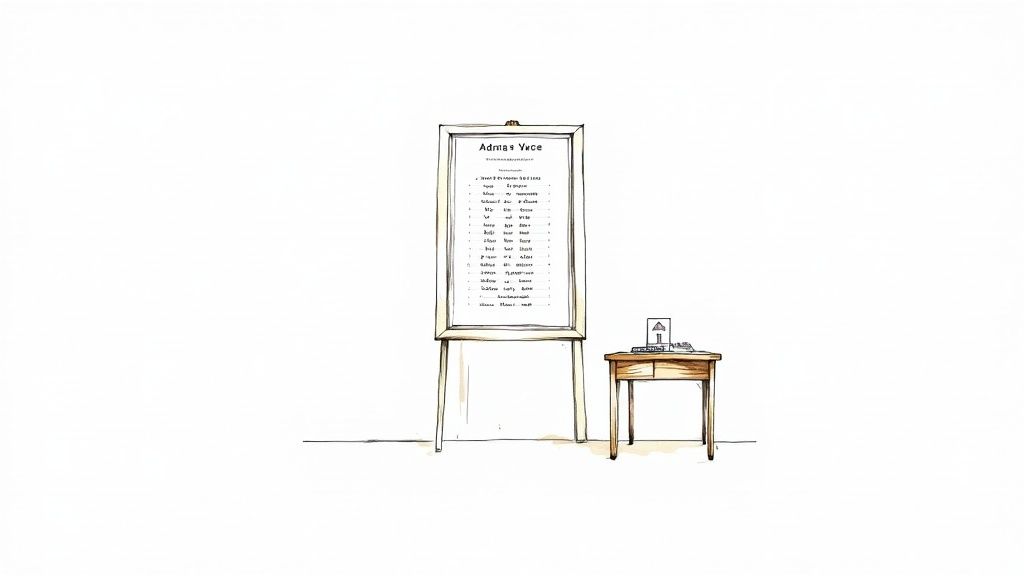
This is the single most important tip for your display. Do not organize your chart by table number. It forces every guest to scan the entire board hunting for their name. It’s slow and guarantees a crowd.
Instead, list all guest names alphabetically by last name, with their table number next to it.
Wrong Way (By Table):
Table 1: John Smith, Jane Doe...
Table 2: Bob Anderson, Susan Bones...
Right Way (Alphabetical):
Anderson, Bob ........ Table 2
Bones, Susan .......... Table 2
Doe, Jane ............. Table 1
Smith, John ........... Table 1
This simple change lets guests find their name in seconds. Trust me, it's the fastest way to get the job done.
One Chart or Many Cards?
For the physical display, you have two solid options: a large chart or individual escort cards. The right choice depends on your event's size and style.
A large framed poster works great for events up to 100 guests. It's a single, elegant piece. But for a 300-person wedding? One chart is a disaster. The line will be immense.
That’s where escort cards come in. These are small, tented cards—one for each guest or couple—with their name and table number. You arrange them alphabetically on a table. Guests find their card and go. It’s wonderfully efficient for big crowds.
Thinking about logistics at this scale is crucial. The entire stadium seating market, valued at USD 1,030.0 million, revolves around efficiently managing huge crowds. While your event isn't a stadium, the principles of smooth traffic flow still apply. You can see how much planning goes into large-scale seating logistics from Allied Market Research.
Common Seating Disasters and How to Avoid Them
Anyone who has planned an event has a seating chart horror story. It's a rite of passage. These stories are painful but packed with lessons.
This isn't to scare you. It's about turning those cautionary tales into practical advice. Let's walk through the biggest mistakes so you can sidestep them.
The Overcrowded Table Fiasco
Misjudging table sizes is one of the most common disasters. The venue’s floor plan says a table seats ten. But it doesn't say it seats ten comfortably. Pushing it to eleven feels like a small compromise until guests are bumping elbows all night.
I once worked with an organizer on a 100-person awards dinner. A late RSVP from a major sponsor’s CEO came in. They squeezed an eleventh chair at the head table, even though the venue manager warned against it.
Sure enough, the fire marshal did a routine walkthrough. He took one look at the overcrowded table, gave them a choice: remove the chair immediately or shut the whole thing down. It was a mortifying $500 fine and a public reshuffling of the head table.
Your venue’s capacity recommendations aren’t suggestions. They are rules based on safety and guest comfort. Pushing the limits is never worth it.
Forgetting the Human Element
The most damaging mistakes happen when we forget we're dealing with people, not just names on a list. These are the blunders guests remember.
Here are a few classic mistakes to avoid:
Forgetting the Plus-Ones: When you split up a couple or forget to seat a guest with their date, you’ve guaranteed they'll have a bad time. Double-check that plus-ones are seated together.
The Dreaded 'Singles Table': Please, just don't. It feels like a social experiment from a bad reality show. Mix your single friends in with other interesting guests.
Ignoring Accessibility: Seating an elderly guest or someone with a mobility issue in the back corner is disrespectful. Think about easy access to restrooms and exits.
Your Pre-Print Sanity Checklist
Before you hit "print," run through this quick checklist. It’s saved me from countless headaches. Taking five minutes now can prevent hours of stress on event day.
Do a Final Name Check: Read every name out loud. Does it match your final RSVP list? Any typos?
Count the Chairs: Tally the total number of seats on your chart. Does it match your final guest count exactly?
Review Your "Keep Apart" List: Do one last scan to ensure you haven't seated your divorced aunt and uncle together. It happens.
Confirm with the Venue: Send your final plan to your venue contact. They can spot problems you might miss, like a table blocking a service door.
Optimizing space is a serious business. Airlines obsess over it, creating a market for aircraft seating valued at an estimated USD 7,821.2 million. They’ve learned hard lessons about maximizing space without ruining the passenger experience. You can learn more from their approach to cabin densification and comfort from Grand View Research.
Handling Problems in Real-Time
No matter how perfect your plan is, things go wrong. Your keynote speaker might be a no-show. A guest might complain. The key is not to panic.
If someone wants to move, listen calmly. If their request is reasonable, see if there's an easy swap you can make. If it's just a preference, politely explain that the chart was set to balance the tables.
For a no-show, have a server discreetly remove the place setting. It makes the absence less obvious and gives the remaining guests more elbow room. Your ability to handle these curveballs with grace is what separates a good host from a great one.
A Quick Note on Selling Seated Tickets
Alright, let's talk about selling tickets for specific, assigned seats. This is a whole different beast.
And full disclosure, here at Ticketsmith, we haven't built that feature yet. Why? Because getting it right is incredibly complex. Right now, our focus is on perfecting simple, flat-fee ticketing for creators. First things first.
That said, we’ve seen organizers pull off clever workarounds.
The most popular trick is selling tiered general admission tickets. Think "Front Section," "Mezzanine," or "Balcony Seating." This gives you control over crowd flow without the headache of assigning every single seat.
It’s a fantastic middle ground. And if we ever do build a full seated ticketing feature, it will be because creators like you tell us it’s essential. For now, our goal is to help you get your event page live in minutes, not hours.
We’re all about custom branding, lightning-fast payouts, and simple, flat-fee pricing that doesn’t skim your profits. It's a platform built for real people pouring their hearts into their events. If that sounds like what you need, you can join the waitlist at ticketsmith.co.
A Few Lingering Questions
You've got questions, I've got quick answers. These are the things I hear most often about creating a seating chart.
What's the Best Software for Creating a Seating Chart?
Honestly, it depends on the scale of your event. Don't pay for features you don't need.
For a small workshop with 30 people, a simple Google Sheet is perfect. If you're planning a wedding, the tools built into platforms like Zola are often more than enough.
But if you're a professional running huge conferences, you might want to look at something more robust like Allseated. The goal is to get it done efficiently, not find the most complicated tool.
How Do I Handle Last-Minute Guest Changes?
First, accept that they will happen. It's part of the chaos of running events. The best defense is to build in a little wiggle room.
If you can, try to leave one empty seat at a couple of different tables. This gives you a quick solution for a surprise +1 without reshuffling the entire room. I always keep a digital version of my chart handy on my phone for quick edits.
If you’ve already printed a big poster-sized chart, just have someone at the door with the master list. They can gently guide the few affected guests to their new spot. A friendly, clear explanation solves most problems.
Should I Let Guests Choose Their Own Seats?
This is a great question. The answer comes down to the style of your event.
For a casual networking mixer, open seating is fantastic. It encourages people to mingle organically.
But for anything more formal—a sit-down dinner, a conference, or a wedding—assigned seats are almost always better. It reduces guest stress ("Where do I sit?!"), ensures everyone has a spot, and lets you play matchmaker to spark conversations.
A great compromise is to assign tables but let guests choose their own chair at that table. It offers structure without feeling overly rigid.