
Yes, you can find great free software for event planning. But let's get one thing straight. "Free" usually means you'll stitch together a few different tools to get the job done.
For most workshop hosts or pop-up chefs, the smartest move is a simple combo. Use free apps for the project management grunt work. Then, bring in a reliable, flat-fee partner for the tricky part—selling tickets.
What "Free" Actually Gets You
"Free" rarely means a single, magical app that does everything. It’s about using powerful, no-cost tools to handle about 80% of the planning. That other 20%, mostly handling payments, is where you need to be smart.
You’re not trying to run a global conference. You’re coordinating volunteers for a local market or managing RSVPs for a cooking class. Your needs are more about organization than complex logistics.
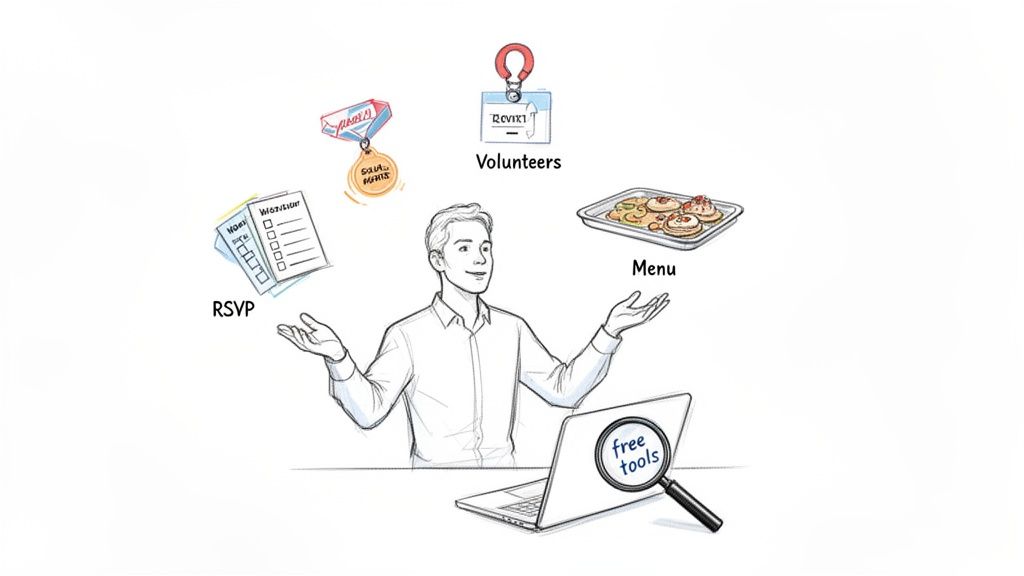
This is where general-purpose tools like Trello or Google Sheets shine. Their free tiers are incredibly robust. Reports showed over 70% of small organizers relied on them, saving an average of $500 per event on software. You can read more about the market growth and see why they still dominate.
What Free Event Software Can Realistically Handle
It helps to know what you can accomplish with free tools. It also helps to know where you'll almost certainly need a paid solution.
Here’s a quick look at the typical breakdown:
| Task | Usually Covered by Free Tools | Often Requires a Paid Tool |
|---|---|---|
| Task & Project Management | Creating to-do lists, assigning tasks, setting deadlines, and tracking progress. | Advanced workflow automation, complex dependency tracking, and resource management. |
| Guest List & RSVP Tracking | Collecting names and contact info via forms, tracking "yes" or "no" responses. | Automated email confirmations, custom registration fields, and check-in management. |
| Basic Communication | Sending out bulk email invitations or updates, creating a shared contact list. | Branded email campaigns, segmented messaging, and automated reminder sequences. |
| Collaboration | Sharing documents, creating a central info hub for vendors, and team communication. | User permissions, detailed activity logs, and integrated team chat functions. |
| Ticketing & Payments | - | Secure payment processing, ticket generation, multiple ticket types, and sales reporting. |
| Marketing & Promotion | Creating simple social media posts or a basic landing page. | Branded event websites, SEO tools, affiliate tracking, and integrated marketing analytics. |
This table isn't about limits. It's about clarity. Free tools are your workhorses for planning. A dedicated partner like Ticketsmith steps in to handle the specialized job of getting you paid.
The Core Jobs of Free Tools
So, what can this free software do for you? It handles a few essential jobs.
Task Management: A running list of everything from booking a venue to ordering napkins. Nothing slips through the cracks.
Information Hub: A single place for your guest list, vendor contacts, and schedules. No more frantic searching through old emails.
Basic Communication: A simple way to send invites, reminders, and thank-you notes.
For example, a Trello board can become a visual command center for your event. Each card is a task. You can drag it from a "To Do" column to "Done." This gives you a clear picture of your progress without any complicated setup.
The real power of free tools isn't in fancy features. It's their simplicity. They force you to focus on essential tasks without getting lost in options you don't need.
This approach lets you build a surprisingly strong foundation. You can manage tasks, track RSVPs, and keep your team in the loop without spending a dollar.
But it’s important to recognize the limits. These tools aren't built to handle secure payments or generate branded tickets. For that, you’ll need one more piece.
Your Essential Pre-Planning Checklist
Before you download a single app, let’s figure out what you actually need. Most people grab a tool before they’ve diagnosed the problem. Then they wonder why it doesn't work.
Think of this as a quick "pain point finder." We'll walk through a few questions to create a short list of your biggest headaches. This isn't about shiny features. It’s about fixing what’s broken.
Identify Your Biggest Time Sinks
Grab a notepad. Be honest with yourself. Quick, gut-reaction answers are perfect.
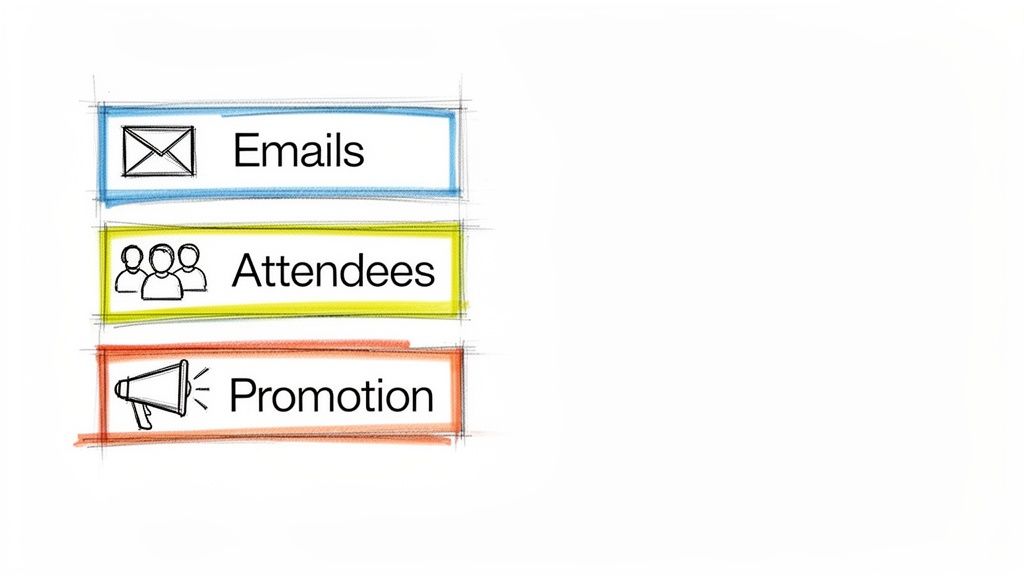
Communication: Are you drowning in emails? How many hours a week do you waste answering the same three questions from attendees?
Attendee Tracking: Let’s talk about your registration "system." Is it a Frankenstein spreadsheet that's barely holding together? Are you manually matching payment notifications with a list of names?
Task Management: How are you keeping all the balls in the air? Do crucial tasks slip through the cracks? Is your desk covered in sticky notes that lost their stick?
Promotion: How are you getting the word out? Does it feel like shouting into an empty room? What’s the most time-consuming part of promoting your workshop?
Jot down your answers. Circle your top three to five biggest problems. That’s it. This is your hit list. Now, when you look at any free software for event planning, you can vet it in minutes. Does it solve one of your circled problems? If not, move on.
This little exercise is the difference between hoarding a folder of unused apps and building a workflow that gives you back your time.
What Does Success Look Like?
Okay, last step. For each problem you circled, describe what a real solution would look like. Don't think about software features. Think about the outcome.
If your problem is "drowning in emails," the solution is "a single page where attendees find all the info they need." If it’s "messy spreadsheets," the solution is "a system where attendee info is automatically captured when they sign up."
Getting this clarity is everything. It shifts your focus from software settings to what actually matters. Things like building a great event timeline and delivering an amazing experience.
Speaking of pre-planning, a solid budget is non-negotiable. Get a handle on your finances by mastering your event planning budget with a clear template. A good budget prevents nasty surprises and makes sure your hard work pays off.
Assembling Your Free Event Management Toolkit
Alright, you know what’s giving you headaches. Now for the fun part: piecing together a powerful event planning system that costs you exactly $0. This isn't about being cheap. It's about being resourceful. We’re going to build a toolkit by focusing on three jobs: managing the project, talking to people, and keeping information in one place.
Most "all-in-one" platforms are just bloated versions of these three functions. By picking the best free tool for each job, you can build a robust setup without paying for features you'll never use.
The Project Management Hub
This is your command center. It’s where you track every task, from "Find a decent microphone" to "Send post-event thank-you emails." Forget complicated charts. You just need a simple, visual way to see what's done and what's next.
For this, nothing beats a Kanban-style board.
Trello: The champion of simple. You create columns like "To Do," "In Progress," and "Done." Each task is a "card" you can drag and drop. It's perfect for a pop-up chef tracking "Confirm Pork Belly Supplier." Moving a card to "Done" is one of life’s small joys.
Asana (Free Tier): A bit more structured than Trello. Its free plan is incredibly generous. It’s great if you need to assign tasks to different volunteers without things getting messy.
The goal here is clarity. One glance should tell you exactly where things stand. No more waking up wondering if you forgot to book the venue.
Your Communication Channels
Next, you need a way to talk to your attendees without losing your mind. Drowning in emails is a classic sign your system is broken. You need dedicated channels for announcements and a foolproof way to collect RSVPs.
Google Forms + Sheets: The ultimate free registration combo. A simple Google Form captures names and emails. Every submission automatically populates a Google Sheet. It's flawless, free, and we show you how to perfect it in our guide to setting up online registration for events.
Mailchimp (Free Plan): Perfect for sending a handful of professional-looking emails. The free tier is more than enough for a small event's invitations, reminders, and follow-ups.
Discord/Slack: If your event is for a recurring community (like a monthly workshop), a simple chat server can be a game-changer for answering questions and building excitement.
Don't forget promotion. Using the best free social media scheduling tools can also seriously lighten your workload.
The Central Information Hub
Finally, you need a single source of truth. One place where all critical information lives: vendor contracts, attendee lists, and final schedules. A messy desktop folder with random documents doesn't count.
Notion (Free Plan): Think of Notion as digital LEGOs. You can build a simple, custom wiki for your event in minutes. Create pages for your schedule, vendor contacts, and FAQs. It's clean, shareable, and keeps everyone on the same page.
Google Docs: If Notion feels like overkill, a well-organized Google Doc can do the trick. Just use headings and a table of contents to keep it readable.
Your Free Event Tech Stack
So, what does this look like in practice? Here’s a table to help you mix and match the best free tools.
| Job To Be Done | Recommended Free Tool | Best For |
|---|---|---|
| Task & Project Tracking | Trello | Visual planners who love the drag-and-drop simplicity of Kanban boards. |
| Team Collaboration | Asana | Organizers who need to assign tasks to volunteers or team members. |
| Attendee Registration | Google Forms & Sheets | Anyone needing a simple, bulletproof way to collect RSVPs and contact info. |
| Email Marketing | Mailchimp | Sending polished invites, reminders, and thank-you notes to your attendees. |
| Internal Info Hub | Notion | Creating a central, all-in-one "event bible" for you and your team. |
| Social Media Promo | Buffer or Later | Scheduling your promotional posts in advance to save time and energy. |
By combining just one tool from each category, you’ve built a system that rivals paid software. You have a project manager, a communication engine, and a central brain—all for free. This setup works for five to 5,000 attendees, proving a smart system beats an expensive one.
Solving The Ticketing And Payment Puzzle
This is where your slick, free system hits a wall. You can plan and promote an event for $0. But the moment you need to sell a ticket, most free tools duck out of the conversation. They aren't built for secure payment processing.
Trying to duct-tape a solution with a stray PayPal button and a spreadsheet is a recipe for a headache. You'll waste hours manually matching payments with your guest list. It looks unprofessional and tells attendees you haven't quite figured things out.
This is where the whole operation comes together. Or falls apart. Ticketing is the crucial final piece.
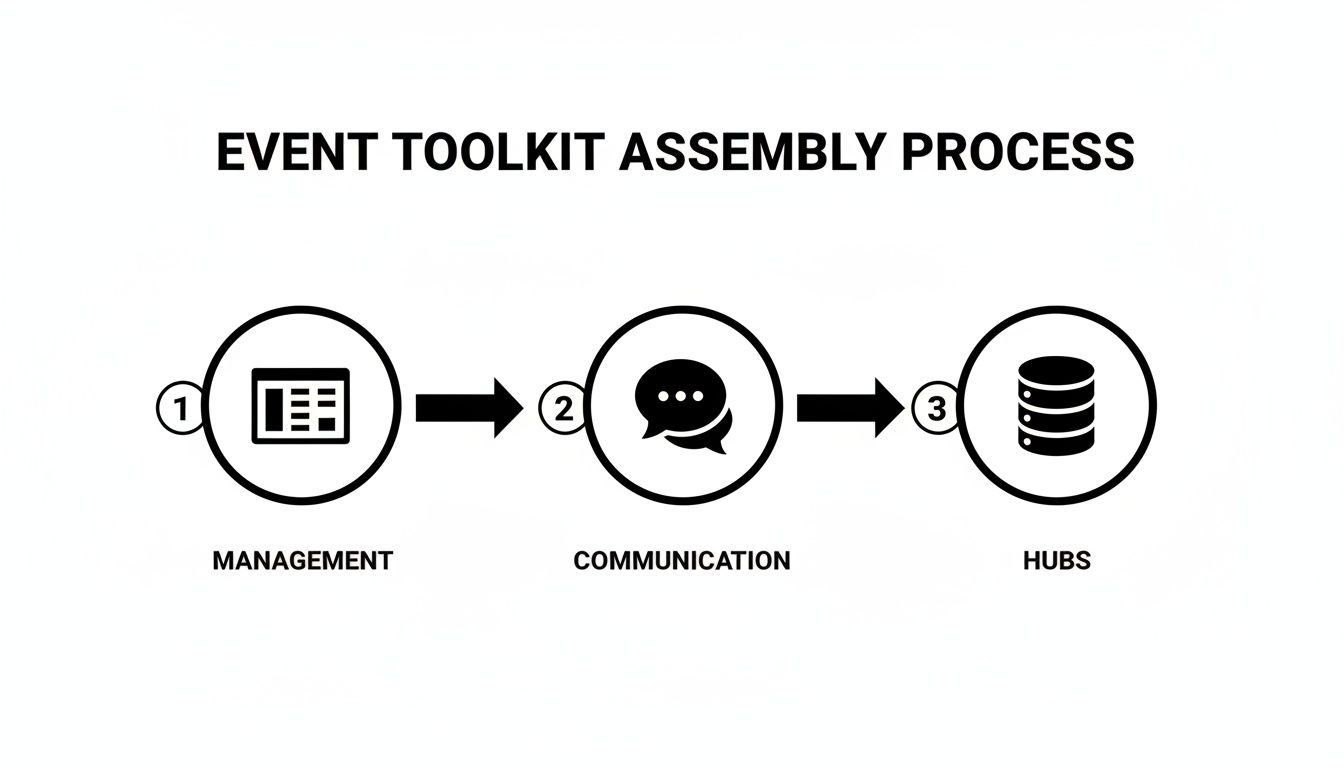
The flow from management to communication feels seamless. But the engine doesn't start until you add a reliable way to handle money.
The Smart Alternative: Best Of Both Worlds
Instead of forcing your free tools to do something they weren't designed for, pair them with a dedicated ticketing partner. This approach gives you the best of both worlds. You keep your no-cost system for planning while bolting on a professional, secure checkout process that builds trust.
For organizers watching their budget, this hybrid model is a clear winner. A recent MarketsandMarkets report found that over 55% of small businesses already use open-source platforms for core planning, slashing software costs by as much as 70%. It makes financial sense.
The goal isn't just to sell a ticket. It's to make the entire payment process so smooth that attendees feel confident and excited from the moment they click "buy."
This is the final touch that makes your event feel legit. It's the difference between a side project and a real, professional gathering.
Why Flat-Fee Ticketing Wins
When you look for a ticketing partner, find one with simple, flat-fee pricing. The last thing you need is a platform skimming an unpredictable percentage off every ticket. That makes budgeting impossible.
A dedicated partner brings a few key advantages.
Custom Branding: Your ticketing page should look like yours, not some generic site. This keeps your brand front and center and makes attendees feel secure.
Fast, Secure Payouts: The money should go straight to your bank account, and quickly. No waiting games. Just your cash where it belongs.
Effortless Check-in: A good ticketing system makes event day a breeze. For a deeper look, see how using a QR code for tickets can transform your entry process.
You can get a system like this live in minutes without writing a single line of code. It’s built for real people pouring their hearts into creating amazing experiences.
When It’s Time to Graduate From Your Free Software
Free tools are fantastic. Until they aren't. They get you off the ground for $0, but there's a tipping point. The real cost of "free" shows up in your time, your sanity, and a few near-disasters.
Knowing when to make the leap is key to growing your events without the chaos.
The first signal is a feeling. You spend more time managing your tools than managing your event. That creative spark you had is now spent copying and pasting names between three spreadsheets just to get a final guest list.
Your Break-Up Checklist
It’s probably time for a change when you find yourself nodding along to these scenarios:
Manual Data Entry is Your Second Job: You have one app for RSVPs, another for emails, and a spreadsheet for payments. Moving data between them is a manual chore that eats your afternoon.
You've Had a Near-Miss: You almost double-booked a vendor or sent the wrong email to your entire list. Your cobbled-together system is starting to show cracks.
It Doesn't Look Professional: Your registration page is a plain Google Form, and your confirmation emails are just text. It works, but it doesn't inspire confidence.
You Have No Real Insight: You can’t easily see how many tickets you've sold or who’s coming. Your data is scattered everywhere, making it useless for smart decisions.
If this sounds familiar, it doesn't mean you failed. It means you've succeeded. You’ve outgrown your starter kit.
The Real Cost of "Free"
The event planning world is growing like crazy. Research shows it's projected to hit $2,720 million by 2030. Free cloud tools drive a huge part of that growth, especially for small organizers.
But that growth also highlights the ceiling of free solutions. As you can explore in our deep dive on free event planning software, the cost isn't on a credit card statement. It's in the opportunities you miss and the burnout you feel.
The most expensive software is the one that makes you hate the amazing event you're trying to create. When your tools add friction instead of removing it, they're no longer free.
Graduating to an integrated system isn't about spending more money. It’s about buying back your time and focus. A platform with a simple, flat fee gives you a single source of truth. Attendee data is captured automatically. Payments are processed securely. Your branding is front and center.
It’s the move you make when you're ready to focus on the experience, not the admin.
Common Questions About Free Event Planning Tools
Alright, let's get into the questions I hear all the time from organizers. No jargon, just straight answers based on seeing what works and what doesn't.
What Are The Biggest Limitations?
The trade-offs with free tools usually show up in three areas. First, you’re often flying solo. Customer support is either non-existent or a community forum. When something breaks the night before registration, you're the one hunting for a solution.
Second, they almost never touch the money side of things. Handling payments and issuing tickets is a massive piece of the puzzle, and free tools sidestep it. You'll need a separate solution for that.
Finally, your branding often takes a backseat. You might be stuck with the software’s logo on your forms or emails, which can feel less polished to attendees. They're great for internal planning but not ideal for public-facing parts of your event.
Can I Really Manage A Large Event With Free Tools?
You can, but with a big asterisk. For a simple event, even one with over 100 attendees, a free toolkit can work beautifully. Think Google Forms for sign-ups, Google Sheets for tracking, and the free tier of Mailchimp for communication.
The real challenge isn't the number of people. It's the complexity.
Once you start juggling multiple ticket types, early-bird pricing, or need real-time sales reports, the manual labor will explode. You'll spend more time duct-taping your free tools together than planning. At that point, the hours you lose are worth more than the software subscription you saved.
The breaking point isn't a specific number of attendees. It's the moment your tools create more work than they save.
How Should I Handle Ticketing Then?
This is the most critical piece to get right. Don't try to jury-rig a payment system with PayPal buttons and a manual spreadsheet. It's a recipe for security headaches, angry attendees, and an administrative nightmare.
The smart move is to use your free software for event planning for backend organization. Then plug in a dedicated, simple ticketing platform to handle sales. Look for a partner that offers a straightforward, flat-fee pricing model—not one that takes a confusing percentage of your revenue.
This gives you a secure, professional checkout that your attendees will trust. The best platforms, built for real people pouring their hearts into their events, can be running in minutes with zero coding.
Is My Data Safe On Free Platforms?
For the most part, yes. As long as you stick with the big, reputable names. Companies like Google, Trello (owned by Atlassian), Asana, and Notion have ironclad security policies. Their paying enterprise customers demand it, and these protections extend to free users.
The real risk comes from smaller, unknown free tools. Before you upload your attendee list, take two minutes to read their privacy policy.
Here’s a quick checklist for keeping your data safe:
Stick with known brands: Their reputation is on the line.
Use strong, unique passwords: This is your best line of defense.
Collect only what you need: Don’t ask for sensitive info you don't require to run your event.
You are the steward of your attendees' data. Choosing trusted tools is the first and most important step in protecting it.
Ready to pair your free planning tools with a ticketing system that just works? Ticketsmith helps you set up a beautiful, custom-branded ticket shop in minutes. You get fast, secure payouts and a simple flat fee, so you always know what you'll make. See how easy ticketing can be with Ticketsmith.