
Juggling event sign-ups can quickly turn into a nightmare of messy spreadsheets, lost emails, and chasing people for money. Moving your registration online isn't about adding another complicated tool. It’s about swapping that chaos for a smooth process that saves you hours and makes you look like a pro.
Stop Dreading Your Event Sign-Up Process
Forget the corporate jargon. Let's talk about what actually works for people running real events. I’m thinking of pop-up chefs, workshop hosts, and community organizers who pour their hearts into creating incredible experiences. The goal isn’t just getting names on a list. It's making the whole experience effortless.
A great registration process sets the tone for your event. It’s the first impression. When it's clunky, it creates friction. When it's smooth, it builds excitement and tells attendees you're organized, professional, and you value their time.
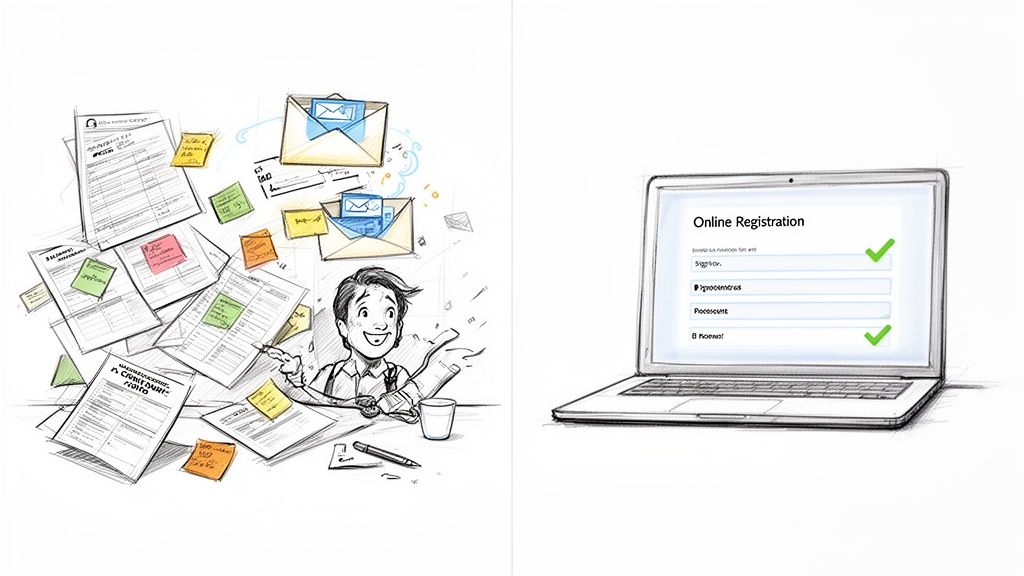
From Chaos to Control
Switching from a manual system—like an inbox full of "I'm coming!" emails—to an online platform is a massive upgrade. It's not about adding complexity; it's about stripping it away. To stop hating your sign-up process, taking a look at the best event registration software platforms is a game-changing first step.
The right tool should feel like an extension of you, not a hurdle. It should let you:
Get set up in minutes. You don't need to be a tech wizard. If you can write an email, you should be able to create a beautiful registration page.
Brand it your way. Add your logo and colors. The page should feel like your event, not some generic site.
Get paid instantly. Connect your payment account and the money from ticket sales lands directly in your bank. No more chasing invoices.
This is about more than just efficiency. A solid registration system is directly tied to your event's success. Getting the basics of online ticketing for events right from the start makes all the difference.
The real win here is getting your time back. A good system handles the tedious admin work so you can focus on creating an unforgettable experience, whether you’re expecting five people or 5,000.
Get Your Event Details Straight Before You Build Anything
Jumping straight into a registration tool without a plan is a classic mistake. I know it feels productive, but it’s like trying to cook without a recipe. You end up wasting time.
Let’s map out the essentials first. It takes five minutes and saves you an hour of redoing things later.
Think about what information you actually need. Just a name and an email? Or do you need dietary restrictions for your supper club? Maybe t-shirt sizes for a retreat? Every extra field you add can slightly lower your sign-up rate, so be ruthless.
Stick to the absolute must-haves.
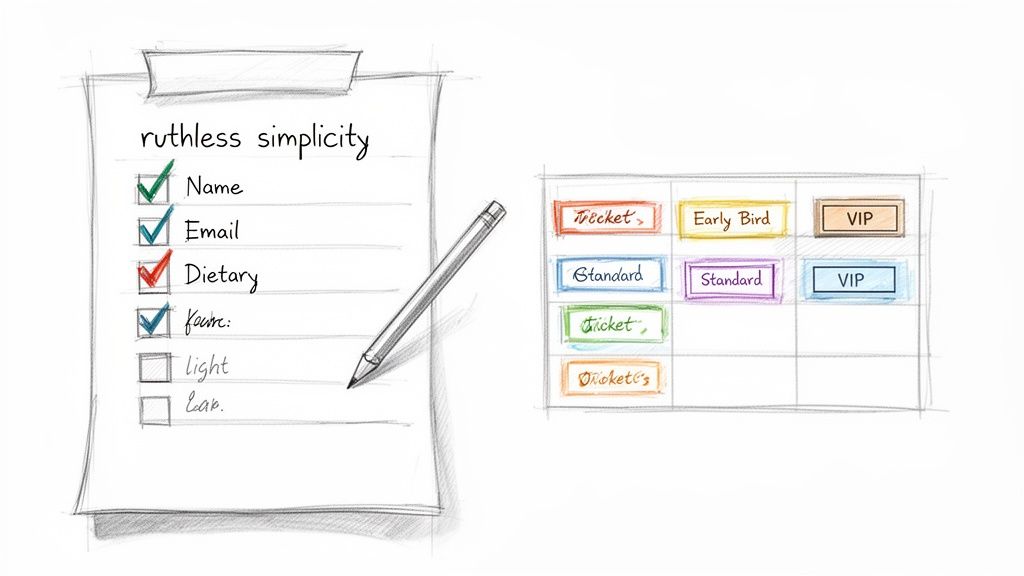
I always run through a quick mental checklist before I touch any software. It helps clarify exactly what the registration page needs to do.
| Essential Questions Before Setting Up Registration |
| :--- | :--- | :--- |
| Question | Example for a Cooking Class | Why It Matters |
| What's the absolute minimum info I need? | First name, last name, and email. | Keeps the form short and boosts completion rates. |
| Are there any must-have logistical questions? | "Do you have any food allergies?" (checkboxes for common ones + "Other" field). | Essential for safety and providing a good experience. |
| What ticket types will I offer? | One "General Admission" ticket for $75. | Simplicity is key for a small event. No need to overcomplicate it. |
| Will I have any discounts? | Maybe an "Early Bird" ticket for $60 for the first 10 sign-ups. | Creates urgency and helps get initial sign-ups and cash flow. |
Thinking through these points makes the actual setup process incredibly fast.
Nail Down Your Ticket Types
Next, figure out your tickets. Is it one flat price for everyone, or are you getting creative? Sketching out your ticketing structure is crucial before you get into the software weeds.
Here are a few common options that work well for pop-ups and workshops:
General Admission: The classic one-price-fits-all ticket. Simple and effective.
Early Bird: A discounted price for people who register early. This creates urgency and helps with cash flow, which is a lifesaver for small events.
Tiered Pricing: Think VIP packages with extra perks (like a front-row seat) or group discounts.
Getting this right from the start means your setup will be a breeze. You'll find that choosing the best ticketing platform for your events often comes down to how easily it handles the ticket types you've planned. Good tools let you create these in minutes, no code required.
Pricing and Those Pesky Fees
Finally, let's talk pricing. When you set a ticket price at, say, $50, you also have to account for payment processing fees. They're unavoidable. But you have a choice: absorb the small cost, or pass it on to the buyer?
Many organizers choose to absorb the fee. It keeps the advertised price clean and simple. Look for a platform with flat-fee pricing, not one that takes a percentage. A predictable fee per ticket makes your financial planning much easier.
This planning stage is powerful. For a wellness workshop or pop-up, one well-timed email can lead to 51% of potential attendees registering on the spot. This ease of use is fueling a massive events market, valued at over $1.4 trillion in 2024.
Knowing your details upfront lets you tap into that demand without the usual chaos. You can read more about these event marketing trends and see how small organizers are absolutely thriving.
Build Your Event Page and Get Paid
Alright, you've got your details sorted. Now for the fun part.
You don't need to be a designer or a coder to create a great-looking event page that sells tickets. The best tools are built for real people, not developers.
The whole point is to make the page look like your event, not some generic template. It should reflect the heart you're pouring into the actual day. Upload your logo. Use your brand colors. This isn't just fluff; it's about building trust from the first glance.
Write Copy That Connects
Your event description is your sales pitch. So, ditch the corporate memo voice. Write like you're talking to a friend who'd love what you're doing.
Use short, punchy sentences and clear headings. Tell people exactly what they're going to experience and why they shouldn't miss it. Focus on the feeling, not just the features.
Here are a few tips I've learned:
Lead with the good stuff: Start with the most exciting detail. What's the main draw?
Use bullet points: Break down the schedule or key takeaways into an easy-to-scan list.
Be specific: Instead of "delicious food," try "wood-fired sourdough pizza with local heirloom tomatoes." Details sell.
Remember, this page is doing the work for you 24/7. A few extra minutes spent on clear, compelling copy will pay off in ticket sales while you sleep.
Setting Up Your Payments
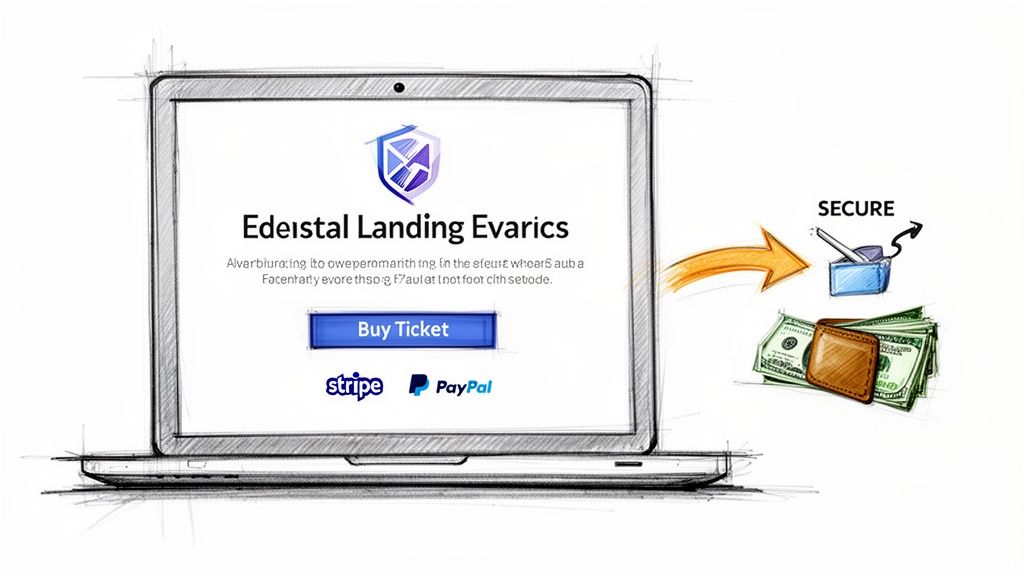
Then comes the money. This used to be the complicated part, but now it’s simple. Connecting a payment processor like Stripe or PayPal should take just a few clicks. You create an account with them, link it to your registration tool, and you're ready to go.
The best platforms offer simple, flat-fee pricing. This is a huge deal for small creators. Instead of a sneaky percentage that punishes you for selling more tickets, you pay a small, predictable amount per ticket. You know your costs upfront.
This means the money from your online event registration goes straight to your bank account, fast and secure. You earned it, you should get it quickly. No waiting for a check in the mail.
If your event supports a cause, you can make the payment process even more effective. Consider specialized payment solutions for charity events to handle donations alongside registrations smoothly. This integration helps you capture goodwill right when attendees are most engaged. The setup is just as fast, helping you maximize support for your mission.
What Happens After Someone Clicks Register?
So, they’ve bought a ticket. Your job is done, right? Not even close.
The moment someone clicks "register" is the start of your relationship with them, not the end of a transaction. Their confirmation email is your first chance to make them feel like they made a great decision. Don’t just send a generic receipt that looks like a utility bill. That’s a huge missed opportunity.
A great confirmation sets the stage. It's one of those small touches that makes a massive difference in how people perceive your event before they even arrive.
Crafting the Perfect Confirmation
Your first email should be more than proof of purchase. Think of it as a friendly, digital welcome packet. It needs to be clear, genuinely helpful, and get them excited for what’s to come.
Here's what every solid confirmation email should include:
The Obvious Stuff: Clearly state the event name, date, time, and how much they paid. No room for confusion.
The Location: Include the full address with a direct link to it on Google Maps. This saves them from copy-pasting it on their phone later. A simple but thoughtful touch.
Special Instructions: Is parking tricky? Should they bring a yoga mat? Tell them now to head off day-of confusion.
Your Contact Info: A simple email address for questions shows you’re accessible and ready to help. It makes you feel human, not like a faceless organization.
This isn’t just about logistics. It’s about showing attendees you’ve thought through their entire experience, starting from this first interaction.
A killer confirmation email is your best weapon against no-shows. When people have all the info they need and feel connected to the event from the start, they are far more likely to actually turn up.
Keep the Conversation Going
Here’s a pro tip: a single confirmation email isn't enough. Smart, timely communication in the days before your event builds anticipation and keeps you top-of-mind.
Most modern event platforms let you set up automated follow-up emails. You set them up once, and they do the work for you. It’s an easy win that makes your event feel more professional.
A good sequence usually looks like this:
A Week Before: Send a friendly reminder. Reiterate the key details and maybe drop a little sneak peek.
The Day Before: Send one last, quick message to build excitement. A simple "See you tomorrow!" can re-energize your attendees.
This kind of communication shows you're on top of things. It transforms the online registration from a simple transaction into the beginning of a memorable experience.
The Pre-Launch Sanity Check
You’re so close. The registration page is built, the tickets are priced, and you’re buzzing with excitement. But before you unleash that link, there's one last, critical step: a full test run.
And I don't mean just clicking around your own dashboard. You need to enlist a friend—preferably one who isn't afraid to tell you when something is confusing—and have them go through the entire process.
This is your golden opportunity to catch any awkward wording, broken links, or weird payment glitches before your real attendees do.
Have them try to break it. Seriously. Can they find all the key info easily? Does the payment process feel secure and straightforward? Did the confirmation email actually land in their inbox, and does it look right?
Your Mobile Experience Is Everything
Next, grab your phone and go through the whole thing yourself. This isn't optional. So many people buy tickets while scrolling on their phones, often making an impulse decision. If your page is a jumbled mess on mobile, you’re leaving money on the table. It has to look good and work flawlessly on a small screen.
See how the layout shifts? It prioritizes a single-column view that’s a breeze to navigate with just a thumb. A staggering 78% of registration pages are now built with phones in mind, because that’s where crucial on-the-spot sign-ups happen. You can read more about how mobile is shaping the event industry and why it’s a game-changer for small creators.
This final check is your safety net. It’s five minutes of testing that prevents hours of frantic customer service emails down the line. Catching a typo now is much better than having ten people email you about it after you've launched.
Once you’ve triple-checked everything and your friend gives you the all-clear, you’re ready. It’s go time.
Post that link on your social channels, send it to your email list, and watch the registrations roll in. One of the best feelings is seeing it all come together in one clean dashboard—no more digging through five different inboxes.
It’s all there, organized and waiting for you. Now, go launch that thing.
Managing Your Event From Check-In To Wrap-Up
Your job isn't done just because the tickets are sold. When the day of the event arrives, you need a check-in process that’s smooth, not stressful. A clunky start can sour the mood before your event even begins.
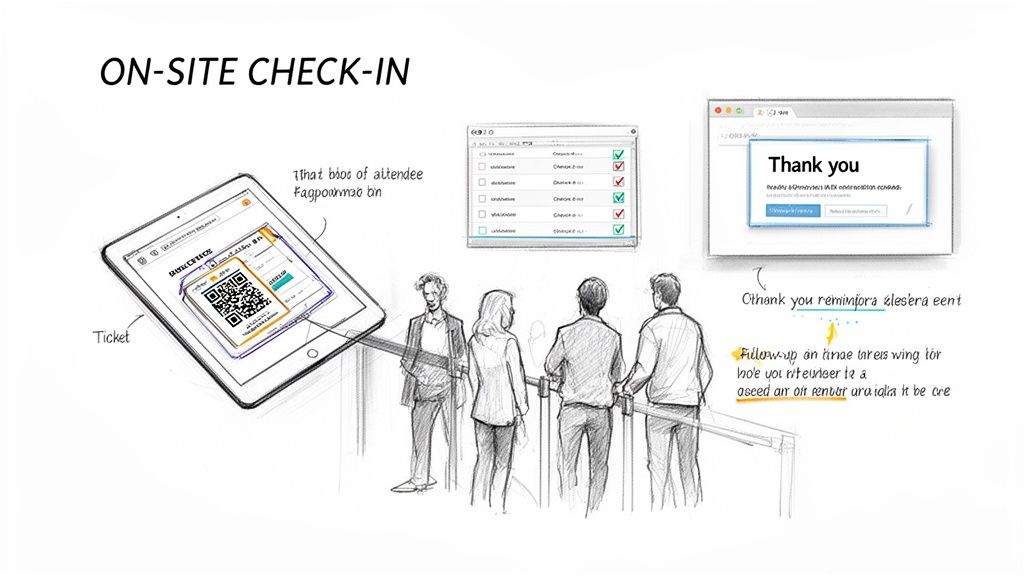
The good news is that a solid online registration system hands you the tools to make check-in a breeze. Forget flipping through printed lists under pressure. You’ll have a live, digital attendee list right on your phone or a tablet.
Making a Great First Impression
The goal is to get people through the door with a smile, not a sigh. A fast check-in shows you respect their time and sets a professional, organized tone from the get-go.
Many systems automatically generate tickets with unique QR codes. Attendees just pull up the code on their phone, you scan it, and you're done. This speed is a game-changer. If you're curious, our guide on how to use a barcode for tickets breaks down exactly how it works.
The check-in is the final handshake of the registration process. When it's effortless, it validates your attendees' decision to come and builds immediate goodwill. It’s a small moment that has a huge impact.
After the Last Guest Leaves
Once the event is over, the data you collected becomes your most valuable asset. Don't let it sit there. This is how you turn a one-time event into a sustainable project.
With a good system, you can easily:
See your numbers: Instantly know who showed up versus who registered.
Send a thank you: Email everyone who came, maybe with a photo from the event.
Build your community: Invite them to follow you on social media or offer a discount for your next event.
This follow-up is how you convert attendees into loyal fans who can't wait to see what you do next. And because you used a platform with straightforward, flat-fee pricing, your money is already in your account, ready for you to start planning your next idea.
With the virtual and hybrid events market surging toward $537.18 billion by 2029, a seamless digital process is non-negotiable. It’s the backbone for success, especially for the 66% of organizers planning more events than ever. You can read more about the event industry’s rapid growth to see why getting this right is so important.
Frequently Asked Questions
Got questions? Good. Diving into a new tool always brings up a few. Let's tackle the common ones.
So, How Long Does This Actually Take?
Honestly? If you have your event details nailed down—date, time, venue, price, and description—you can spin up a beautiful, functional registration page in about fifteen minutes. No code needed.
The tech part is fast. The bit that usually takes the longest is getting the words right for your event description.
Can I Set Up Different Ticket Prices or Offer Discounts?
Absolutely. This is a must-have for any modern registration platform. You can easily create multiple ticket tiers like "Early Bird" or "VIP Access."
It’s also simple to generate discount codes—think 'FRIENDS10' for 10% off—to share with specific groups or your social media followers. It's usually as straightforward as clicking "Add a New Ticket" and filling in a couple of fields.
The whole point is flexibility. Whether you're running a simple one-price workshop or a multi-tiered pop-up dinner, the tool should handle it without making you jump through hoops.
What’s the Deal with Refunds or Cancellations?
The best platforms make this a non-issue. You should be able to process a full or partial refund for an attendee with a single click, right from your event dashboard.
Just be sure to clearly state your refund policy on your event page. A simple sentence like, "Refunds are available up to seven days before the event," saves you a ton of awkward back-and-forth emails.