
To sell tickets online for an event, you need a simple tool that handles sales, payments, and your guest list. It replaces messy spreadsheets and manual payment tracking. You get a professional event page that just works.
It's about saving time, getting paid upfront, and making it dead simple for people to buy a ticket.
Why Selling Tickets Online Is a No-Brainer
Let’s be honest. Juggling DMs, chasing Venmo payments, and managing a guest list on a crumpled napkin is a recipe for disaster. You’re pouring your heart into creating an amazing experience, not trying to become a part-time bookkeeper.
This is why smart organizers sell tickets online for an event. It isn't a trend; it's how you reclaim your sanity.

For a pop-up chef, an accurate headcount is the difference between profit and loss. For a workshop host, getting paid in advance guarantees people show up. For a community organizer, it just means the event runs smoothly without a chaotic cash box at the door.
Ditch the Chaos and Look Like a Pro
Switching to an online system does more than just organize your sales. It instantly makes your event look more legit.
Attendees get a clean, branded page with all the details, a secure way to pay, and an instant confirmation. No more "did my payment go through?" messages.
This professional touch builds confidence and encourages more people to sign up. A good setup takes just a few minutes, with no code needed. You can customize the page to match your branding so it feels like your event, not a generic checkout.
The goal is simple: spend less time on admin and more time creating an event people will love. When buying a ticket is easy, more people do it.
Tap Into a Bigger Audience
The global online event ticketing market is enormous, hitting $39.8 billion. For creators running events for five to 5,000 people, this is a huge opportunity.
Mobile platforms handle 58.95% of all online ticket sales. And 65% of organizers saw sales increase after switching to digital. This growth comes from people using their phones for everything. They can find and buy a spot at your pop-up dinner in seconds. Feel free to check out more ticketing marketing statistics to see the full picture.
By selling tickets online, you meet your audience where they already are. A simple link in your Instagram bio can turn followers into attendees in a few taps. It’s the most direct path from "that looks cool" to "I'm going!"
Forget percentage-based fees that skim your hard-earned money. Look for platforms with flat-fee pricing. You'll get fast payouts that go straight to your account. This puts you back in control.
Alright, you’ve decided to sell tickets for your event online. Smart move. But now you’re staring at a dizzying number of options.
Let’s cut through the noise. You really only have three paths you can take.
You can try to cobble something together yourself, go with one of the giant household names, or find a tool built for creators. Each route has its pros and cons. They are not created equal.
The Three Paths to Selling Tickets
Choosing the right tool impacts your brand, your attendees' experience, and your bottom line. Let's have an honest chat about what you're really getting into with each option.
The DIY Method: This is the duct tape and zip ties approach. We're talking PayPal buttons on a simple website, linked to a Google Sheet where you manually track every sale. It feels free, but your time is valuable. This method costs you hours of mind-numbing manual work.
The Giant Platforms: You know who they are. They offer massive reach and a long list of features. The catch? The fees are often brutal. Many take a big percentage of each sale, plus a flat fee, plus a payment processing fee. That money comes directly out of your pocket.
Creator-Focused Tools: This is the sweet spot for most workshops and pop-ups. These platforms are designed for real people. They get that you need a simple setup (in minutes, no code required) and pricing that doesn't punish success. Many skip the percentage model and opt for a simple, flat fee per ticket.
Your goal is to find a tool that makes your life easier. The right tool gets out of your way and lets you focus on creating a great experience.
Picking the right ticketing method can feel like a big decision. Here’s a straightforward breakdown of the options so you can see the real costs and benefits.
Comparing Your Ticketing Options
| Ticketing Method | Best For | Real Cost | The Catch |
|---|---|---|---|
| DIY (e.g., PayPal + Forms) | Tiny, informal gatherings where you know most attendees. | Low initial cash cost. | Extremely high time cost. Manual tracking, clunky attendee experience, and prone to errors. |
| Giant Platforms (e.g., Eventbrite) | Huge public festivals or concerts needing maximum visibility. | High fees. Often 5-10%+ of your ticket price, combining service, ticket, and payment fees. | Your brand gets lost, ads for other events are shown, and you pay for features you'll never use. |
| Creator-Focused Tools (e.g., TicketSmith) | Workshops, classes, pop-ups, and community events. | Low, transparent fees. Usually a simple flat fee per ticket. | Less brand recognition than the giants, but offers a more professional, branded experience for your attendees. |
Ultimately, the best choice depends on what you value most. Saving every penny on fees (even if it costs you hours), getting the widest exposure, or having a simple, professional tool that respects your brand.
Watch Out for Hidden Fees
This is the biggest trap out there. A fee structure that looks reasonable can quickly devour your profits. A platform might advertise a 2.5% service fee. Then they quietly add a $1.50 per-ticket fee and a 3% payment processing fee on top.
Let’s run the numbers on a $30 ticket:
Platform Service Fee: $30 x 2.5% = $0.75
Per-Ticket Fee: $1.50
Payment Processing: $30 x 3% = $0.90
Total Fees Per Ticket: $0.75 + $1.50 + $0.90 = $3.15
That’s over 10% of your ticket price gone. Sell 100 tickets, and you’ve handed over $315 to the ticketing company. Compare that to a simple flat-fee model where you know exactly what you’ll pay. No surprises, no confusing math.
If you want to dive deeper, we put together a guide on how to pick the best ticketing platform for your events that helps you cut through the marketing fluff.
Control Your Brand and Your Business
Beyond money, think about the experience for your attendees. A clunky, third-party checkout page covered in ads for other events makes your unique pop-up dinner feel generic.
The best tools let you apply your own branding. From start to finish, it should look and feel like your event page. This is about building trust and a direct relationship with your audience. When looking at your options, consider platforms offering event-specific solutions that put your brand front and center.
Finally, think about how you get paid. You shouldn’t have to wait weeks after your event to see your money. Look for a service with fast, secure payouts directly to your bank account. You did the work. You deserve to get paid promptly.
Building an Event Page That Actually Sells
Think of your event page as your digital storefront. A confusing one will leak sales like a sieve. But a great one makes buying a ticket a no-brainer.
I've learned to see an event page less like a digital flyer and more like the first five minutes of the event itself. It sets the tone, builds excitement, and gets people to commit.
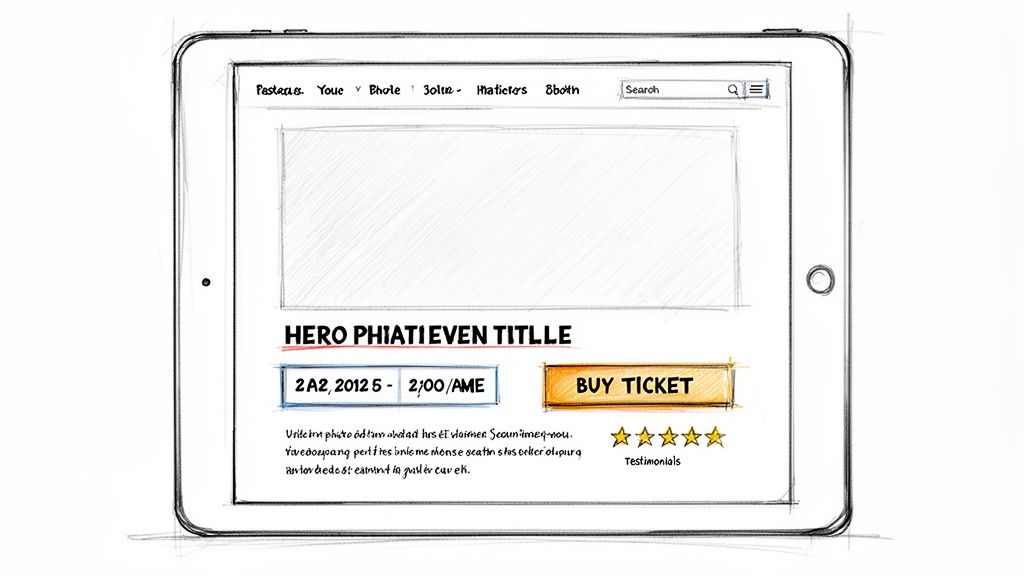
This isn’t about becoming a world-class copywriter or a design genius. It's about nailing the fundamentals so people feel confident clicking "buy."
First Impressions Matter
When someone lands on your page, you have maybe three seconds to grab them. They need to instantly get what your event is and why they should care.
Your event title needs to be clear and compelling. "Workshop" is a snooze. "Handmade Pasta Workshop: Learn to Make Fettuccine From Scratch" is specific and sounds fun.
The same goes for your main image. A pop-up chef needs a mouth-watering photo of their food. A yoga instructor should use a shot that captures the calm energy of their class. Blurry photos scream "amateur."
Write a Description That Connects
Your event description has one job: bridge the gap between "What is this?" and "I need to be there." Don't just list facts. Tell a story.
Instead of this:
- "Cooking class on Saturday. We will make tacos. It's from 6-8 PM."
Try something with more flavor:
- "Tired of takeout? Spend your Saturday night with us and learn the secrets to incredible, street-style carne asada tacos. We'll cover everything from fresh tortillas to perfecting your salsa. You'll leave with a full stomach and skills to upgrade your Taco Tuesdays."
See the difference? The second one paints a picture. It sells an experience, not just a time slot.
Your description should answer the questions your potential attendee is already thinking. What will they learn? What makes this special? Be the helpful friend giving them all the details.
Get the Essential Details Right
Once you've hooked them with the why, make the what, where, and when impossible to miss. Nothing kills a sale faster than confusion.
Your page must clearly display:
Date and Time: Always include the day of the week (e.g., Saturday, October 26) to prevent mix-ups.
Location: Use a precise address. If it's tricky to find, add a note like, "Look for the big green door next to the coffee shop."
Price: Don't make people hunt for it. Display the ticket price clearly. If you have different tiers, explain what each one includes.
What to Bring: Is it a BYOB painting class? A yoga workshop that requires a mat? Let people know ahead of time.
This clarity builds trust. It shows you're organized, which makes attendees feel secure. A great event page removes friction. Beyond design, these 5 easy ways to improve your conversion rate are key to turning page views into sales.
Make It Your Own
Your event page shouldn't look like a generic template. It's an extension of your brand and the unique experience you're offering.
Using a tool that allows for custom branding is a huge advantage. Upload your logo. Use your brand colors. Make the page feel like yours, not another listing on a crowded marketplace.
This isn't just about looking good. It's about building a seamless journey from your Instagram post to your ticket page. When people see your personality reflected, it builds trust and feels more authentic.
If you want to dive deeper into design, check out our guide on how to create event tickets that look as good as your event feels. It’s all part of making the decision to buy a simple and exciting one.
Alright, let's get into the part everyone avoids: money. Pricing your tickets can feel like a guessing game, and platform fees can be a minefield.
But it doesn’t have to be complicated. We can break down pricing and fees so you can set a number with confidence and actually pocket the money you earn.
Simple Pricing Strategies That Actually Work
Forget complex algorithms. Your pricing strategy starts with a simple question: What's your goal? To maximize profit, cover costs, or get a full house?
Here are a few straightforward approaches real creators use:
Early-Bird Pricing: It's the oldest trick in the book because it works. Offer a limited number of tickets at a discount for a short time. This creates urgency and rewards your biggest fans. For a $50 workshop, you could offer the first 10 tickets for $40. It kickstarts sales.
Tiered Tickets: Why not offer different levels of access? A local band could sell a $15 general admission ticket alongside a $40 VIP package that includes a front-row seat and a meet-and-greet. This appeals to both casual attendees and die-hard fans.
Bundled Passes: If you're running a multi-day event, bundles are your friend. Instead of selling two separate $10 day passes, offer a weekend pass for $15. Your attendees get a deal, and you lock in their commitment.
The key is making the value at each price point crystal clear. People are happy to pay when they know what they’re getting.
The Murky World of Ticketing Fees
This is where so many creators get burned. A lot of platforms hide their real costs behind confusing percentage-based fees. They take a slice of your revenue, and it's often bigger than you’d expect.
You need to know the two main types of fee models so you don't get taken for a ride.
Don’t just glance at the advertised service fee. The true cost is almost always a combo of a service fee, a per-ticket fee, and a separate payment processing fee. Do the math yourself.
So, what are your options?
You can go with a platform that skims a percentage off every ticket, or choose one that charges a simple, predictable flat fee. The difference in what you take home can be huge.
Let’s Do the Math: A Tale of Two Platforms
Imagine you're hosting a pop-up dinner. You've priced your tickets at $75 each and you plan to sell 100 of them. That’s $7,500 in total revenue.
Let's see how two different fee structures would eat into that number.
Platform A: The Percentage Skim
This model is common and intentionally confusing.
Advertised Service Fee: 3.5%
Per-Ticket Fee: $1.79
Payment Processing Fee: 2.9%
Here’s the breakdown for one $75 ticket:
Service Fee: $75 x 3.5% = $2.63
Per-Ticket Fee: $1.79
Payment Processing: $75 x 2.9% = $2.18
Total Fees Per Ticket: $2.63 + $1.79 + $2.18 = $6.60
That’s almost 9% of your ticket price vanishing into fees. Sell all 100 tickets, and you're paying $660. Your $7,500 event just turned into a $6,840 event. Ouch.
Platform B: The Simple Flat Fee
This model is built on transparency.
Flat Fee Per Ticket: $1.00
Payment Processing Fee: 2.9% (this part is standard everywhere)
Here’s the math for that same $75 ticket:
Platform Fee: $1.00
Payment Processing: $75 x 2.9% = $2.18
Total Fees Per Ticket: $1.00 + $2.18 = $3.18
With this model, your total fees for 100 tickets would be just $318. That’s an extra $342 in your pocket compared to Platform A. That money could cover your venue, pay for better ingredients, or just be your profit.
The choice is clear. Platforms with flat-fee pricing help you succeed, not take a bigger slice of your pie. It’s an honest approach that works whether you're selling tickets to five people or five thousand. You did the work—you should keep the money.
Promoting Your Event and Driving Sales
You’ve built the perfect event page. The photos are sharp and the copy is compelling. Now, how do you get people to see it?
This isn’t about hiring an expensive marketing agency. It’s about smart, simple promotion using the tools and community you already have.

The goal is to make buying a ticket ridiculously easy for the people who are already interested in what you're doing. Think direct connection, not complicated ad campaigns.
Start with Your Warmest Audience
Your most likely ticket buyers are the people who already know you. Your email list and social media followers are your most powerful assets. Just start sharing.
Your first move should be to grab the unique link to your event page. This single link is your golden ticket. It needs to go everywhere.
Your Instagram Bio: This is prime real estate. Update your bio with a clear call to action like, "My next pop-up is on 10/26! Grab tickets here:" followed by your link.
Your Email Newsletter: This is where you can get personal. Send an email announcing the event. Tell the story behind it, share your excitement, and stick a big, obvious button in there that says "Get Your Tickets."
Social Media Posts: Put together a simple, eye-catching post for Instagram or wherever your community hangs out. Use one of your best photos and keep the caption short.
The key is to remove all friction. A person should be able to go from seeing your post to having a ticket in their inbox in under two minutes.
Create Simple, Shareable Content
You don't need a slick promo video. Your best promotional content can be as simple as a well-written post that builds genuine excitement.
Imagine you're running a ceramics workshop. Instead of a flat "Tickets on sale" post, try something that paints a picture.
"Ever wanted to make your own coffee mug? Our next wheel-throwing workshop is live. Spend a Saturday with us, get your hands dirty, and create something you'll use every morning. No experience needed. Link in bio to save your spot!"
This kind of post sells an experience, not just a time slot. It’s friendly, direct, and tells people exactly what they'll get out of it. It makes them want to click.
Make Your Supporters Feel Special
People love feeling like they're on the inside track. A special offer for your most loyal followers is a great way to reward them and generate early sales.
You could create a unique discount code—like EARLYBIRD10—and share it only with your email subscribers for the first 24 hours. This makes them feel valued and creates a natural sense of urgency to buy.
Another great tactic is partnering with another local creator. A pop-up chef could team up with a local brewery. The brewery promotes the dinner to their audience, and the chef promotes the brewery. It's a simple cross-promotion that exposes your event to a new group of people.
Your ticketing platform should make this easy. A good system lets you whip up a new discount code in seconds. And since your page is branded, the experience feels seamless. If you're looking for more ideas, we have a guide packed with practical event promotion strategies.
Managing Event Day and What Comes Next
Okay, the big day is here. Because you decided to sell tickets online, you’ve already dodged the biggest headache: a chaotic check-in. The hard part is over.
Instead of wrestling with a cash box and a crumpled list, you have a clean, digital record of every attendee. That means the experience at the door is smooth and professional.

Making Check-In Simple
You don't need fancy hardware. The simplest methods are usually the most effective. A good ticketing tool will give you a couple of straightforward options:
Mobile App Check-In: Most platforms have a dead-simple app for this. You open it on your phone and scan the QR code on your attendee’s ticket. It's fast, secure, and pretty much foolproof.
A Simple Name List: Alternatively, you can pull up the digital guest list on a laptop. As people arrive, a quick search for their name and a click is all it takes.
The point is to eliminate lines. A quick, friendly check-in makes people feel welcome and shows them you have everything under control.
Handling Refunds and Cancellations
It’s going to happen. Someone gets sick or plans change. Having a clear refund policy in place before this happens will save you a world of headaches.
A common approach is offering full refunds up to a week before the event, and maybe a partial refund or credit after that.
Whatever you decide, state it clearly on your event page. When a request comes through, a solid ticketing platform lets you process that refund with a few clicks. No awkward back-and-forth needed.
A simple, well-communicated refund policy shows you respect your attendees. That builds trust, which is more valuable than hanging onto a single ticket sale.
Using Data for Your Next Event
After the last guest leaves, you're left with something incredibly valuable: data. This isn't about digging through complex analytics. It's about spotting simple, useful patterns.
Your sales dashboard can tell you a story. Did most of your sales come in the first week? Great—that tells you your early-bird pricing worked. Did you get a rush of sign-ups after that one Instagram post? Now you know where to focus your energy next time.
This is about noticing the little things that help you sell more tickets with less effort for your next event. It's the simplest way to make each event better than the last.
Answering Your Most Common Questions
Look, I get it. The moment you decide to sell tickets online, your brain starts firing off "what if" scenarios. It's normal. We've heard just about every question from creators, so let's tackle the most common ones.
What’s the Deal with Taxes on Ticket Sales?
This is a big one. The honest answer is: it depends entirely on where you live.
Most ticketing platforms aren’t set up to handle sales tax for you. Their job is to process the payment and get you your money. Figuring out if you need to collect tax falls on your shoulders.
Check your local city or state government’s website for their rules on event taxes. If you’re running events as a business, it’s always smart to have a quick chat with an accountant. A little homework now will save you a massive headache later.
How Far in Advance Should I Start Selling Tickets?
There's no single magic number, but we can get close with a solid rule of thumb.
For smaller events like workshops or pop-ups, putting tickets on sale four to six weeks in advance usually hits the sweet spot. It gives people enough time to plan but isn't so far out that they’ll forget.
If you're planning something bigger, like a local festival, you’ll want a longer runway. Think three to six months ahead. Kick things off with a juicy early-bird discount to build momentum. The most important thing is to have your promotion plan ready the second those tickets go live.
The goal is to match your sales window to your audience's planning habits. A last-minute comedy show has a very different timeline than a carefully planned workshop.
Can I Sell Tickets Online if I Don't Have My Own Website?
Absolutely. This is one of the biggest perks of using a dedicated ticketing tool. You shouldn't have to become a web developer just to sell tickets to your pottery class.
A good platform lets you spin up a clean, professional-looking event page in minutes. No code required. You get a unique link for that page that you can share anywhere: your Instagram bio, an email newsletter, a text message. It has all your event details and the payment form built right in.
What if I Have to Cancel or Postpone My Event?
It happens. Weather, venue issues, life. When it happens, the key is clear and quick communication.
First, decide on your policy. Are you offering full refunds, or will tickets be valid for the new date? Be fair and transparent. Then, tell your attendees immediately via email.
This is where a modern ticketing platform is a lifesaver. Instead of painstakingly refunding dozens of individual transactions, you can often process bulk refunds with just a few clicks. It turns a logistical nightmare into a manageable task.