
If you're still juggling spreadsheets, Instagram DMs, and a flood of Venmo requests to manage your event, let's be honest. You're doing it the hard way.
There’s a much better way.
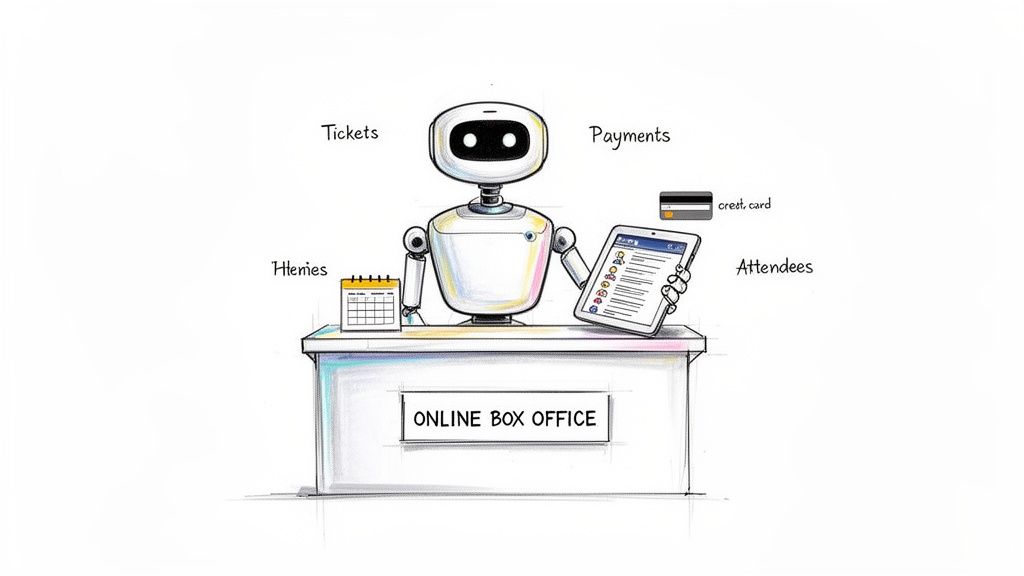
Reservation software for events is basically an online box office you can set up in minutes. It’s a tool that gives you a branded page to sell tickets, handle secure payments, and see who’s coming. All without touching a single line of code.
What Is Reservation Software for Events, Really?
Think of it as a friendly robot that handles all the tedious admin for you. It frees you up to focus on what you're actually good at: creating an amazing experience.
Instead of manually tracking every single sale, you get one central dashboard. Everything is automatic.
And this isn't some complex system built for giant corporations. The best tools are designed for real people. Workshop hosts, pop-up chefs, and community organizers pouring their hearts into events. Whether you're hosting a five-person pottery class or a 5,000-attendee street fair, the right software scales right alongside you.
Why Manual Methods Just Don’t Cut It
Trying to manage an event the old way is a recipe for headaches. You post about your pop-up dinner, ask people to DM for a spot, and then spend a week chasing them for payment.
It's messy. It looks unprofessional. And it eats up hours of your time.
Here’s a quick look at how things change when you ditch manual methods for a dedicated tool.
Managing Events Before and After Software
| Task | The Old Manual Way | The New Software Way |
|---|---|---|
| Selling Tickets | Endless DMs, emails, and texts. | A clean, simple "Buy Now" button. |
| Taking Payments | Chasing Venmo/PayPal transfers. | Secure credit card payments, instant confirmation. |
| Tracking Attendees | A messy, error-prone spreadsheet. | A real-time, self-updating attendee list. |
| Communication | Manually emailing every single person. | Automated confirmation and reminder emails. |
| Your Time | Hours spent on boring admin work. | Minutes spent checking your dashboard. |
It's a night-and-day difference. You get your time back. You get to focus on the fun stuff.
This is why the event booking software market is exploding. It was valued at around $3.2 billion in 2023 and is expected to rocket to $6.5 billion by 2032. Small creators are finally realizing they can have a professional box office without the hassle. You can learn more about this trend in the full market report.
The Simple, Modern Alternative
Modern reservation software completely flips the script. It puts the entire process on autopilot. From the moment someone discovers your event to the second the money hits your bank account.
The goal isn't just to sell tickets. It's to reclaim your time and give your attendees a smooth, professional experience. It’s the difference between looking like a hobby and running a real business.
A great platform lets you set up a custom event page in minutes, so it looks like yours. It handles credit card payments securely and deposits cash straight into your account. No more chasing payments or cross-referencing DMs with spreadsheets. For a deeper look, here’s our guide on setting up online registration for events.
Ultimately, it’s about peace of mind. You know exactly how many tickets you've sold, who's coming, and that your revenue is safe. All that administrative weight is lifted.
Core Features Every Organizer Actually Needs
Not all reservation software is created equal. Some platforms are bloated with a million features you’ll never touch. Others miss the mark on the absolute basics.
Let's cut through the noise. Here's what small creators putting on cool events actually need.
You don't need a system designed for stadium tours. You just need a simple tool that solves your real problems. Like getting paid easily and not answering the same email 50 times. The goal is to find a platform that works for you, not the other way around.
Simple Event Page Builder
First, you need a way to create an event page that doesn't look like a generic receipt. Think of this as your digital storefront. It should be clean, a breeze to set up, and let you show off what makes your event special.
You should be able to get this done in minutes. No code needed. Just upload a great photo, write a compelling description, and add your brand's colors and logo. This is what makes your pottery workshop look like your event, not just another listing on a giant corporate platform. Your branding builds trust.
Secure Payments That Just Work
This is the big one. Getting paid should be the easiest part of this. Good reservation software for events will handle payments securely and drop the money right into your bank account.
No more chasing down Venmo payments. No more awkward "did you get my transfer?" DMs.
A key part of this is how the platform connects to payment systems. Many organizers find it helpful to understand the basics of integrating payment gateways to see how the money flows securely.
Look for a system that delivers:
- Fast Payouts: Your money shouldn't be held hostage for weeks. You need access to your funds quickly.
- Trusted Processing: Using a secure processor (like Stripe) gives your attendees peace of mind.
- Simple Checkout: The checkout process should be frictionless. Fewer steps mean more completed purchases.
Pricing That Protects Your Profit
Let's talk fees. This is where many platforms get sneaky. You'll run into two main types of pricing, and one is way better for small organizers.
Percentage-based platforms skim a cut from every ticket you sell. The more you make, the more they take. A flat-fee model is different. You pay a simple, predictable fee per ticket. It's the same whether that ticket is $25 or $250.
For a pop-up chef, flat-fee pricing means you keep more of your hard-earned money. It’s predictable and fair. No hidden "service fees" that surprise your attendees at checkout. This is a critical factor when comparing the best ticketing platform for events.
Easy Attendee Tracking
Once tickets start selling, you need a simple way to see who’s coming. Forget about manually updating a spreadsheet every time a sale notification hits your inbox. That’s a recipe for overbooking.
Good software gives you a real-time dashboard. At a glance, you can see how many tickets you've sold, who your attendees are, and their contact info. It’s a clean, simple list you can check on your phone. This makes check-in a breeze and lets you easily communicate with everyone.
Scalability for Events Big and Small
Finally, the right tool should grow with you. It needs to work just as smoothly for your first workshop of five people as it does for a festival of 5,000.
You shouldn't have to switch platforms just because you're becoming more successful. A scalable system handles a sudden rush of ticket sales without crashing and provides the same reliable experience, no matter the size of your crowd.
Your Checklist for Choosing the Right Software
Picking the right reservation software can feel like a chore. Too many options, too much jargon. But here’s the good news: you don't need a business degree to make a smart choice. You just need to ask the right questions.
This isn’t about finding a platform with a million features you’ll never touch. It’s about finding a quiet, reliable partner that handles the tedious stuff. That way, you can get back to creating an amazing experience.
Let's walk through a simple checklist to help you cut through the noise.
How Do They Handle Pricing and Fees?
First question, always: how do you get paid, and how do they get paid? This is where many platforms hide nasty surprises.
- Percentage-Based Fees: These platforms take a cut of every single ticket. If your event takes off, their cut gets bigger. They penalize you for being successful.
- Flat-Fee Pricing: This is the honest approach. You pay a simple, predictable fee per ticket. Whether you sell a $15 workshop spot or a $150 supper club seat, the fee stays the same. No surprises.
For a small creator, flat-fee pricing is a game-changer. Your profits are yours to keep. You can set ticket prices without calculating what you'll really take home. It's clean, simple, and fair.
How Quickly Do You Get Your Money?
The event wraps, the adrenaline fades, and now you have bills to pay. Where’s the money? Some platforms hold your funds for days or even weeks after your event. That’s not helpful.
Look for a system with fast, secure payouts straight to your bank account. The best reservation software for events integrates with a trusted payment processor like Stripe. This gives you two wins: your attendees get a secure checkout, and you get your cash quickly. You shouldn't have to wait to get paid.
This decision tree boils it down to three core questions: does it let you brand your page, does it offer fair pricing, and does it pay you out quickly?
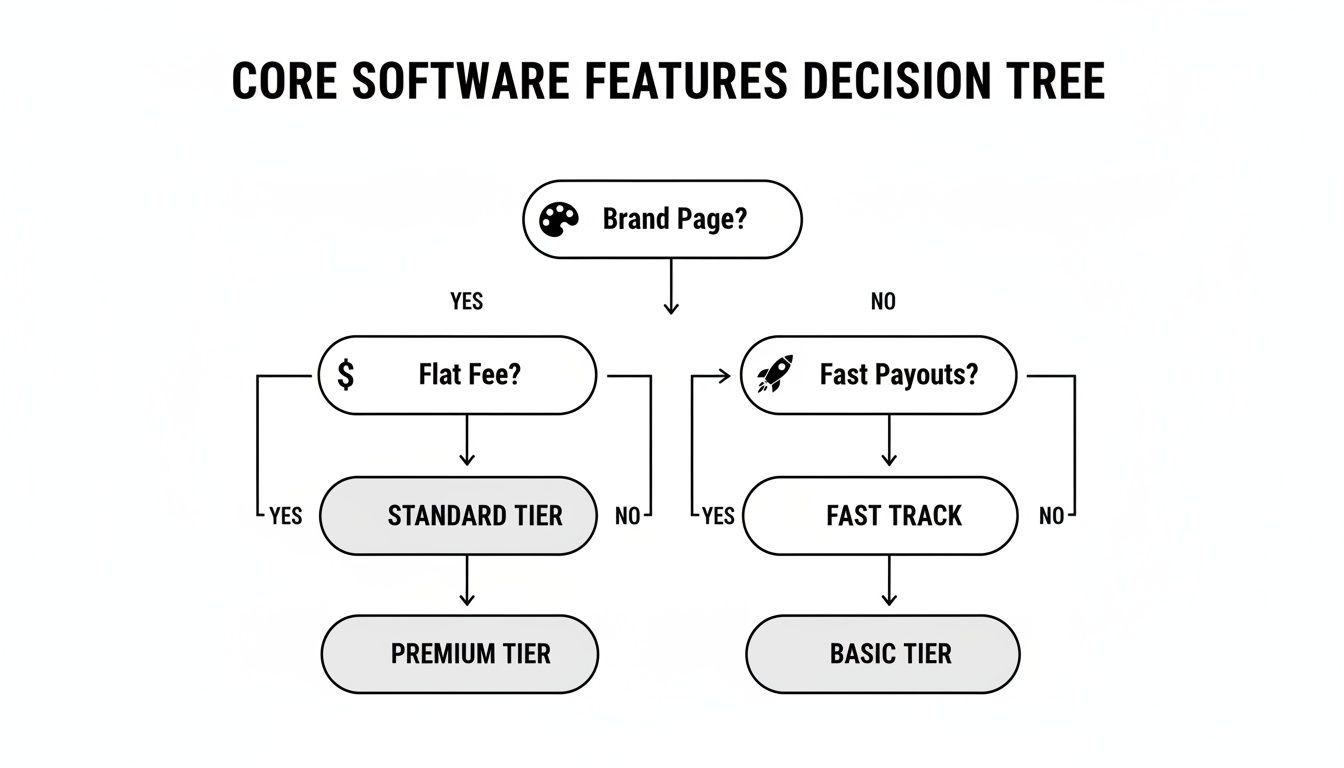
If the answer to any of these is "no," you're probably looking at a tool that will create more headaches than it solves.
Can You Make It Look Like Your Brand?
Your event has its own personality. Your booking page should, too. Can the software use your logo, brand colors, and event images? Or are you stuck advertising their platform instead of your event?
A generic, platform-branded page screams "hobby project." A page that reflects your brand builds trust and looks professional. It tells your attendees they’re in the right place. You've poured your heart into your event; your ticket page should reflect that.
Is It Actually Easy to Use?
Finally, the software has to be simple. The point is to save you time, not force you to watch hours of tutorials. If you can’t get an event page live in under ten minutes, the tool is too complicated. Period.
You're a creator, not a systems administrator. The right tool lets you set up an event page, connect your bank, and start selling tickets in a few clicks. No code, no chaos. It just works. It's built for real people who have better things to do than fight with confusing software. Your time is your most valuable asset. Choose a tool that respects it.
Software Comparison Checklist
Not all event software is created equal, especially for smaller organizers. Use this checklist to score potential options based on what truly matters.
| Feature | What to Look For | Why It Matters |
|---|---|---|
| Pricing Model | Simple, flat-fee per ticket. Avoid percentage fees that scale with your ticket price. | Predictable costs mean you keep more of your revenue. No penalties for success. |
| Payout Speed | Direct and fast payouts, typically within two business days, via a trusted processor like Stripe. | Quick access to your cash is crucial for paying vendors, venues, and yourself. |
| Branding Control | The ability to add your logo, colors, and banner images. Your brand should be front and center. | A branded page builds trust, looks professional, and creates a seamless experience. |
| Ease of Use | An intuitive interface where you can launch an event in under ten minutes. | Your time is better spent creating the event, not wrestling with complicated software. |
| Capacity Management | Simple tools to set attendance caps, manage waitlists, and prevent overselling. | Avoids logistical nightmares and ensures a quality experience for your guests. |
| Customer Support | Access to real human support via email or chat. | When something goes wrong, you need a reliable person to help you, not just a help doc. |
This checklist isn't about finding the most feature-packed platform. It's about finding the right partner. One that's fair, fast, and lets your brand shine.
How to Set Up Your Event in Under 10 Minutes
Alright, let's get practical. Good software gets out of your way. This is a real-world guide for a workshop host who needs to go from zero to a live event in less time than it takes to brew coffee.
The goal is simple: show you that technology doesn't have to be a complicated mess. A great platform lets you get set up in minutes. No code, no fuss.
Step 1: Create Your Event Page (3 Minutes)
This is your digital front door, so make it count. First, give your event a clear, catchy name. "Sourdough Baking Basics Workshop" or "Autumn Harvest Pop-Up Dinner."
Next, write a short, punchy description. Don't overthink it. Just answer the basics: What is it? Who is it for? Why should they come? Use short sentences or a bulleted list.
Finally, upload a great photo. Seriously. A picture of freshly baked bread does more to sell a ticket than a thousand words.
Step 2: Add Your Brand and Ticket Tiers (4 Minutes)
Now, make it look like yours. Good reservation software for events lets you add your brand colors and logo with a few clicks. This simple touch makes your page look instantly professional.
With your page branded, it's time to set up your tickets. This part should be just as fast.
- Create Ticket Tiers: You can offer different options. Maybe an "Early Bird" ticket, "General Admission," and a "VIP Package."
- Set Your Prices: Just type in the price for each tier. Simple as that.
- Set Capacity: Decide how many tickets are available for each type to prevent overbooking.
Creating different ticket types is a powerful way to manage your event. If you want to dive deeper, we made a simple guide on how to create tickets for an event that covers the basics.
This is what a clean setup process should look like. No confusing menus or technical jargon.
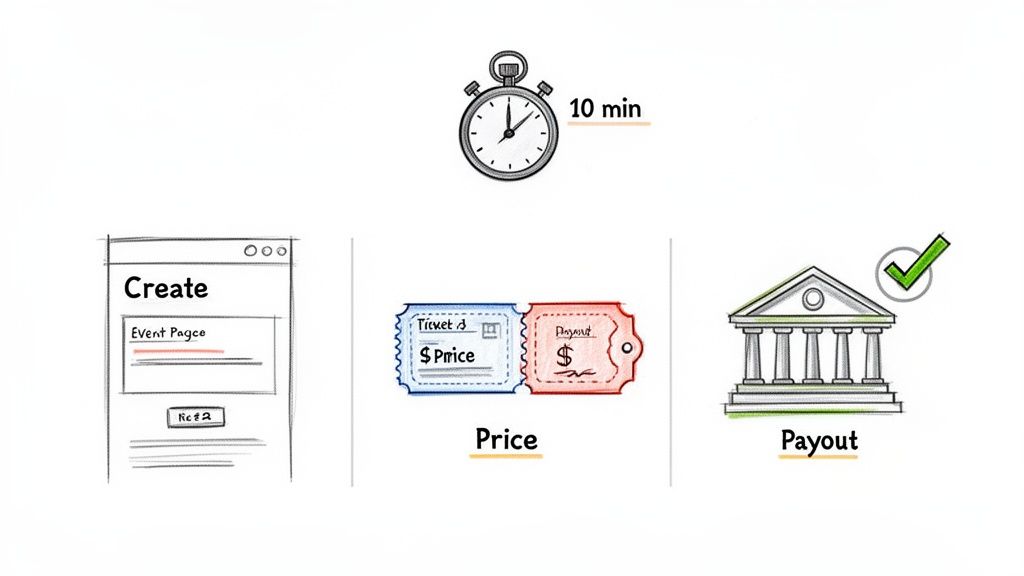
As you can see, all the essential fields are right there, letting you build out your event in one straightforward flow.
Step 3: Connect Your Bank and Go Live (3 Minutes)
The final step is getting paid. This should be painless. A secure platform will have you connect your bank account through a trusted processor like Stripe. The setup takes about two minutes and ensures your money flows directly and securely into your account.
The best tools offer fast, secure payouts. You shouldn't have to wait weeks to get paid. The money is yours, and you need it to cover costs and, you know, live.
Once your bank is connected, you're ready. Just hit "Publish," and your event is officially live. Share the link on social media, in your newsletter, or wherever your audience hangs out.
That's it. From idea to a live box office in under ten minutes. No code, no chaos.
How Real Creators Use Reservation Software
Theory is fine. Stories from the trenches are better. Let's look at how people just like you use reservation software for events. These are small creators pouring their hearts into what they do.
We’ll follow a yoga instructor running workshops, a supper club chef hosting pop-up dinners, and a local artist organizing creative classes. Each one solved a specific, nagging problem with a simple tool. These stories show how the right software gets the admin out of the way.
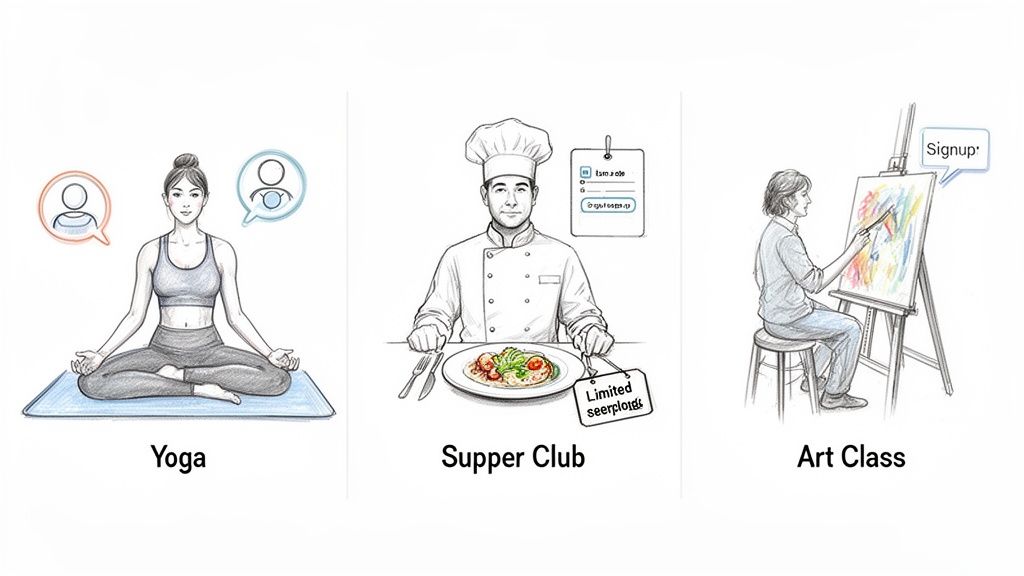
The Yoga Instructor and the Waitlist Problem
Meet Maya. She runs a weekly wellness workshop out of her small studio, which only fits eight people. Her classes always sell out. The catch: managing the waitlist was a nightmare of DMs, missed calls, and follow-up emails.
When someone canceled, Maya would manually message the first person on her list. If they didn't reply, she'd move to the next person. This wasted hours and often led to an empty spot.
Switching to reservation software automated the whole thing.
- Capacity Limit: She set a hard cap of eight attendees, and the system stopped selling tickets when it was full.
- Automated Waitlist: As soon as a class sold out, the software automatically started a waitlist.
- One-Click Fill: If a spot opened up, the system instantly notified the first person on the waitlist. If they passed, it just moved to the next person.
Maya no longer spends her time playing email tag. Her workshops are always full, and she gets to focus on teaching.
The Pop-Up Chef and the No-Show Dilemma
Next up is Leo, a chef who hosts 12-seat supper clubs. His biggest headache was no-shows. People would reserve a spot via email and then just... not show up. With fresh ingredients purchased for exactly 12 guests, every empty seat was a direct hit to his profits.
He needed a way to get a real commitment. Reservation software gave him the perfect solution: selling tickets upfront.
The moment he switched from free email reservations to paid tickets, his no-show rate dropped to virtually zero. A simple payment is a powerful commitment.
His new setup was a breeze. He created a beautiful, branded event page for each dinner. Diners could book and pay securely in under two minutes. The cash landed in his bank account right away, giving him funds for ingredients. The best part? He now knows exactly who is coming, every time.
The Artist and the Promotion Puzzle
Finally, there's Chloe, an artist who teaches pottery classes. Her classes were amazing, but getting the word out was a struggle. She’d post on social media, but tracking who was just "interested" versus who had actually paid was a total mess.
She needed a central hub. A single, professional place to direct everyone that could handle the logistics. A simple event page became her command center, giving her one clean link to share everywhere.
A pro-looking event page made her marketing efforts far more effective. People could see all the details and book instantly, which dramatically increased sign-ups. It's a common story. Great creators also need to be great at creating effective marketing campaigns to get people in the door.
This kind of shift is part of a massive trend. The market for these tools is growing at a blistering 17.8% annual rate. For creators like Chloe, this means access to features that can save hours each week by slashing manual tasks.
Common Questions About Reservation Software
We get a lot of questions. That’s a good thing. It means you’re thinking carefully about how to run your event.
Here are the answers to the ones we hear most often. No jargon, just straight talk.
Do I Really Need Software for My Small Event?
For a tiny, one-off get-together? You could probably squeak by with a spreadsheet and a PayPal link. But the second you want to look professional, save time, or grow, the answer is yes.
Manual methods just don't scale. You’ll risk double-booking spots. You'll waste hours chasing payments through DMs. Good reservation software for events automates all that tedious admin.
Think of it this way: for a small fee, you're buying back hours of your life and giving attendees a much smoother experience. You’re a creator, not an admin assistant.
How Do I Handle Refunds and Cancellations?
This is where good software really earns its keep. Without it, processing a refund is a manual headache. You have to find the transaction, send money back, and update your spreadsheet. It’s a pain.
With a proper platform, a refund is just a single click.
The system automatically sends the money back, updates your attendee list, and re-opens the ticket for sale. It turns a logistical nightmare into a two-second task.
You can also set your own refund policy—like "no refunds within 48 hours"—and display it clearly on your page. This manages expectations and protects you from last-minute cancellations. It’s a small feature that saves a world of trouble.
What Is the Difference Between Flat Fee and Percentage-Based Pricing?
This is a huge deal. It directly impacts how much money you take home.
- Percentage-Based Pricing: These platforms skim a percentage off every ticket. The more you charge or the more tickets you sell, the bigger their cut gets. They’re taking a slice of your success.
- Flat-Fee Pricing: This model is simple and honest. You pay a predictable, fixed cost per ticket, no matter the price. Whether you sell a $10 ticket or a $200 ticket, the fee is the same.
For most independent organizers, a flat-fee model is almost always better. It means you keep more of your hard-earned money. It’s transparent, with no hidden fees that surprise your guests at checkout. Some platforms even offer free event ticketing software for free events, which is a great way to manage RSVPs at no cost.
How Secure Are the Payments?
Extremely secure. This is one of the biggest reasons to use proper software. Reputable platforms use a world-class payment processor like Stripe.
All credit card information is encrypted and handled by a company that lives and breathes security. Your attendees get a safe, familiar checkout. You never have to see or store their sensitive financial data. This protects both you and your customers.
The money from your ticket sales is deposited directly and securely into your bank account. It’s infinitely safer than taking payments through DMs.
Can This Software Handle Multi-Day Events or Recurring Classes?
Absolutely. A flexible platform isn't just for one-off events. It should easily handle more complex schedules.
- Recurring Events: If you run a weekly yoga class, you shouldn't have to build a new event page from scratch every time. Good software lets you set up a recurring series in just a few clicks.
- Multi-Day Events: Hosting a weekend festival? You can set up one event page that covers the entire duration, with options for single-day passes or full-weekend tickets.
The system manages the inventory and attendee lists for each day automatically. This lets you run more ambitious events without creating a mountain of administrative work for yourself. It’s built to scale with your ideas.