
Selling tickets directly on your website isn't a nice-to-have. It's a game-changer. It’s the difference between owning your business and just renting space from someone else.
When you send your audience to a big, third-party platform, you’re losing brand control. You're handing over valuable customer data. And you're letting someone else skim your profits.
Let's break down why keeping your ticket sales in-house is one of the smartest moves you can make.
Why You Should Stop Sending Buyers Away
Picture this. You've built a beautiful event page. The design is perfect, the copy is compelling, and people are excited.
Then, at the last moment, they click "Buy Tickets" and get whisked away to a generic, corporate-looking checkout page. It feels… jarring.
It’s like a pop-up chef hosting a stunning dinner, then making guests walk down the street to a sterile office building to pay. That redirect breaks the spell. It weakens your brand and can seriously dent your sales.
Forcing attendees off your site sends a subtle message: that your event isn't quite professional enough to handle its own sales. That final, crucial step—the purchase—gets outsourced to a massive company that plasters its own logo everywhere.
Keep Your Brand Front and Center
Your event has a unique personality. Maybe it's a cozy, candlelit workshop or a high-energy local music festival. That feeling should carry all the way through checkout.
Selling tickets on your website gives you complete control. The right tools let you customize the colors, fonts, and logos to perfectly match your site. It seems like a small detail, but the impact is huge.
- Builds Trust: A consistent, branded checkout feels far more secure and legit than a random URL.
- Looks Professional: It proves you’ve invested in the full experience, boosting confidence from the moment they decide to buy.
- Reduces Confusion: Keeping buyers in one place means less friction and a lower chance they’ll abandon their cart.
If you really want your ticketing to feel like a natural part of your brand, it's worth exploring a white-label ticketing platform.
The goal isn’t just to sell a ticket. It’s to sell an experience. That experience starts the second someone lands on your page, not when they’re navigating another company's checkout maze.
Own Your Audience Data
Here’s a critical question: when you use a third-party marketplace, who really owns the customer list? They do.
Sure, you might get a spreadsheet with names and emails. But the platform keeps the rich data about buying habits and interests. They use that data to promote other events, including your competitors'.
Selling directly puts you in the driver's seat. Every single person who buys a ticket becomes part of your audience. You can easily send event updates, build a mailing list for future events, or offer discounts to loyal fans.
That direct relationship is priceless. You’re building a real business, not just renting an audience from a big tech company.
Escape the Fee Trap
Okay, let's talk about money. Those "service fees" on major ticketing sites are brutal.
They often charge you, the organizer, a percentage of the ticket price. Then they hit your customer with another fee on top. It’s a double-dip that eats into your revenue and creates sticker shock.
A flat-fee model is simpler and more honest. You pay a small, predictable cost per ticket, and that’s it. No sneaky percentage skims.
This means you keep more of your hard-earned money. And you can offer a better price to your community. It’s a win-win.
Choosing Your Website Ticketing Method
Alright, you’ve decided to sell tickets directly from your own website. Great move. This is where you take back control, own your brand, and keep more of your money.
But now you have a choice to make. And not all paths are created equal.
The route you pick will impact how much time you spend on setup, how much you pay in fees, and the kind of experience you give attendees. The goal is to get you selling tickets today, not spending the next month tangled in code.
The Old-School DIY Route
First up is the classic do-it-yourself approach. You know the one: slap a Google Form on your site, then manually chase down payments through PayPal or Venmo. On the surface, it feels simple and cheap. Free, even.
But "free" gets expensive fast when you factor in your time. For a tiny get-together with five friends? Sure, it works.
For anything larger, it's a one-way ticket to spreadsheet hell. You'll manually track payments, send confirmations one by one, and try to make sense of a mess of disconnected records. It’s clunky for you and feels a bit sketchy for your customers.
The Complicated WordPress Plugin Path
If you’re on WordPress, a ticketing plugin probably seems logical. And yes, some powerful plugins can turn your site into a sales machine.
That power, however, comes with a big dose of complexity. Getting a plugin configured just right can be a real headache.
Often, the core plugin is cheap or free, but the features you actually need are locked behind pricey add-ons. You can easily find yourself paying $200 or more a year just to keep the lights on. It’s a path best left to those who genuinely enjoy tinkering.
The Simple Embedded Widget
This brings us to the third and, for most independent creators, the best option: an embedded widget from a dedicated ticketing platform. Think of this as the sweet spot between total control and dead-simple setup.
You get a small snippet of code that you copy and paste right into your website editor. Squarespace, Wix, Carrd, whatever you use. It's as easy as adding a YouTube video. Within minutes, a fully functional, secure checkout box appears on your page.
This approach gives you the best of all worlds:
- No Code Needed: If you can copy and paste, you're all set.
- Custom Branding: Style the widget to match your website’s colors and fonts, making it feel like a natural part of your site.
- Secure Payments: It handles all the complex payment processing, with payouts going straight to your bank account.
This short decision tree shows why selling on your site is such a huge win. You build trust, own your data, and keep your hard-earned cash.
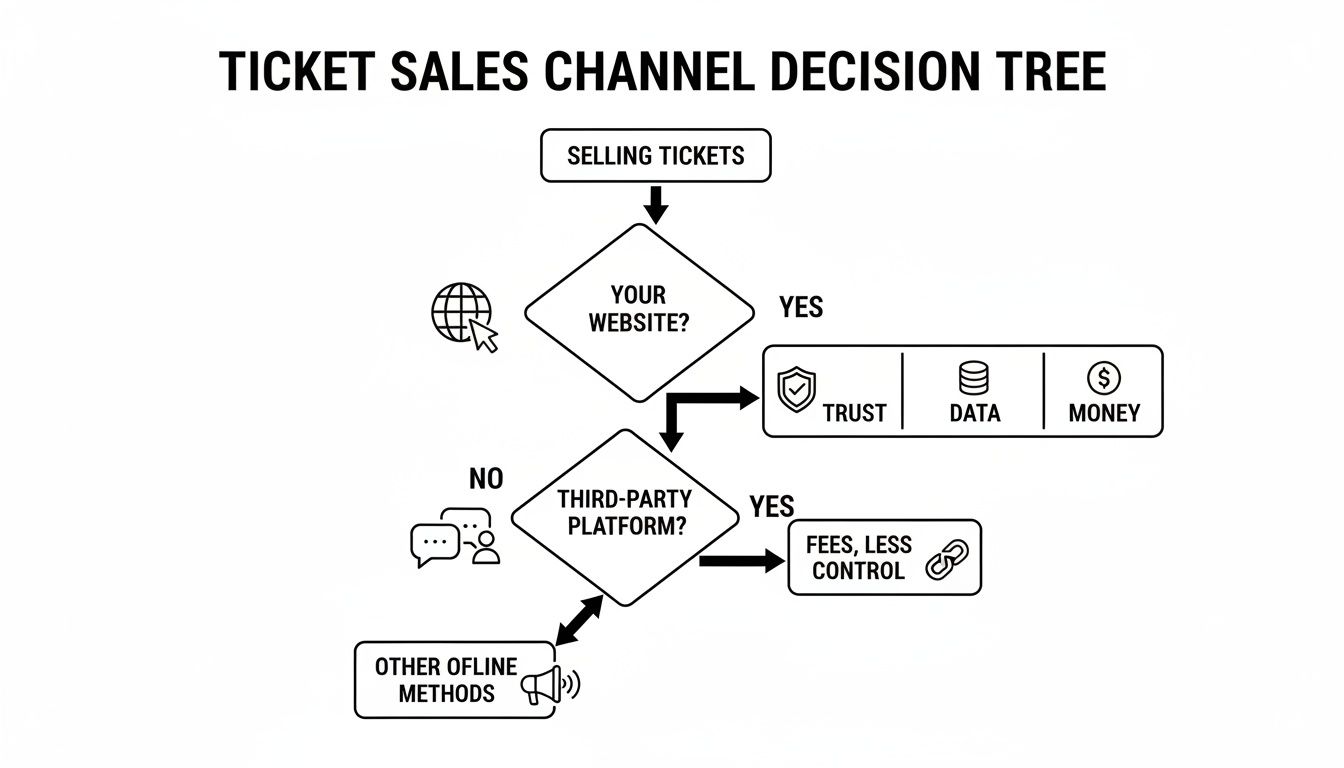
Selling directly from your own turf reinforces your event's value, rather than handing over that final step to another company's brand.
To make the choice even clearer, let's break down how these options stack up.
Comparing Your Website Ticketing Options
| Method | Best For | Setup Time | Typical Cost | Key Downside |
|---|---|---|---|---|
| DIY Forms & Payments | Tiny, informal events with friends | Under 1 hour | Free (plus payment processing fees) | Extremely manual, unprofessional, and doesn't scale. |
| WordPress Plugins | Tech-savvy users who need deep customization | 4-8+ hours | $50-$300+ annually for premium add-ons | High complexity, ongoing maintenance, and hidden costs. |
| Embedded Widgets | Most creators looking for a professional, branded solution | 10-15 minutes | Low monthly fee or per-ticket fee | Less backend customization than a complex plugin. |
The methods vary wildly in what they demand from you. It all comes down to what you value most.
For creators pouring their hearts into their events, the embedded widget is the most direct path from idea to income. It lets you focus on creating a great event, not on becoming a part-time web developer.
When you're weighing options, think about the long-term health of your event business. If you're looking for more details, we put together a guide on how to choose the best ticketing platform for events.
If you want a simple, professional solution that respects your brand and your bank account, the embedded widget is the clear winner. It's built for real people who have better things to do than fight with software.
Setting Up Your Ticketing and Checkout
Alright, you've decided to go with an embedded widget. Smart move. Now comes the part that sounds complicated but is actually shockingly simple: getting it live on your site.
This isn't some weekend project. If you have your event details sorted, you can get this done in the time it takes to make coffee. We're talking minutes, not hours.
The whole point is to skip the complexity. No code, no headaches. It’s a few clicks to build your event, define your ticket types, and paste a tiny snippet of code onto your site. Let’s break down what that really looks like.
Creating Your Event and Ticket Tiers
First, you’ll pop into your ticketing platform and create the event. This is where you plug in the essentials: event name, date, time, and a quick description. Make it clear and compelling.
Next, the ticket tiers. This is your chance to get strategic. Don't just settle for "General Admission." Think about what your audience would genuinely value.
- Early Bird: A classic for a reason. Rewarding early birds with a discount builds momentum and gets cash flowing.
- VIP Access: What’s a simple perk you can offer for a premium? It could be a pre-event Q&A, a free drink, or reserved seating.
- Group Bundles: If you're running a workshop, a "Bring a Friend" discount is an easy way to double your ticket sales.
For instance, a pop-up dinner might have a $75 standard ticket and a $125 "Chef's Table" ticket with a wine pairing. A business workshop could offer a $199 general ticket and a $299 VIP ticket that adds a one-on-one session. Creating these is as simple as clicking "Add Ticket Type."
Here’s a rough idea of what a clean, multi-tiered ticket selector could look like on your site.
This structure gives buyers choices and can seriously increase your average revenue per attendee.
Connecting Payments and Getting Paid
This part used to be a nightmare. These days it’s almost trivially easy. When setting up your process, knowing how to accept credit card payments securely is the foundation.
Modern ticketing tools integrate directly with payment processors like Stripe. During setup, you'll connect your Stripe account or create a new one, which takes about five minutes. That’s it.
You don't have to touch payment gateway code or worry about PCI compliance. It’s all handled for you.
The best part? The money goes straight to your account. No platform holds your funds hostage for weeks. When a ticket sells, the cash lands in your account. Fast, direct payouts are an absolute must.
Making It Look Like Yours
Now for the final touch. The ticketing widget can't just work well; it has to look like it belongs on your website.
Any decent platform will give you simple customization options. You should be able to:
- Change the colors: Match the button and text colors to your brand’s palette.
- Adjust the fonts: Use a font that feels at home on your website.
- Add your logo: Keep your brand front and center to build trust.
These small tweaks make a world of difference. Once you’re happy with how it looks, the platform will give you a single line of code.
You just copy that line and paste it into your website builder. If you want to see exactly how that works, we have a guide on how to embed ticket sales on your website that breaks it down step-by-step.
The online event ticketing market is projected to hit $69.25 billion by 2029. A huge chunk of that is driven by small organizers who just need tools that work.
And just like that, you're ready to sell tickets on your own website. No developer required. You’ve built a professional, branded box office that works just as well for five attendees as it does for five thousand.
Understanding Fees and Payouts
Let’s talk about the money. This is where big-name ticketing platforms get murky, and where you can lose a lot if you’re not paying attention.
Most of them love to bury fees in confusing terms. They’ll dangle a "free" event listing, then quietly skim a percentage off every single ticket. To add insult to injury, they'll often hit your customer with another fee on top. It's a sneaky way to double-dip.
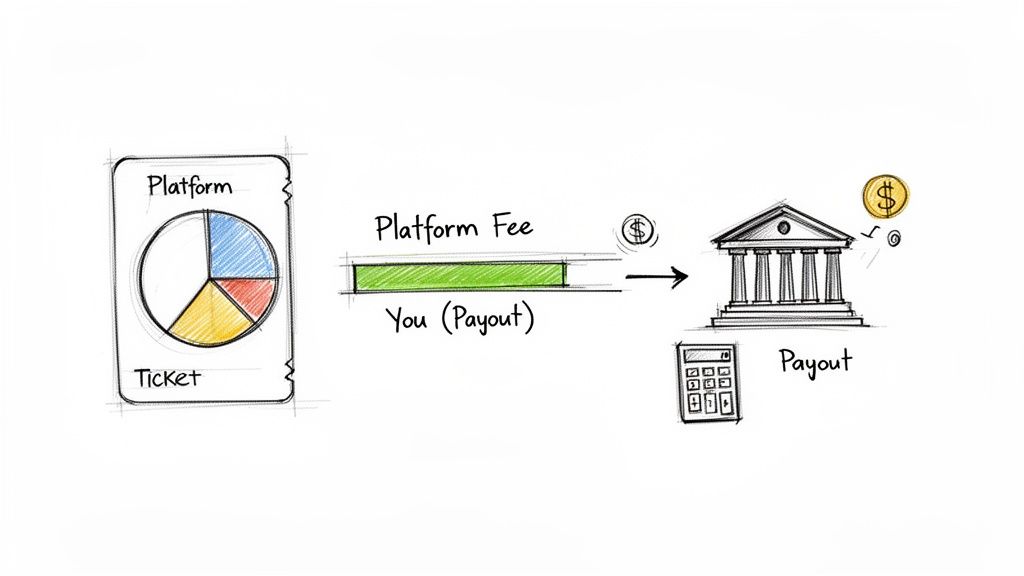
This section is about pulling back that curtain so you can protect your profit margin.
The Problem with Percentage Fees
Percentage-based fees sound innocent. "Just 3.5% + $0.99 per ticket," they say.
But let’s do the math. For a $100 workshop ticket, that’s $4.49 gone. Poof. Sell one hundred of those, and you've lost $449 just in platform fees, not even counting credit card processing.
This model punishes you for success. The more you charge or the more tickets you sell, the bigger their cut gets. It feels like having a business partner who does none of the work but takes a larger slice of the pie as you grow.
The real cost of "free" ticketing is the revenue you never even see. It's a system designed to benefit the platform, not the person putting on the show.
For a clearer picture, check out our guide on some popular alternatives to Eventbrite to see how different fee structures stack up.
The Sanity of Flat-Fee Pricing
Thankfully, a better way exists. It’s called flat-fee pricing. It’s refreshingly simple, honest, and predictable.
With a flat-fee model, you pay a small, fixed cost for each ticket sold, no matter the price. Whether you’re selling a $25 ticket for a local meetup or a $500 ticket for a retreat, the platform fee stays the same.
Here’s why that’s a game-changer:
- You Keep More Money: On that same $100 ticket, a flat fee of just $1 means you keep an extra $3.49 per sale. That adds up fast.
- Total Transparency: No surprises. You know exactly what you’ll pay on every transaction, which makes budgeting way easier.
- Fairness for Attendees: You can absorb the small fee or pass it on without creating sticker shock. Nobody likes seeing a $12 "service fee" on a $75 ticket.
This approach is built for real people pouring their hearts into creating amazing events. It aligns the ticketing platform with your success, not at your expense.
Demand Fast and Direct Payouts
Now for the other side of the money equation: getting paid. You should never have to wait weeks for your own revenue.
Some platforms hold your funds until after your event is over, essentially using your cash to float their operations. That’s not okay.
When you sell tickets on your own website using a modern tool, the payment flow should be direct. The system connects straight to your bank account via a processor like Stripe.
This means when a ticket is sold, the money lands directly in your account within a couple of days. You get your money as you earn it. It’s your revenue, and you should have access to it. This should be a non-negotiable feature.
The Nitty-Gritty Details You Can't Afford to Ignore
Alright, let's get into the stuff people love to skip—policies and privacy. I know, it's not the most exciting part, but getting this sorted out before you launch will save you from a world of hurt.
Think of it as your pre-flight checklist. Handle these details on the ground so you can enjoy a smooth ride once sales take off.
Your Refund Policy Is Your Best Friend
What happens if you have to cancel? What if someone gets sick and can't make it? These aren't "what if" scenarios; they will happen. A crystal-clear refund policy is non-negotiable.
You need to decide on your terms and write them in plain English. There’s no single right answer, but a few common approaches work well:
- All Sales Final: The simplest route, but it can feel harsh. This works best for very low-cost events where the buyer's risk is tiny.
- Refunds up to X Days Before: A crowd-pleaser. Offering full refunds until, say, 7 days before the event is a common choice. This gives you a buffer to resell the ticket.
- Credit for a Future Event: A fantastic middle ground. It protects your cash flow while still being fair to the attendee. They can't make it this time, but they have a ticket for your next one.
Whatever you decide, make it impossible to miss. Post your policy directly on your event page, right next to the buy button. Hiding it is a recipe for angry emails.
Handle Attendee Data with Respect
When you sell tickets on your own website, you're collecting personal information. Names, emails, maybe more. This isn't just a list of leads; it's sensitive data people have trusted you with.
You don't need a law degree to do this right. The fundamentals are common sense.
First, only collect what you absolutely need. Do you really need a mailing address for a virtual workshop? Probably not. The less data you hold, the less risk you carry.
Second, be upfront about how you'll use their email. If you plan on adding them to your newsletter, tell them. A simple, unchecked box at checkout saying, "Keep me updated on future events" is perfect. It puts the choice in their hands.
Your attendees trust you with more than just their money. They trust you with their personal information. Treating their data with respect is a simple, powerful way to show you're a professional who values their community.
These details aren’t about playing defense. They're about creating a clear, fair, and trustworthy experience for everyone. Get this right, and you can get back to focusing on what matters: putting on an unforgettable event.
Promoting Your Event and Tracking Sales
Your ticket page is live. Fantastic. Now for the real work: getting people to actually see it.
Promoting your event doesn't need to be a full-time job. For most creators, it’s about taking smart, simple actions to get the word out to the right people. This isn't about becoming a marketing guru overnight. It's about taking small, deliberate steps.
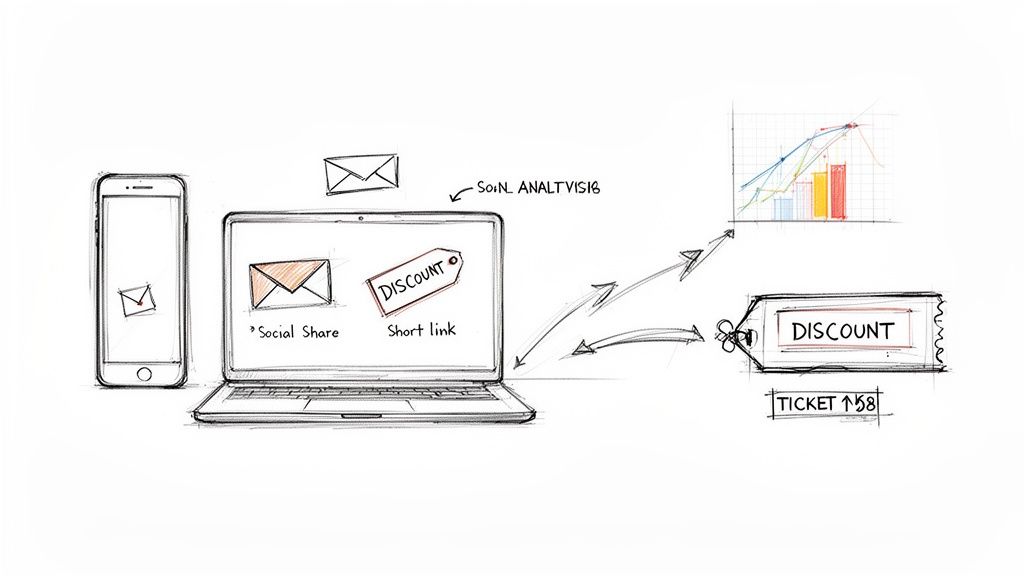
Simple Ways to Spread the Word
Start with the audience you already have. Your existing community is your most powerful asset because they already know, like, and trust you.
A few practical ideas that just plain work:
- Email Your List: Before anything else, draft a short, personal email to your subscribers. Tell them why you're excited about this event and drop a direct link to your ticket page. This is almost always the most effective thing you can do.
- Share on Social Media: Post a compelling image or a quick video about your event. Make sure the link in your bio goes straight to the ticket page. Don't make people hunt for it.
- Create a Discount Code: Want to give your biggest supporters a little something extra? Create a unique discount code like "EARLYBIRD10" and share it with a select group. It creates urgency and makes them feel like insiders.
The events industry is projected to hit $2.5 trillion by 2035 because people crave unique experiences. A personal touch in your promotion goes a long way, especially when two-thirds of attendees say they feel better about a brand after an event.
Know What’s Actually Working
Promoting your event without tracking your sales is just guessing. You’re flying blind.
You need to know which of your efforts are actually selling tickets. Was it that Instagram story or the email you sent on Tuesday?
This is where simple analytics come in. You don't need some massive, complicated dashboard. Any decent ticketing platform will show you where your sales are coming from. To get this right, you’ll want to understand what is conversion tracking and how it works. It's the mechanism that shows you which link clicks turned into paying customers.
Knowing that 80% of your sales came from your email list tells you where to double down next time. It’s not about obsessing over data; it’s about making smarter decisions so you can spend less time promoting.
Answering Your Top Questions About Selling Tickets On-Site
I get it. The idea of ditching big platforms and selling tickets directly from your own website can feel a little daunting. A few questions always come up, so let's tackle them head-on.
It's way simpler than you probably think.
"Do I Need to Be a Developer to Do This?"
Hard no. You absolutely do not need to be a coder.
Modern ticketing tools are built for creators, not software engineers. The process is usually just copying a small piece of code—a "snippet"—and pasting it into your website builder. If you've ever embedded a YouTube video on your site, you have all the skills you need.
You won't have to touch a server or wrestle with payment gateways. The whole point is to make selling tickets yourself dead simple.
"How Do I Handle Customer Support?"
Great question. You're still on the hook for questions about your actual event—parking, start times, what to bring. That's your turf.
But for the technical stuff? Your ticketing platform should have your back.
When you're choosing a provider, make sure they offer direct support to your attendees for issues like:
- Payment processing errors
- Problems with ticket delivery
- Troubleshooting the checkout form
This frees you up to focus on putting on an amazing event instead of playing tech support. A clear refund policy on your event page will take care of most of the rest.
"Is It Actually Cheaper to Sell on My Own Website?"
It all comes down to the fee structure. Many giant ticketing marketplaces lure you in with "free" event listings, but then they hit you—and your customers—with surprisingly high percentage-based fees.
A platform with transparent, flat-fee pricing is almost always more affordable, especially as your ticket price or sales volume grows. You keep more of each sale, and your customers aren't ambushed by sticker shock at checkout.
It’s your event and your revenue. You deserve to keep as much of it as possible.
Ready to stop giving away your revenue and take full control of your ticketing? Ticketsmith makes it incredibly simple to sell tickets directly from your own website in minutes. Get professional, branded ticketing that’s built for creators just like you. Join the waitlist and be the first to know when we launch.