 Will Townsend
Marketing & Promotion
Free cheese can fill a room, though not necessarily with people who care about the event. A smaller, better-chosen invitation list often makes for a better night—same cheese, better room. From there, the job is fairly simple: give those people one believable reason to come, then repeat it somewhere they already pay attention.
Track links when the answer will change what you do next, but do not mistake measurement for demand. A 47-step dashboard cannot rescue an invitation sent to the wrong people.

Good event marketing gives the right people one believable reason to come, then repeats it where they already pay attention.
Use the Promise You Already Wrote
If people have to work to understand your event, they close the tab. Your promise should make the right person think, “Oh, that’s for me.”
If the promise from the planning page still sounds like a worksheet, loosen it. “In X time, you’ll Y, even if Z” is scaffolding, not the sentence you owe the public.
“In 90 minutes, learn latte art you can brag about - even with a $40 home setup.”
“A two-hour pasta workshop where you leave with dinner and a sauce you can make again.”
Test the sentence on a friend by saying it out loud. If they ask when the event is, the promise is probably clear; if they ask what the event actually is, it still needs work.
This line tells people what they get before they scan the rest of the page. If it is fuzzy, advertising only pays for more people to be confused.
Audience Map
An event described as being “for everyone” gives nobody much reason to recognize themselves in it. Start with the people most likely to show up and what they want from the evening. That might be busy parents who have not finished a book in years and would enjoy a relaxed night where somebody else handles the supplies.
Once the group is clear, look for the places where they already pay attention. A local bookstore newsletter may be worth more than three weeks of posting into an empty account.
For a 20-seat event, one inbox, one social channel, and one aligned partner can be enough. Spend the rest of the time answering real replies.
10-Day Launch Sprint
Once the event page is live, the schedule below provides a workable rhythm. Move the dates to fit the event, but leave enough space that every message does not arrive on the final Tuesday.
- T-10: Publish the page and send the first invite to your list (or friends). Add tracking tags so you can see what sent people here. Keep it human: “I’m trying this next Thursday - want a seat?” If it sounds like a campaign, rewrite it.
- T-9: Post one useful tip tied to the event topic. No pitch. For a pasta class, show the dough mistake everyone makes. Let replies turn into invites.
- T-7: Send the partner swap: short blurb, image, tracking link. One trusted local account can beat a week of posting into your own quiet feed.
- T-6: Share social proof: a past quote or behind-the-scenes prep. Show the table being set, the first crooked print, the last group photo. Real humans beat a Canva poster.
- T-5: Post what people leave with. Show the finished cutting board, sauce jar, or printed card so people can picture the result rather than another agenda.
- T-3: Send reminder email #2: 3 reasons to come + 1 button. Make the sitter test explicit: “worth getting a sitter for because...”
- T-2: Post a 20-30s teaser with the date and price on screen. Show the room, tools, or finished result. If the room is ugly, crop tight.
- T-1: Send the “last seats” email and social post. Use “last seats” only when it is true, because false scarcity makes the next invitation harder to trust.
- Day-of (AM): Send logistics: calendar link, address, parking, what to bring. Add one final story with the ticket link. The job today is fewer “where is it?” texts, not more hype.
If you only have energy for half, keep T-10, T-7, T-3, T-1, Day-of. That is enough runway to avoid the sad “hey, it’s tonight” scramble.
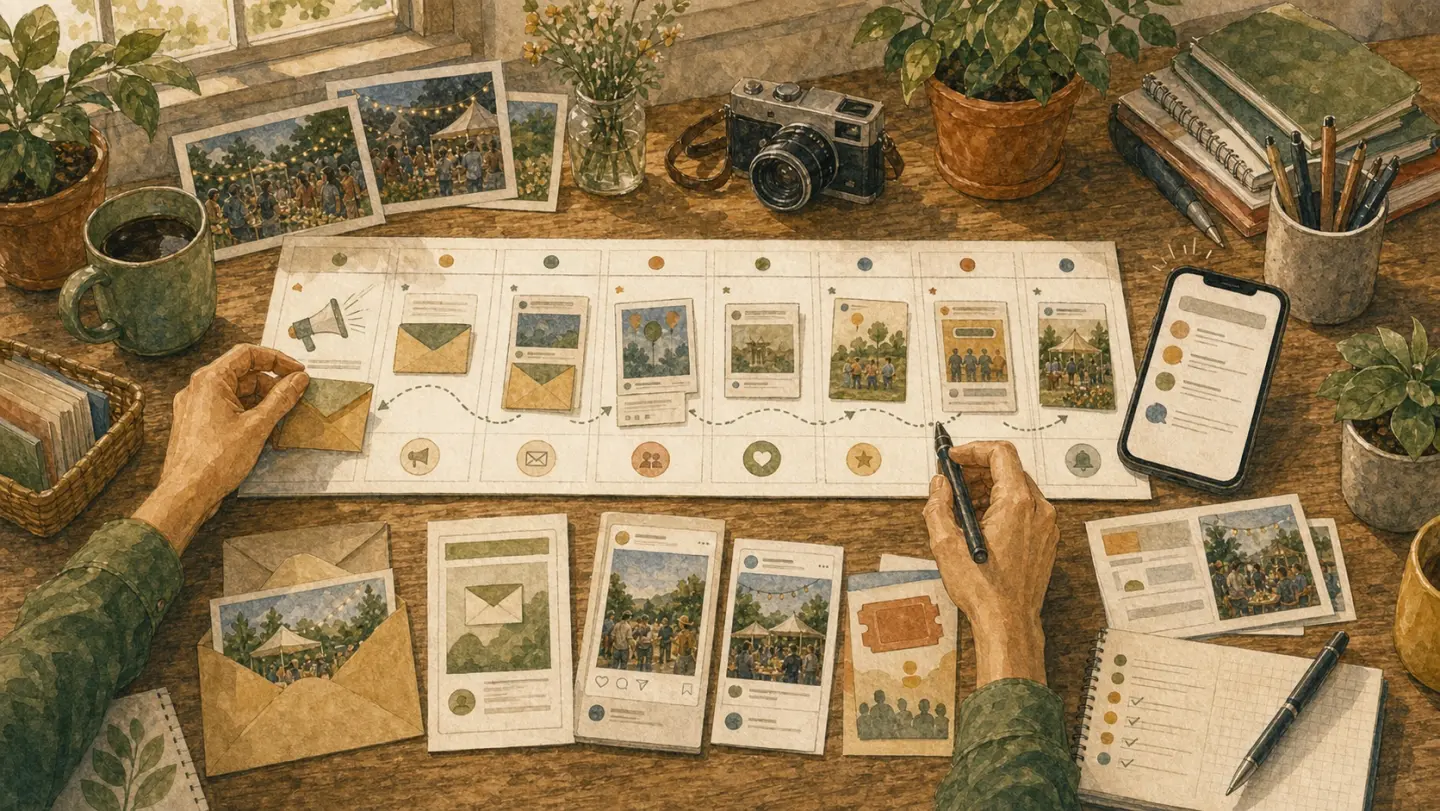
A launch sprint is just a few useful reminders placed where your people already pay attention.
Three Emails Are Usually Enough
Use whatever email tool you already have. A small event rarely needs a grand sequence:
- Invite: the promise, who it is for, date, price, and one button. “We’re doing X next Thursday—want a seat?” is a perfectly decent subject.
- Proof or reminder: show the room, the materials, a finished result, or a real quote you have permission to use. Answer the question that keeps coming back.
- Logistics: address or link, arrival time, parking or transit, accessibility details, and what to bring. Its job is to prevent 14 people asking the same question at 5:45, not to sell the event again.
If seats are genuinely running low, send a short last-call note; otherwise, use an honest reminder without manufactured urgency.
Social Kit
For a 20-seat event, a few useful posts are often enough. The examples below are shapes to adapt, not claims about events we ran:
- Teach something: “Two thin coats gave this tray a cleaner finish than one heroic blob.” Add a close photo of the difference.
- Show the result: “Twenty cutting boards, ready for Saturday.” Add the stacked boards—if that is what you actually made.
- Show a person: A first print came out crooked. The maker framed it anyway. Use the name and photo only with permission.
A specific attendee story often gives a stranger more to hold onto than a polished graphic. For short video, open on the useful bit, put the date and price on screen, and skip the trending audio when it has nothing to do with the room.
Partners & Collabs
A useful partnership starts with a straightforward question: “Our people might like what you are doing; would you introduce them?” Give the other person enough material to answer without turning the favour into another project:
- Give them a 2–3 sentence blurb, a square image, and a tracking link.
- Think: aligned creators, venues, local shops, newsletters. A coffee shop for your latte workshop, a craft store for your paint night.
- Offer something back: a comp seat, revenue share on a supporter tier, or a future co-host spot.
A simple outreach script you can steal:
“Hey [Name], I run [type of event]. A lot of your people seem like they’d love this. Want to share a quick blurb with your list/IG? Happy to comp a seat or cross-promote your next thing too.”
Recommendations from people they already trust can beat your own ad copy. Give each partner a different link or code so you can see whether that happened, rather than politely assuming it did.
Listings & Communities
Local calendars and community groups already contain people looking for something to do, so use the places that fit the event rather than listing it everywhere.
- Post to local calendars, community boards, and niche forums: think Eventbrite free listings, Meetup, neighbourhood newsletters, Reddit subgroups like r/YourCity or r/CottageIndustry.
- Be helpful, not spammy. Use your one-line promise and say clearly who it’s for: “Perfect for beginners looking to unwind - join us for a relaxed paint night.”
Give this work an hour, publish the relevant listings, and then return to conversations with people who have replied. Another afternoon comparing directories is unlikely to sell the missing seats.
Budget Ladder
Start at $0. Spend only after the message and audience have produced sales.
- $0: Personal outreach, partners, communities, email, and organic social. A small event with a warm network may fill this way.
- $25–$100: Put a light boost on the message that already produced replies or sales, cap the daily budget, and handle consent, disclosures, and platform settings properly if you use retargeting.
- $100–$300: Test one channel with clear tracking. Set a review date before launch; 48–72 hours may be too short for a small audience, so judge it against enough data to mean something.
Paid promotion is not a moral failure, and selling out through friends is not a required initiation ritual. Still, ads are an expensive place to discover that the promise is vague. Get a few real replies or sales first when you can. If the dashboard starts dictating increasingly strange decisions, pause it and talk to people again.
Measurement & Attribution
Use a plain sheet to answer one practical question: which messages and partners actually moved tickets?
- Add those little traffic trackers to every link. For example:
?utm_source=partner&utm_medium=email&utm_campaign=pasta_may - Track a few basics in a simple Google Sheet:
- page views
- add-to-calendar clicks
- ticket conversions
- refund rate
- After each event, ask: “How did you hear about this?” and jot it down.
At the start, a plain spreadsheet is enough. You are looking for useful patterns—perhaps partner emails quietly sold half the room—not trying to build an attribution system that needs its own operator.
For Indie Producers: Your visuals sell as much as your copy. Give your ticket page a simple, consistent look (colors, fonts, photos) and repeat that look in posts and emails. It makes the event easier to recognize.
Page & Checkout Tweaks
Some interested people will still leave when checkout feels like work. You cannot know how many without data, but the fix is cheap enough to make anyway.
- Put the promise and “What you’ll leave with” above the fold so visitors see value instantly.
- Show one main price, plus an optional Supporter tier if you like. Put the refund policy beside the price so nobody has to hunt for it.
- Strip checkout down for a phone, then add an “Add to Calendar” button after purchase so the date is easier to keep.
- Related guide: Ticketing & Sales
Small checkout hassles add up, and most of them are easier to remove before launch than to explain after somebody abandons a purchase.
Before You Promote
Read the page like a stranger with 15 seconds and one thumb on their phone.
Can they tell the date, price, promise, and who it is for without scrolling twice? Is there one reason to buy now that is true? Does checkout ask only for what you need?
If not, fix the page before you post again. More promotion just sends more people into the same leak.
Common Pitfalls
Three common leaks:
- Spreading the work across five quiet channels. Pick the place where people reply, then stay long enough to learn its rhythm.
- Announcing the event at the last minute. Give people three to five useful chances to notice it and make plans.
- Hiding the price and refund policy. Put both near the decision to buy, where they do more for trust than another polished graphic.
If the page still feels fuzzy, return to Getting Started and tighten the event itself before promoting. If checkout is the snag, work through Ticketing & Sales next.
If you are still unsure, write the one-line promise on a sticky note and read it again tomorrow. When it still makes sense without the rest of the page beside it, publish.
Join the waitlist
Be the first to know when Ticketsmith launches.
Written by
Will Townsend
Founder, Ticketsmith
Writes practical guides on event ticketing, pricing, and promotion for independent organizers.