
Most free event registration platforms are genuinely free if you’re not charging for tickets. But the moment you add a price tag, many reveal a tangled mess of sneaky costs. "Free" suddenly isn't so free.
Finding a Truly Free Event Platform
Let's cut through the noise. You just need a tool that works so you can focus on creating a great experience. This is your no-fluff guide to finding the right fit, whether you're hosting a five-person yoga class or a 500-person local festival.
The events market is booming. It’s on track to hit $1,346.92 billion in 2025. This growth is powered by tools that empower independent creators just like you. For more, these event industry statistics show the big picture.
What “Free” Actually Means
When a platform claims it's "free," it almost always means one of two things.
Free for Free Events: If your event costs nothing to attend, they won't charge you a dime. This is the most common and honest model.
Free... with a Catch: The platform is free to set up. But they'll skim a percentage or a flat fee from every single ticket you sell. Those fees add up fast.
For a small creator, that difference is everything. A tool that seems like a bargain can quickly eat your profits with per-ticket fees, mandatory payment processing charges, or extra costs for basic features like adding your own logo.
We built our platform for the people pouring their heart into events. A tool you can set up in minutes without any code. It puts your brand front and center and scales from five to 5,000 attendees.
Core Features to Look For
Even when you're not paying, some features are non-negotiable. Don't settle for a tool that makes your life harder.
| Feature | Why It Matters | What to Watch Out For |
|---|---|---|
| Custom Branding | Your event page should look like your event, not a giant ad for the ticketing platform. | Many free tiers plaster their logo all over your page and lock custom colors behind a paywall. |
| Simple Setup | You have an event to plan. You don't have time to fight with confusing software. | Look for a no-code setup that lets you go from sign-up to a live page in minutes. |
| Fast Payouts | It's your money. You shouldn't have to wait weeks after your event to get it. | Some platforms hold your funds. You want fast, secure payouts straight to your account. |
| Transparent Pricing | "Free" should mean free. No hidden percentage skims or surprise "service fees." | A clear, flat fee for paid tickets is almost always better than a percentage. Always read the fine print. |
The Hidden Costs of Free Registration Software
Let's talk about the word "free." In software, "free" is often a magic trick. You think you’re seeing a rabbit, but it's really just a hidden invoice waiting to pop out. Many free event registration platforms operate on this same illusion.
They aren’t charities. They have to keep the lights on. That "how" often comes from you or your attendees, wrapped in confusing language on a pricing page no one reads. The goal is simple: get you in the door with the promise of zero cost, then spring the real price on you once you're committed.
It’s a classic bait-and-switch. And it works.
Unpacking Per-Ticket Service Fees
The most common "gotcha" is the per-ticket service fee. This is the platform’s cut. For your free community yoga class, there’s no charge. But the second you decide to sell tickets for a $20 workshop, the platform tacks on its own fee.
Suddenly, your $20 ticket costs your attendee $22.50. You didn't see a dime of that extra $2.50. The platform did.
Here’s a quick look at how that math plays out for a small event:
Your Ticket Price: $20.00
Platform Service Fee (e.g., 5% + $0.99): $1.99
Payment Processing Fee (e.g., 2.9% + $0.30): $0.88
Total Attendee Cost: $22.87
Your Payout: ~$19.12
Sell just ten tickets, and you’ve lost nearly a full ticket’s worth of revenue to fees. Your attendees paid almost $30 extra. This isn’t just about the money. It erodes trust. When attendees see a price jump at checkout, it feels deceptive.
The real cost isn't just the money. It's the moment your supporter hesitates at checkout because of a surprise fee. That friction is expensive. Honest, flat fee pricing avoids this entirely.
Some platforms are upfront about this. Others bury it in the fine print. The worst offenders pass the fee to the attendee by default, making it look like you raised the price without warning.
The Payment Processing Puzzle
Every online transaction has a payment processing fee. This is what companies like Stripe and PayPal charge to securely handle a credit card payment. It’s unavoidable, typically around 2.9% + $0.30 per transaction.
But here's the catch. Some "free" platforms force you to use their built-in payment processor, which often charges a higher rate. They might roll their service fee and the processing fee into one inflated number, making it impossible to see what you’re actually paying.
It's a subtle but effective way to skim more off the top. You're so focused on the "free platform" part that you don't notice you’re overpaying on the transaction side. For a deeper look, our guide on free event planning software can help you spot these details.
When Key Features Are Held Hostage
Another hidden cost is the feature paywall. Your event page is live, but it’s covered in the platform’s branding. Want to add your own logo or use your brand’s colors? That’ll be an extra $29/month.
This is where "free" quickly turns into a frustrating trial version. The essential tools you need to run a professional-looking event are locked away.
Common paywalled features include:
Custom Branding
Custom Questions (like asking for dietary needs)
Email Integrations
Attendee Data Exports
You end up with a choice: stick with a generic page, or pay up. The "free" platform has become a paid one through the back door. Find a tool that offers core features transparently. An honest, flat fee for paid events is almost always the better deal.
Comparing the Top Free Platforms Head-to-Head
Alright, let's get down to it. Time to put the most popular "free" event registration platforms under the microscope.
We're focusing on what actually matters to a creator just starting out. How fast can you get a page live? Does your brand get to be the star, or is the platform’s logo everywhere? And when does your money actually hit your bank account?
This is the straight-talking comparison you’ve been looking for.
The Big Picture Comparison
We'll dig into each platform below, but this table gives you a quick, honest look at the landscape. No buzzwords, just the facts.
Free Event Platform Feature Comparison
Here's a side-by-side look at what the top 'free' platforms offer small event creators.
| Platform | Truly Free for Free Events? | Cost for Paid Tickets | Custom Branding on Free Tier? | Payout Speed | Best For... |
|---|---|---|---|---|---|
| Eventbrite | Yes | 3.7% + $1.79 per ticket | No, their branding is prominent. | 3-5 days after the event ends. | Tapping into a public marketplace to find new attendees. |
| Google Forms | Yes | N/A (no payment processing) | Yes, you can add a header image and change colors. | N/A | Simple, free RSVPs for an internal team meeting or small get-together. |
| Ticket Tailor | Yes (up to 5,000 tickets/year) | Starts at $0.28 per ticket (pre-paid credits). | Yes, you can remove their branding. | Instantly via Stripe or PayPal. | Small nonprofits or community groups who need low, predictable fees. |
| Givebutter | Yes (with optional tipping) | 1-5% fee if tipping is disabled. | Yes, you get good branding control. | 2 days via Stripe. | Nonprofits that need strong fundraising tools built into ticketing. |
This overview already shows some deal-breakers. Waiting until after your event to get paid from Eventbrite can kill your cash flow if you have upfront costs. That's a huge problem for small-scale organizers.
A Closer Look at Each Platform
Now, let's zoom in on what makes each of these tools tick. I'm skipping the exhaustive feature lists to focus on what truly sets each platform apart.
Eventbrite: The Marketplace Machine
Eventbrite is the 800-pound gorilla of events. Its biggest strength isn't the software—it's the marketplace. Listing your event on Eventbrite can genuinely help new people discover it.
But this discovery comes at a price. The fees are among the highest in the industry. Your event page will always feel like an Eventbrite page, not your page.
The bottom line: If your main goal is reaching a totally new audience, Eventbrite's marketplace is a powerful, if expensive, tool. For a deeper analysis, you can explore other Eventbrite similar sites.
Google Forms: The Digital Clipboard
Google Forms is simple, familiar, and genuinely free. You can have an RSVP form running in about three minutes. It’s the digital version of passing a clipboard around a meeting.
The catch? That's all it is. No payment processing. No automated reminder emails. No real event management features. It’s perfect for a quick headcount for a free pizza party, but it falls apart the second you need something more.
Ticket Tailor: The Low-Cost Contender
Ticket Tailor is a certified B Corp that focuses on ethical, low-cost ticketing. Their free plan is generous, and their pay-as-you-go pricing is refreshingly transparent. They also let you use your own branding, which is a huge win.
Their interface is clean and straightforward. It's built for people who just want to sell tickets without a fuss. It’s a fantastic choice for community events and small venues where every dollar counts.
Givebutter: The Fundraising Powerhouse
Givebutter is built from the ground up for nonprofits. It combines ticketing with a full suite of fundraising tools like donation forms, peer-to-peer campaigns, and donor management.
Their model is unique. They keep the platform free by asking attendees for an optional tip at checkout. If you disable tipping, they charge a fee. This makes it an incredibly powerful option for any event tied directly to a fundraising mission.
Understanding the True Cost
When you sell a paid ticket, the money flows through a few hands before it gets to you. This is where "free" gets complicated.
This chart breaks down where the money actually goes.
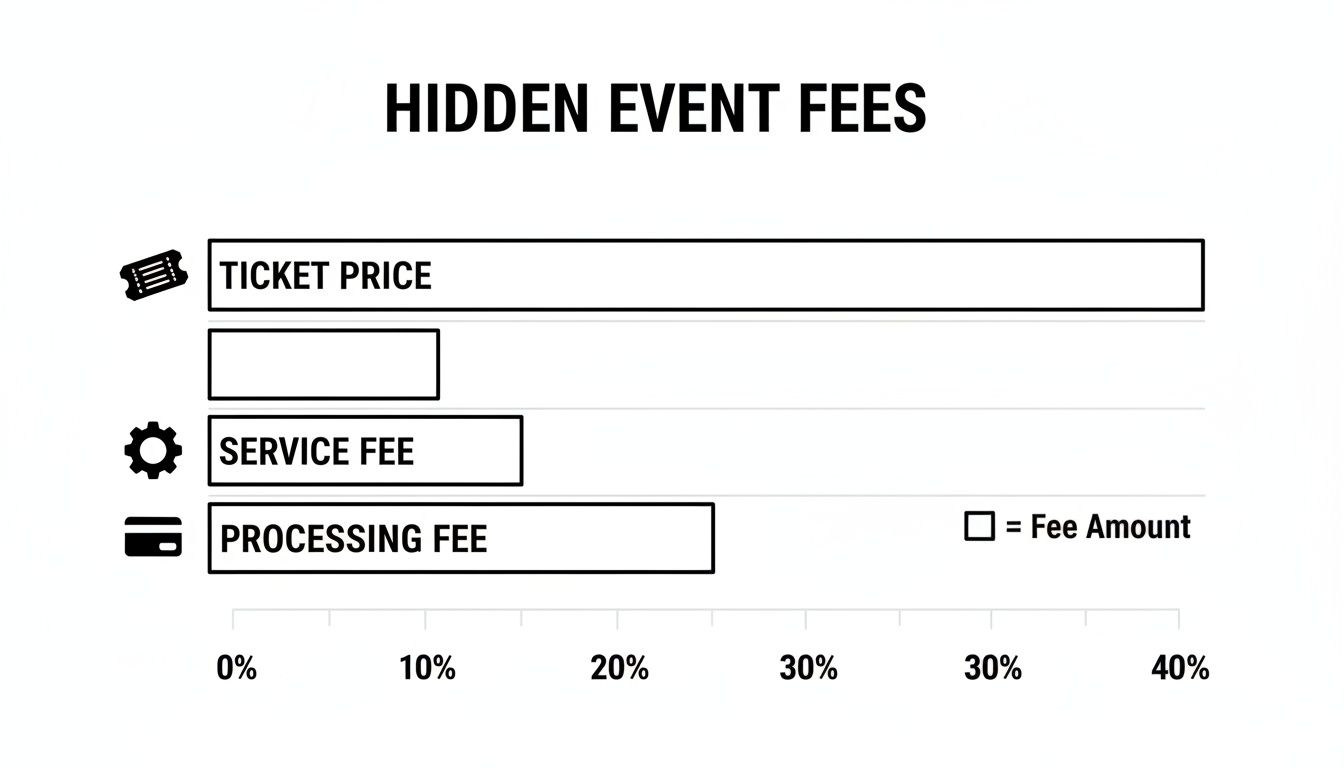
As you can see, the platform's service fee and the payment processor's fee get tacked on. This either increases the final cost for your attendee or cuts into your revenue.
So, which platform is right for you? It boils down to your core priority. Are you chasing a new audience, just collecting RSVPs, saving every penny on fees, or raising funds for a cause?
Choose the one that aligns with your main goal. You’ll avoid the headaches that come from picking a tool that’s fighting you.
Which Platform Is Right for Your Specific Event?
Alright, let's get practical. A generic feature list is useless when you're in the trenches. The "best" platform for a ten-person yoga class is the worst choice for a two-day street market.
Your event has its own quirks. The right tool should feel like it was built for your hustle, not someone else's. This is about moving past feature checklists and into real-world scenarios.
For Workshop Hosts and Class Instructors
If you’re running a weekly pottery class or a coding workshop, your needs are different. You aren't running a one-off event. You're building a community around a consistent schedule.
Your must-haves are straightforward:
Easy Duplication: You need to clone a past event and just tweak the date. Rebuilding a page from scratch every week is a soul-crushing waste of time.
Simple Attendee Management: You just need a clean list of who’s coming this Tuesday, not a complicated dashboard.
Clean, Simple Branding: Your page should reflect your brand, not a tech company's. Your logo and colors build recognition.
For this kind of work, a tool like Ticket Tailor really shines. Its free tier is generous, and it lets you remove their branding. The platform is built for simplicity, so you can spin up a new class in minutes and get back to teaching.
For Pop-Up Chefs and Supper Clubs
Your world is all about the tiny, crucial details. A pop-up dinner isn’t just about selling a seat; it’s about curating an experience. You absolutely need to know about allergies and dietary restrictions before your guests arrive.
This means your registration tool has to nail one thing: custom questions.
The moment you have to email every attendee to ask if they're vegan, your "free" software has failed you. Your time is worth more than that.
You need a platform that lets you add custom form fields without forcing an upgrade. Givebutter is surprisingly great for this. Because it’s geared toward nonprofits, it's designed to collect detailed information. Asking "Any dietary restrictions we should know about?" directly on the ticket form is a game-changer.
This simple feature prevents chaos on event night. It shows your guests you’re on top of the small things. For more, our guide on the best ticketing platform for events offers more perspectives.
For Community Markets and Local Festivals
Organizing a market or small festival introduces a whole new layer of complexity. You might have dozens of vendors who need to register. You might need to manage capacity with timed entry slots. You're not just managing attendees; you're coordinating logistics.
Your key requirements look more like this:
Multiple Ticket Types: Easily create different tickets for "Early Bird," "General Admission," "Vendor Stall," or "Child Under 12."
Capacity Management: The ability to set a hard limit on total attendees is non-negotiable.
Robust Check-in: You need a reliable mobile app with a QR code scanner that just works. Long lines kill the mood instantly.
Here, Eventbrite can be a surprisingly good fit, despite its high fees. Its real strength is managing larger, public-facing events. Its tools for capacity control and check-in are solid. If your market is free, you get these powerful tools without paying their hefty ticket fees.
Choosing the right platform isn't about finding the one with the most bells and whistles. It’s about finding the one or two features that solve your biggest headache. That lets you pour your energy back into making the event great.
From Zero to Live in Five Minutes
Ready to get your event page live but worried about a complicated setup? Don't be. You can launch a professional-looking event page faster than you can make a cup of coffee. No code, no confusing software.
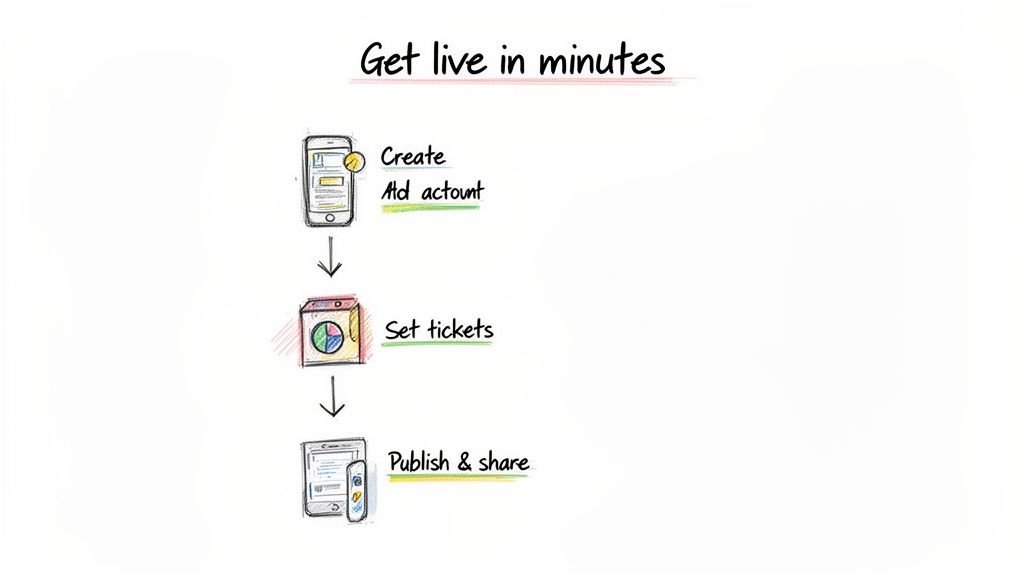
We'll walk through the exact steps. The whole point is speed and simplicity.
The Five-Minute Launch Plan
Most of the best free event registration platforms have a nearly identical setup process. Once you've chosen your tool, getting a live page is incredibly quick.
Here’s the basic playbook:
Create Your Account & Event: Sign up, click "Create Event," and give it a title that grabs attention.
Add the Core Details: Your who, what, when, and where. Write a short, punchy description. Upload a compelling photo—it's what gets clicks on social media.
Set Your Ticket Types: Create your tickets. You can go with a "Free RSVP," a paid "General Admission," or set up different tiers. Good platforms let you cap the number of tickets.
Configure Payouts: If you're charging, link a payment processor like Stripe. It’s usually as easy as logging into your existing account. This ensures you get fast, secure payouts.
Publish and Share: Just hit publish. You'll get a unique link for your event. Now you're ready to share it with the world.
The goal here is to get from an idea to a shareable link in under ten minutes. A good platform makes this feel effortless. If you're fighting the software, you're using the wrong software.
From Old System to New System
Stuck with a clunky system? Switching platforms is easier than you think.
For the most part, you can just copy and paste your event details. The only real task is exporting your attendee list from the old platform and sending everyone the new registration link. It’s a bit of manual work, but the time you'll save and the improved branding are well worth it. Our guide to online registration for events has a few more tips on this.
Don't Forget the Final Touches
Once your page is live, a few small details make a huge difference.
One of the most crucial steps is your confirmation message. Before you call it a day, spend a few minutes crafting the perfect event registration confirmation email. A clear, friendly email confirms an attendee's spot and gives them all the information they need in one place. It's a small touch that leaves a lasting positive impression.
When to Move Beyond a “Free” Platform
Success is a funny thing. One minute, you're running a scrappy pop-up dinner. The next, you have a waitlist that’s the talk of the town. Your free workshop is so popular you have to charge a small fee just to cover costs.
This is when you start to feel the seams of your free event platform stretching.
The limitations creep in as small annoyances at first. Maybe you're tired of your registration page looking like a giant ad for another company. Or those "small" per-ticket fees now take a real bite out of your revenue. It's about recognizing that your growth demands better tools.
Signs It's Time for a Change
The tipping point is different for everyone. But a basic free platform just doesn't cut it as your events get bigger. It’s a lot like the decision to upgrade to a 3rd party survey manager for Kickstarter campaigns—what got you started eventually holds you back.
Not sure if you’re there yet? Here’s a quick gut check:
You're losing money to fees. A 3.7% + $1.79 per-ticket fee seems tiny on a $10 ticket. But sell 100 tickets, and that’s over $500 gone. A simple, flat-fee platform puts that money back in your pocket.
Your brand is invisible. If your page is plastered with someone else's logo and you can't change the colors, you've outgrown it. Custom branding builds trust and makes you look like the professional you are.
You're drowning in manual work. Still exporting attendee lists to a spreadsheet to email everyone an update? A more serious tool should handle that for you, saving you hours of tedious work.
If you ever find yourself apologizing for your registration tool, that's your sign. Your software should work for you, not the other way around.
The Next Logical Step
Moving on from a free platform doesn't mean you have to jump into some complicated, expensive system. The next logical step is a platform built for people who are serious about their events but still value simplicity and honest pricing.
This is where flat-fee pricing comes in. Instead of skimming a percentage off every sale, you pay a small, predictable fee per ticket. It’s a model that actually scales with you. You get the professional features you need, like custom branding and fast payouts, while keeping more of your hard-earned money.
Frequently Asked Questions
You've got questions. We've got answers. Here are the most common things people ask about free event registration platforms.
Are Free Event Registration Platforms Really Free?
It depends. If you're hosting a free event—like a community meetup—then yes, most platforms will let you use their core tools without charging you a dime.
But the moment money enters the picture, so do fees. As soon as you sell tickets, the platform takes its cut. On top of that, you'll always pay a separate processing fee to a company like Stripe. The "free" part is almost exclusively for free events.
Can I Use My Own Branding on a Free Platform?
This varies wildly. Some generous free plans let you upload your logo and a banner image, which is often enough for a smaller event.
Many platforms, however, keep their best branding features behind a paywall. Their logo might be permanently stuck on your page, or you can't change the color scheme. If a professional look is a priority, you have to verify this before you commit.
Your registration page is often the first real interaction an attendee has with your event. If it looks more like an ad for the ticketing software, it can undermine the experience you're trying to create.
How Do I Get My Money from Ticket Sales?
When someone buys a ticket, the money flows through a payment processor (like Stripe) before it gets to your bank account. With most modern platforms, this is a smooth process. You just connect your Stripe account during setup.
The real difference is the payout schedule. Some platforms offer fast, secure payouts that land in your account just days after a sale. Others hold onto your funds until after your event is over. For an independent host with upfront costs, getting access to that cash flow early is a lifesaver.
What Is the Biggest Limitation of Most Free Platforms?
The two biggest hurdles are almost always ticket fees and a lack of deep customization. The second you charge for tickets, "free" is off the table, and you're handing over a slice of your revenue.
You're also usually stuck using the platform's pre-set layouts and branding. For a one-off free gathering, that’s fine. But as you grow and want to build a recognizable brand, those constraints can become a real drag on your professional image and your bottom line.